ToonApp
Version: 2.6.87
43.60MB
4.1
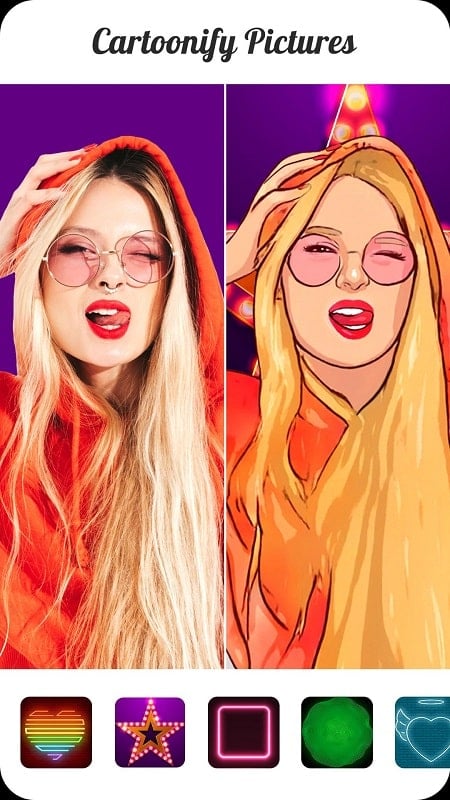
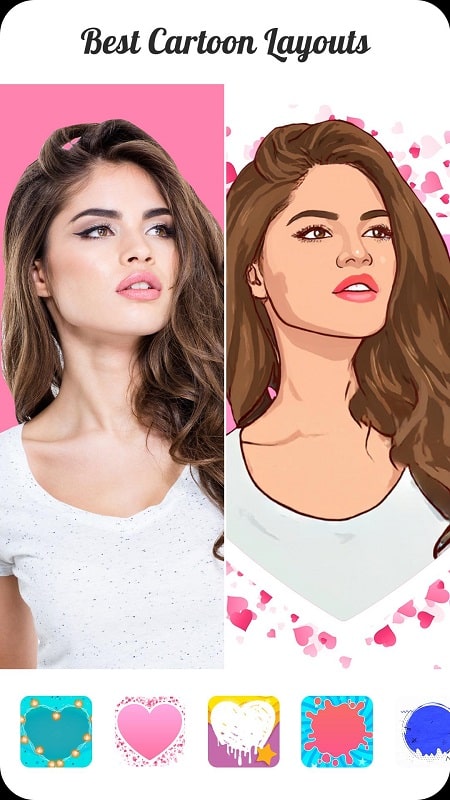
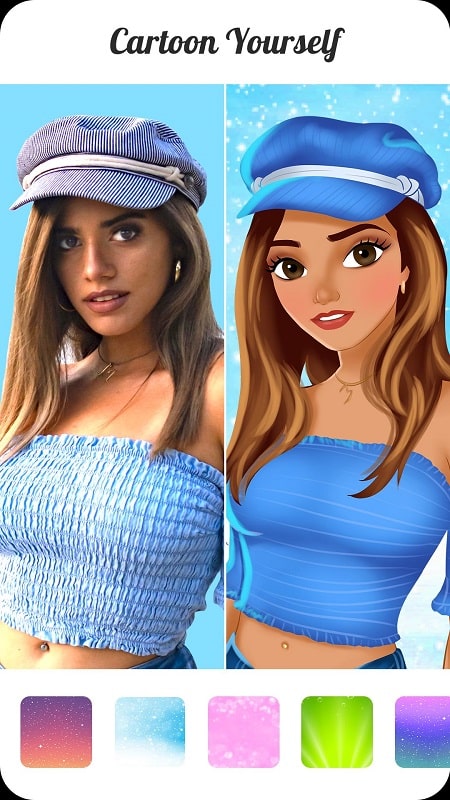
The ToonApp mobile editor transforms photos into bold, hand-drawn cartoons with a single tap, offering quick filters, background removal, and stylized results. ToonApp streamlines portrait-to-cartoon conversion for social sharing, giving users a playful creative tool that works fast and requires no artistic skills to produce eye-catching caricature-style images.
ToonApp packs a suite of automated and manual tools tailored to turning snapshots into cartoon-like illustrations. Key capabilities include one-tap cartoon filters, AI-powered background removal, selective brush edits, and a library of art styles from pop-art to pencil sketch. Batch processing and social export options make it practical for regular creators and casual users alike.
At the heart of ToonApp is a neural network trained to recognize facial features, contours, and color regions. When you load a photo, the app analyzes edges, skin tones, and lighting to apply smooth lines and exaggerated shading typical of cartoons. Backgrounds are detected separately so they can be replaced or stylized without affecting the subject.
The interface follows a step-by-step flow: import an image, choose a cartoon style, refine the subject mask, and adjust final settings. Controls are grouped into clearly labeled panels for Filters, Background, Details, and Export. Sliders control intensity, line thickness, and color vibrancy while undo/redo and a split-view preview let you compare the original and transformed versions instantly.
Beyond the automatic filters, ToonApp offers manual adjustments to help you fine-tune results. Use the brush to protect or erase areas, tweak facial feature emphasis, or soften outlines. Color tools allow selective saturation and palette swaps to create retro or neon looks. You can also add stickers, frames, and text overlays to prepare images for social posts or messaging.
ToonApp is optimized for modern Android devices and performs well on mid-range phones thanks to on-device processing and efficient memory usage. Processing time depends on image resolution; typical portrait edits complete in seconds. For older devices, lower-resolution export preserves speed while still producing attractive results. The app supports popular image formats and provides direct sharing to major social platforms.
Once you’re satisfied with a creation, export choices include high-resolution JPG/PNG and transparent-background PNG when background removal is enabled. Built-in sharing integrates with social apps and messaging platforms so you can post or send stylized portraits without leaving the app. Save presets for consistent looks across multiple photos or use batch mode to apply the same effect to a series of images.
ToonApp requests minimal permissions to access photos and device storage. Editing is performed locally unless you opt into cloud features. A free tier offers essential filters and tools, while a subscription unlocks premium styles, watermark removal, and commercial-use licenses. Exported files are saved to a local album for easy management.
For optimal conversions, use clear, well-lit portraits with minimal background clutter. Close-up shots of faces yield stronger cartoon lines and better feature detection. Experiment with different styles to find the balance between realism and caricature, and use manual brushes to correct small errors where hair or accessories confuse the mask.
ToonApp is a practical creative utility that simplifies turning photos into stylized illustrations. With intuitive controls, a versatile set of filters, and efficient performance across devices, it’s suited for anyone who wants to make playful visuals quickly without learning complex editing software. Give it a try to add a distinctive, hand-drawn vibe to your images.