Lumii
Version: 1.661.160
35.10MB
4.2
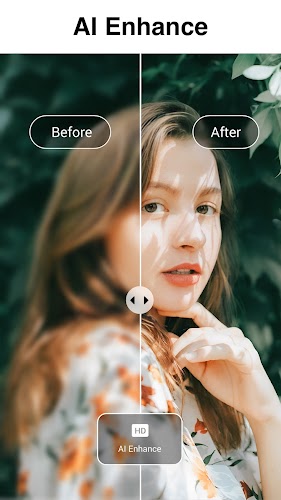
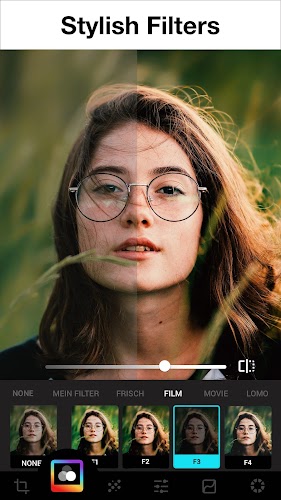
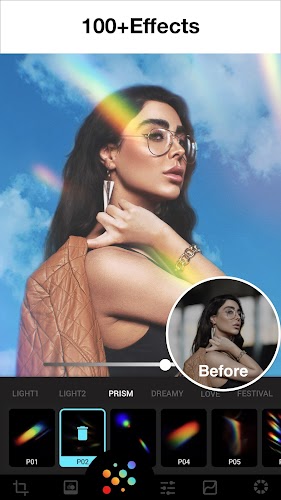
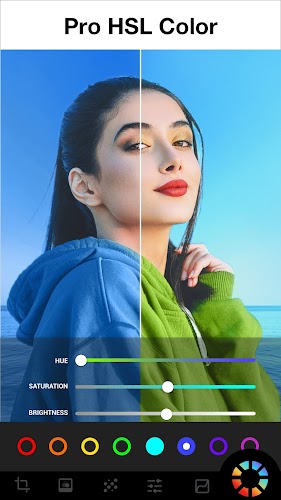


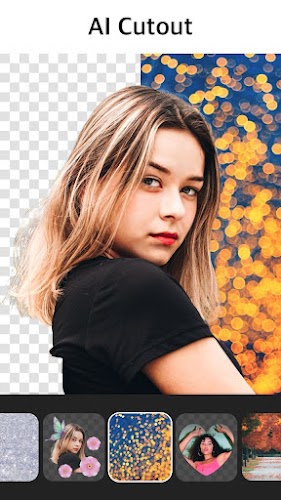

Lumii is a powerful photo-editing app that combines advanced filters, precise adjustment tools, and layered effects for mobile creators. Designed for quick edits and deeper retouching, Lumii offers an approachable interface with professional-level controls, making it suitable for casual users and photographers who need reliable, on-the-go image editing.
Lumii presents a streamlined toolkit focused on image enhancement without a steep learning curve. The layout prioritizes essentials — crop, exposure, contrast, and color — while hiding deeper controls behind expandable panels. This balance makes it possible to produce polished results in minutes or invest time in fine-tuning if you prefer. The app supports common image formats and keeps file sizes compact for smooth performance on mid-range devices.
At its heart, Lumii provides a layered approach to editing. Layers allow users to stack filters, masking, and localized adjustments, so changes remain non-destructive. Key capabilities include selective color correction, gradient overlays, and a precision healing brush. The filter library mixes both subtle corrections and stylized looks. Each filter is adjustable, enabling you to dial intensity up or down to fit the photo’s mood.
Tools are organized by function to keep the interface intuitive. The basic panel covers exposure, highlights, shadows, whites, and blacks. A more advanced section exposes tone curves and HSL sliders for detailed color grading. The sharpening, clarity, and noise reduction controls let you refine texture and focus. There’s also a perspective and distortion fixer useful for architecture or product shots.
Customization is where Lumii stands out. You can create and save custom filter presets to speed up repeatable workflows. The masking tools support brush and gradient modes, with opacity and feather controls to blend edits naturally. For creators who work with series of photos, batch apply options help maintain a consistent aesthetic across multiple images. The app’s export settings let you choose resolution and compression to balance quality and file size.
Lumii’s interface is responsive and minimizes clutter. Toolbar icons are large and contextual tips appear as you explore—this reduces the learning curve while keeping advanced features accessible. Performance is optimized for mobile: common tasks like adjusting exposure or applying a filter are instantaneous on modern devices. Some high-res files can take longer to process, but the app handles multi-core processors and GPU acceleration where available.
Users report a comfortable mix of speed and precision. Casual editors appreciate the one-tap enhancements, while enthusiasts value the granular controls. The app avoids overwhelming beginners by offering guided tooltips and undo history, so experimenting is low risk. Regular updates have added new filters and stability fixes, reflecting active maintenance and user-centered improvements.
Download and open Lumii, then import a favorite photo to explore the toolbar. Test an auto-enhance to see the app’s baseline adjustment, then toggle individual controls to learn their effect. Save a preset once you find a look you like. Lumii is designed to become more powerful with use, rewarding experimentation while remaining practical for everyday edits.