Gold Leaf Pro - Icon Pack
Version: 3.8.2
76.06MB
4.5
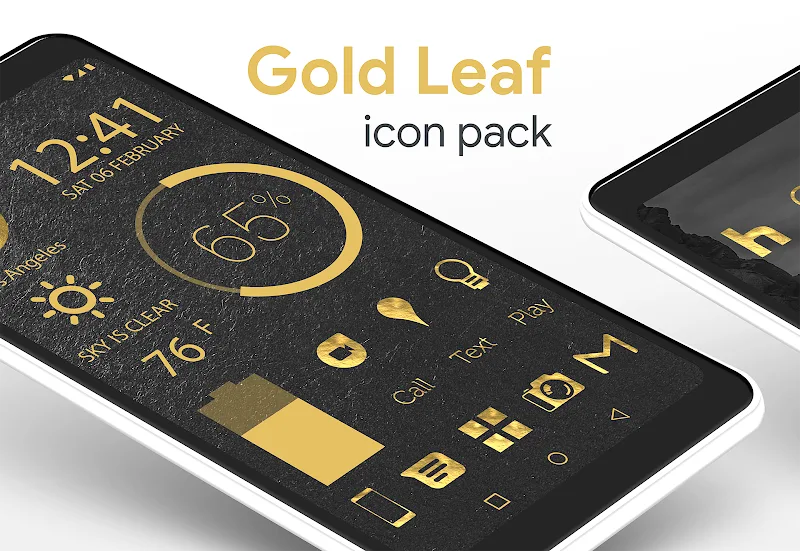
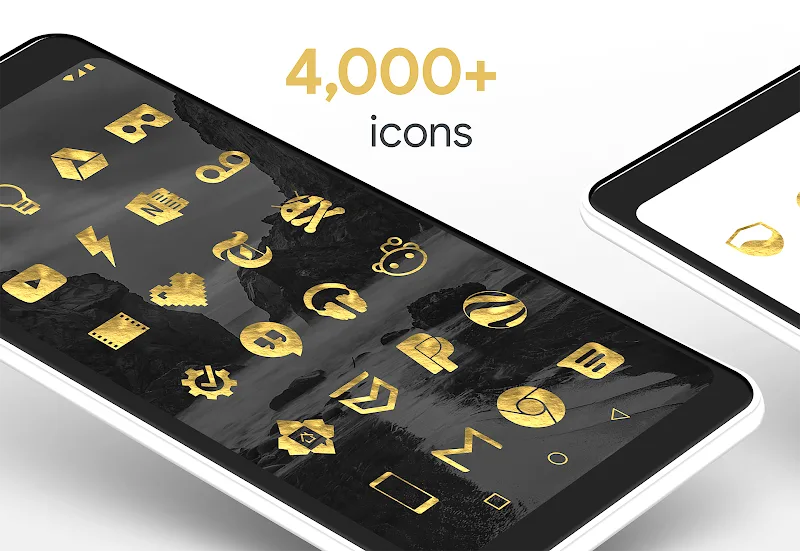
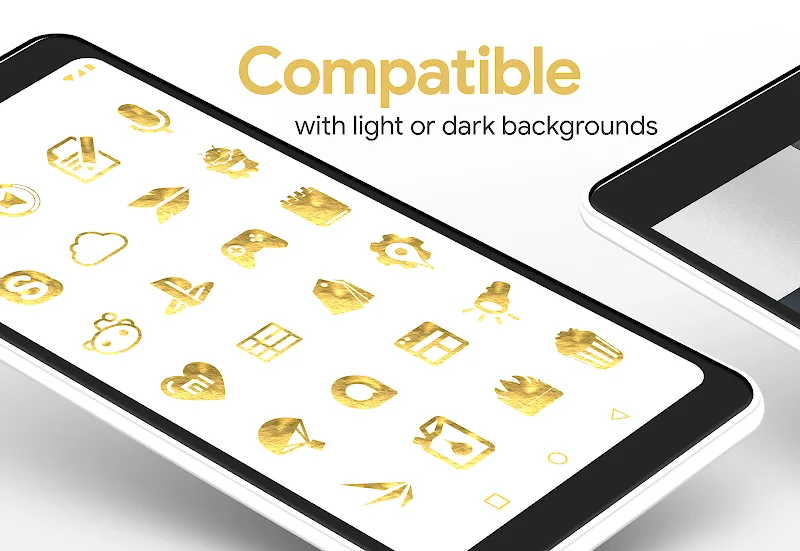
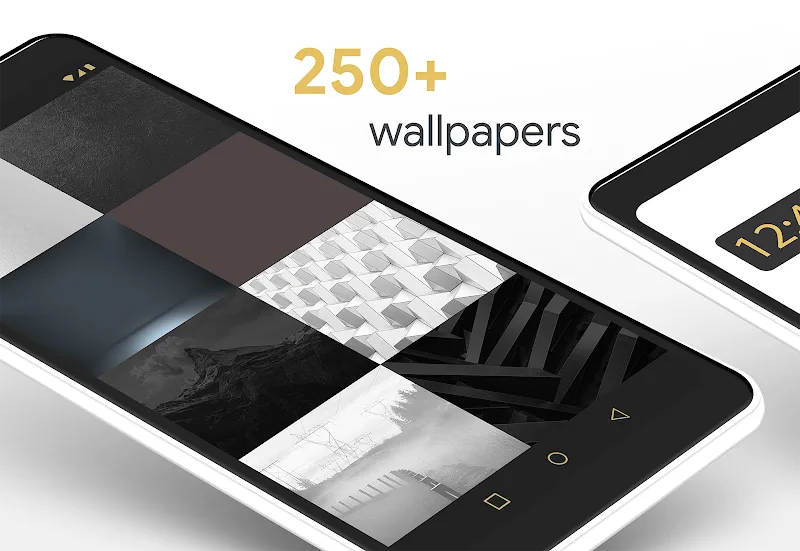
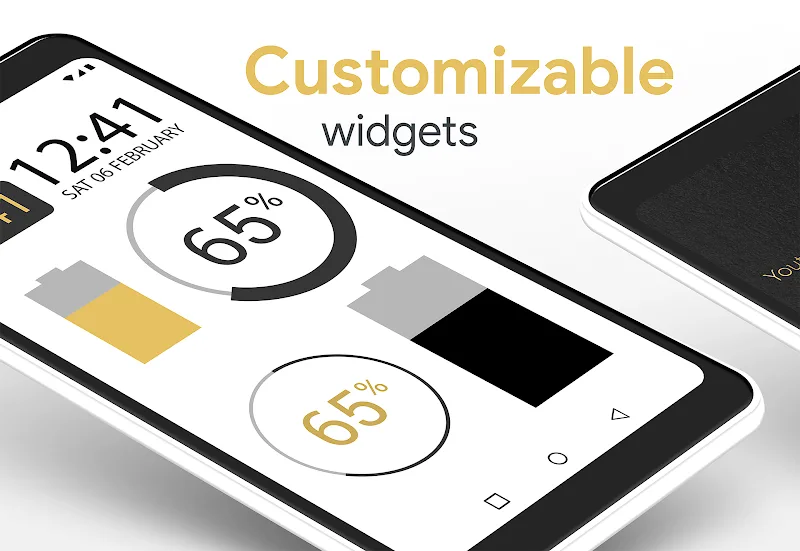
Most home screens pile up icons and themes until the interface feels cluttered - Gold Leaf Pro - Icon Pack offers a streamlined, golden alternative. This themed icon pack dresses your Android in warm metallic tones, matching high-resolution wallpapers and curated iconography for a unified look. If you favor a luxe aesthetic but want something minimal and wearable day-to-day, Gold Leaf Pro - Icon Pack delivers refined visuals, simple controls, and enough customization to make your phone feel bespoke without extra fuss.
Primary use: Personalization and theming for Android launchers that support custom icon packs, ideal for users who want a cohesive, premium appearance.
Visual style: Minimalist luxury — icons emphasize gold accents, subtle translucency, and clean glyphs rather than loud textures or gaudy gradients.
Included assets: Icon set, matching wallpapers, and a launcher dashboard to apply themes quickly.
Handcrafted icons: Each glyph is designed by hand with attention to line work and spacing, so app icons retain clarity at small sizes when using Gold Leaf Pro - Icon Pack.
Gold color palette: A consistent metallic scheme runs through icons and wallpapers, creating a unified appearance that reads as premium on AMOLED and LCD panels.
Transparent blends: Subtle see-through elements let your chosen wallpaper peek through icons, giving depth without clutter when you use Gold Leaf Pro - Icon Pack.
High-resolution wallpapers: A selection of color-matched backgrounds ships with the pack; they’re optimized to complement icons and maintain contrast for legibility.
Launcher compatibility: Works with most popular Android launchers that accept icon packs, plus an in-app apply tool to speed up setup when you install Gold Leaf Pro - Icon Pack.
Regular updates: The developer provides periodic additions and replacements so new app icons are added and visual consistency is preserved.
Create contrast: Pair darker wallpapers with the gold icons to maximize visibility; Gold Leaf Pro - Icon Pack looks especially striking on deep blue or black backgrounds.
Use a widget layer: Place a monochrome clock or calendar widget on the home screen to enhance the premium feel while keeping information readable alongside ornate icons.
Keep a backup: Export your home screen layout or use your launcher’s backup option before applying the pack so you can test styles risk-free if you want to revert from Gold Leaf Pro - Icon Pack.
Do I need a custom launcher?
Most launchers that support icon packs are compatible, but stock launchers on some devices may not accept third-party packs. Check your launcher’s settings or use the in-app apply tool included with Gold Leaf Pro - Icon Pack.
Are the wallpapers included high resolution?
Yes, the pack includes several high-resolution wallpapers that are color-matched to the icons and optimized for both portrait and landscape orientations.
Can I request new icons?
Many icon pack developers accept icon requests via email or within the app. Look for an icon request option in Gold Leaf Pro - Icon Pack’s menu to submit apps that aren’t themed yet.
If you want a consistent, luxury-inspired theme that keeps your home screen tidy, Gold Leaf Pro - Icon Pack is a strong pick. The set balances handcrafted detail with minimalism, offers easy setup for supported launchers, and brings a cohesive gold aesthetic to everyday use. Try Gold Leaf Pro - Icon Pack to give your device a polished, standout appearance and experiment with wallpapers and widgets to make the look your own.