Capacity Info: Battery Health
Version: 7.7.1.1
6.07MB
4.5
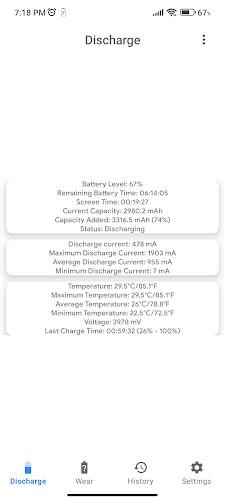
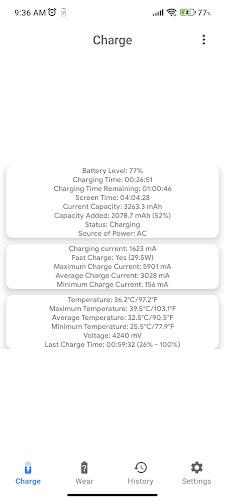
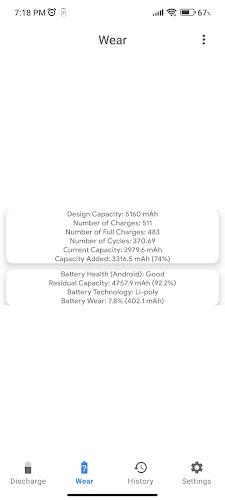
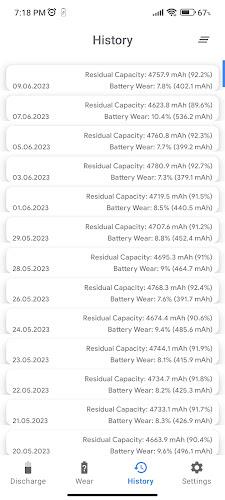
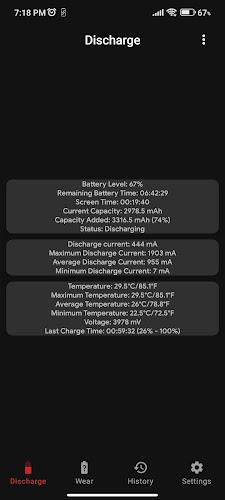
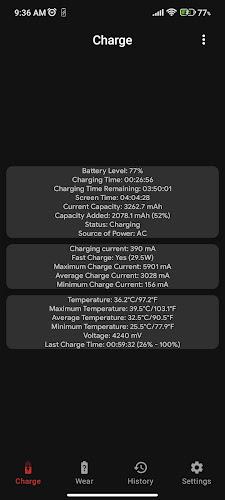
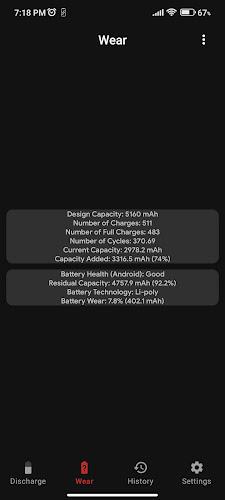
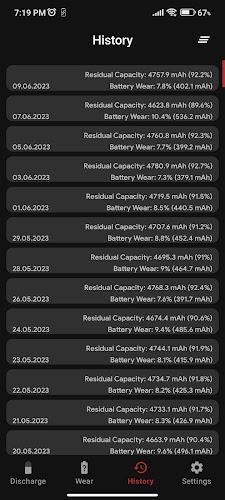
Capacity Info: Battery Health is a compact Android utility that measures battery capacity, estimates health, and tracks charge-discharge behavior to help you better understand your device’s power profile. It provides clear metrics, historical trends, and practical recommendations so you can monitor battery performance without complicated jargon.
Capacity Info: Battery Health focuses on presenting accurate, easy-to-read battery statistics. Instead of vague percentages, the app reveals capacity in mAh, current charge cycles, estimated wear level, and real-time voltage and temperature readings. Designed for everyday users and tech-savvy individuals alike, the app turns raw battery data into usable insight.
The app reads system-level battery statistics exposed by Android and applies standardized calculations to estimate real capacity and wear. It correlates voltage, current, and temperature during charge-discharge sessions to produce a reliable snapshot of your battery’s state. Visual cues and numeric readouts are combined so you can both glance at a summary and dive into detailed logs when needed.
Interface design prioritizes clarity: large numeric values, concise labels, and colored indicators that flag potential problems. Start a monitoring session with one tap; the app automatically records key metrics while running in the background. Navigate between the current session, a historical log, and an export screen without deep menus or clutter.
Capacity Info: Battery Health is lightweight and optimized to minimize background resource use. It relies on information available through Android’s battery APIs, so available details may vary slightly by device model and Android version. The app is designed to be compatible across a wide range of phones and tablets; advanced metrics are shown when the device exposes richer hardware data.
The app requests only the permissions necessary to read battery status and store local reports. No personal data is collected or transmitted unless you explicitly export and share a report. Local storage is used to keep measurement logs and user preferences, and you can clear data at any time from the settings screen.
This utility is useful for anyone who wants to prolong device uptime, diagnose unexpected battery drain, or make informed decisions about replacing a battery. Enthusiasts who tinker with charging routines and technicians performing diagnostics will find the combination of real-time metrics and historical trends especially helpful.
After installing Capacity Info: Battery Health, open the app, grant the minimal permissions requested, and run a short calibration cycle. Review the main dashboard to see design capacity versus current capacity, then explore the log tab to compare measurements over time. Regular checks will help you spot changes early and adapt charging habits accordingly.