Floating Notes
Version: 3.44
9.20MB
4.2
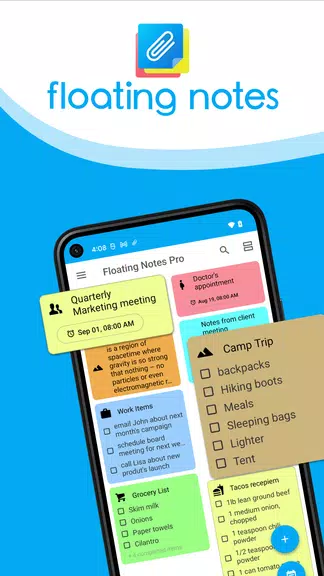
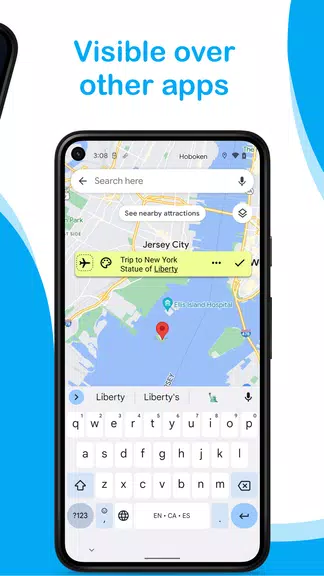
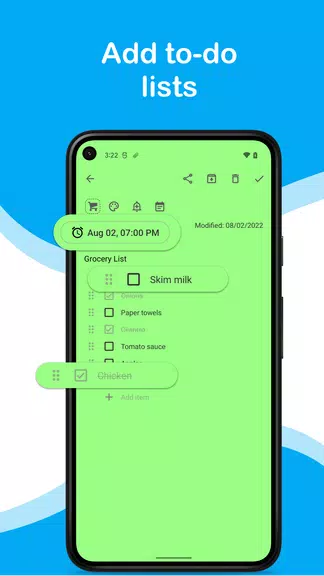
Floating Notes is a lightweight Android app that keeps your notes accessible in movable overlays so you can jot ideas without switching apps. It creates persistent, resizable floating windows for quick text, checklists or reminders, improving multitasking and saving time during browsing, messaging, or research.
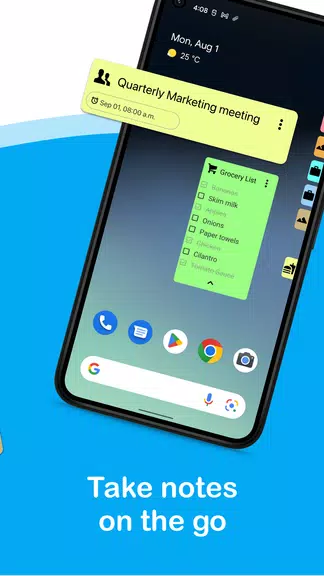
Floating Notes brings note-taking to the foreground of your workflow by using small, draggable windows that hover above other apps. Instead of toggling between a browser and a note app, you can keep thoughts visible while you work. The design emphasizes immediacy and low friction: tap a floating icon, type, and the note remains until dismissed.
The app focuses on speed and accessibility. Users can create multiple floating notes, switch between them, and pin important items. Notes support plain text, simple checklists, and timestamps for quick reminders. A compact editor keeps formatting minimal so the overlay stays lightweight and responsive on a broad range of Android devices.
Floating Notes operates as an overlay service that requests permission to appear on top of other apps. Once enabled, a small launcher bubble is always available. Tap it to open a new note, then drag the window to any corner of the screen. You can resize windows to show more content or collapse them to a headline for unobtrusive persistence.
Customization is practical rather than decorative. Choose between several preset window sizes, change background opacity to avoid blocking underlying content, and set a default font size for readability. Color accents help differentiate categories or priority levels. These options help users tailor the tool without overwhelming them with complex settings.
While intentionally lightweight, Floating Notes offers useful integrations for productivity-focused users. Copy and paste works across apps, and you can export a note to other apps or save it to local storage. Some versions include shortcuts to share notes via messaging apps or email, speeding up common workflows like sharing a shopping list or a link.
Good performance is essential for an overlay app. Floating Notes is optimized to use minimal memory and battery, keeping animations simple and avoiding heavy background processing. The interface favors readable typography, with touch targets sized for comfortable tapping. The launcher bubble can be hidden temporarily to reduce distractions.
Start by creating a few notes and positioning them where you naturally look on the screen. Use one note as a temporary clipboard for links and another for to-dos. Adjust opacity so the note is readable but doesn’t obscure content. If you rely on many notes, use color tags or a naming convention to keep them organized.
Users choose Floating Notes when they need rapid access to small bits of information without interrupting their flow. Researchers, writers, and multitaskers benefit from being able to capture thoughts while referencing other apps. The minimal learning curve and practical controls make it a strong option for anyone who values quick capture and persistent visibility.
Installing Floating Notes is straightforward: grant the overlay permission, position the launcher where it’s convenient, and create your first note. Explore sizing and opacity settings to match your usage style. For privacy, check local storage options and clear saved notes when no longer needed. Regular updates may add small conveniences, so keep the app current for best compatibility.
Final thoughts: Floating Notes excels at reducing app switching and making short-form note-taking instant. It won’t replace full-featured editors for long-form projects, but as a pocket-sized, always-available notepad it’s a practical addition to an efficient mobile workflow.