Veilo Wallet
Version: 1.0.0
98.00MB
4.4
Veilo Wallet is a mobile cryptocurrency wallet designed for managing multiple digital assets securely and conveniently. It delivers on-device key control, transaction history, and fast token swaps while keeping the interface approachable for newcomers and powerful enough for frequent traders and blockchain enthusiasts.
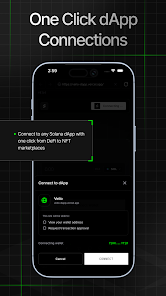
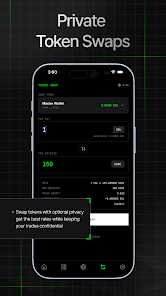
Veilo Wallet groups practical features into a compact toolkit. You can hold multiple tokens, view portfolio balances, and perform peer-to-peer transfers with QR codes or address scanning. Integrated token swaps let you trade without leaving the app, and a built-in dApp browser connects to decentralized applications. Additional conveniences include customizable gas settings, watch-only addresses, native support for custom tokens, and a transaction ledger that simplifies bookkeeping.
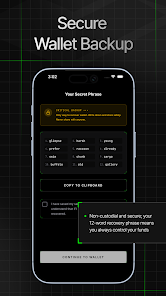
Security is central to the Veilo Wallet design. Private keys are stored locally on the device and protected by encryption and optional biometric unlock. During setup the app prompts for secure seed backup and offers clear instructions for offline storage. Network requests are minimized and sensitive data is handled with privacy in mind to reduce exposure. For power users, the wallet supports read-only integrations and connections to hardware devices to keep funds offline when needed.
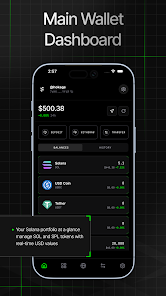
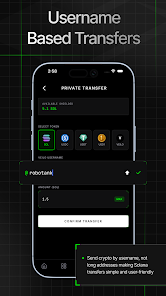
The interface balances clarity with functionality. A dashboard surfaces your most-used balances and recent activity while clearly labeled action buttons speed common tasks like send, receive, and swap. Transaction signing shows a concise summary of fees and recipients so you can confirm operations at a glance. Frequent flows are streamlined: sending assets takes a few taps, and the wallet stores recipient nicknames so repeat transfers are faster and less error-prone.
Veilo Wallet supports a wide range of tokens across multiple blockchain ecosystems and connects with popular wallet protocols to interact with external services. You can import wallets from standard seed phrases or add watch-only addresses for monitoring. Compatibility with common token standards and a token discovery tool helps you add new assets manually if needed, while synchronization is designed to stay responsive even with long token lists.
The app is optimized for mobile use: it minimizes background activity to preserve battery life and avoids large on-device databases that slow down older phones. Network operations are batched when possible and caching reduces repeated lookups. Because private keys remain local, the wallet performs cryptographic operations on-device, so signing is fast and does not depend on remote servers. This keeps the app snappy on typical Android hardware.
Installing and setting up Veilo Wallet is straightforward. After download you choose between creating a new wallet or importing an existing one via seed phrase. The setup wizard walks you through creating a secure PIN and backing up the recovery phrase. Once configured, add preferred tokens, set a default network, and optionally enable biometric authentication to speed access. Connecting to dApps or hardware devices is handled through a clear pairing process in the settings.
To make the most of Veilo Wallet, routinely export and encrypt backups and keep them in separate physical locations. Double-check recipient addresses before confirming transactions and use small test transfers when interacting with unfamiliar contracts. Keep the app updated to receive security patches and new features. If you rely on higher-value holdings, consider pairing the wallet with external hardware for additional protection.
Veilo Wallet suits users who want a balance of usability and control: everyday holders who value quick access to tokens, and more advanced users who need swap functionality and dApp interaction without sacrificing security. The app’s modular design makes it easy to adopt gradually — start with simple send/receive tasks and expand into swaps, staking interfaces, or connected services as confidence grows.