Kassly POS
Version: 1.0.1
59.00MB
4
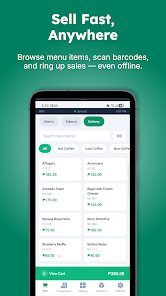

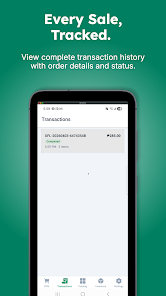
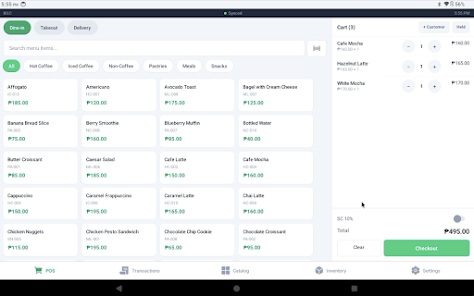
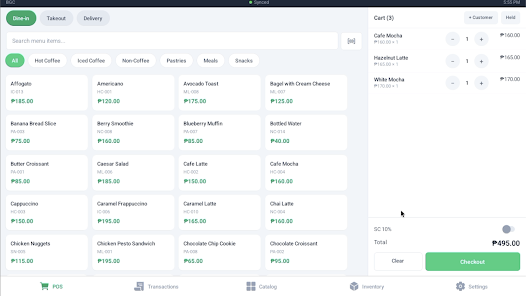
Kassly POS is a modern point-of-sale solution designed to simplify sales, inventory, and reporting for small to mid-size retailers. It centralizes transactions, customer data, and product management into a single, easy-to-navigate interface that speeds up checkout and reduces reconciliation time for business owners.
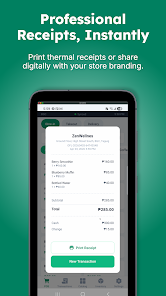
Kassly POS combines essential retail functions—sales processing, inventory control, and reporting—into an Android-native application. The system supports barcode scanning, receipt printing, and multiple payment types while keeping configuration minimal. It aims to reduce the time staff spend on routine tasks and gives managers clearer insight into shop performance.
The Kassly POS interface emphasizes clarity: large buttons, readable fonts, and logical screen flows reduce training time. Animations are restrained to keep responsiveness high on entry-level Android hardware. Pages load quickly and transitions are predictable, which helps during busy periods when staff need to move through tasks rapidly.
Menu layouts group actions by role—sales staff see quick-access checkout options while managers gain access to configuration and reporting. Navigation avoids deep nested menus, so commonly used functions are reachable in two taps or fewer. Customizable shortcuts let teams tailor the layout to their busiest workflows.
Installing Kassly POS on an Android device is straightforward. After signing up, the setup wizard walks administrators through basic configuration: tax rules, product catalogs, payment methods, and printer pairing. Cloud sync keeps data backed up, and offline mode maintains functionality when connectivity is spotty, synchronizing changes when the connection returns.
Kassly POS supports integration with accounting exports and simple CSV imports/exports to fit into existing business processes. For shops using external payment processors or online storefronts, available connectors and APIs help bridge systems so sales and inventory data stay aligned.
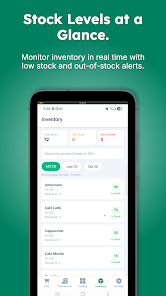
Daily use is focused on speed and accuracy. A typical workflow might include scanning barcodes or selecting products, applying customer discounts, and finalizing payment with a printed receipt. Stock adjustments after deliveries are logged through a dedicated screen, and managers can review end-of-day sales with a few taps.
Role-based access control helps protect sensitive actions like price changes or cash drawer operations. Managers can create employee accounts with tailored permission levels to limit access to reporting or administrative settings while allowing cashiers to perform transactions.
Train staff on the shortcuts and frequent tasks to shave seconds off each checkout. Regularly reconcile cash reports to catch discrepancies early. Schedule inventory checks during slow hours and use the system’s low-stock alerts to plan reorders before items run out.
Many retailers choose Kassly POS for its balance of functionality and simplicity. It covers core retail needs without overwhelming users with unnecessary features. The modular approach means stores can adopt what they need and expand capabilities as the business grows.
For shop owners looking for a practical Android-based point-of-sale that integrates day-to-day sales, inventory, and reporting into a compact package, Kassly POS presents a clear, efficient option that supports growth and streamlines operations.