CryptoReports
Version: 1.0
47.00MB
4.4
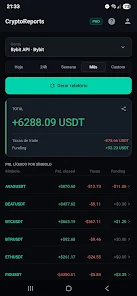
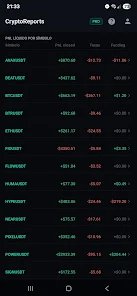
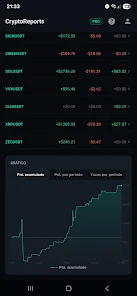
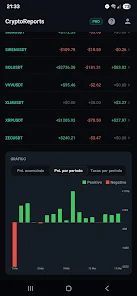
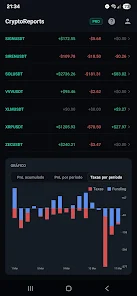
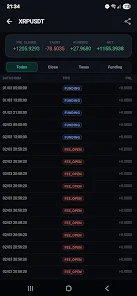
CryptoReports is a mobile app that turns cryptocurrency data into clear, exportable analyses and portfolio reports. Designed for traders and accountants, it aggregates wallet balances, trades, and tax events, then generates customizable summaries, charts, and CSV or PDF exports for faster accounting and clearer decision-making.
As a productivity tool for crypto users, CryptoReports focuses on turning fragmented transaction histories into organized statements. The app connects to exchanges and wallets, reconciles activity across addresses, and produces a timeline of gains, losses, and holdings. Its goal is to reduce manual reconciliation and speed up routine reporting tasks.
CryptoReports is useful for independent traders, portfolio managers, bookkeepers, and anyone needing compact records for record-keeping or tax preparation. Casual holders will also find value in portfolio snapshots and simple export options that make sharing results with advisors easier.
The app combines several practical features into a single workflow. Instead of presenting raw data only, CryptoReports emphasizes clarity and reuse. Key capabilities include:
Linking accounts is straightforward: use API keys for exchanges, paste public wallet addresses, or import trade histories manually. Once connected, the app normalizes timestamps and denominations, then matches transfers to reduce duplicate entries. You can review auto-detected tax events, adjust matching rules, and save templates so future reconciliations require minimal input.
CryptoReports presents a clean dashboard that prioritizes overview metrics and recent activity. Navigation is split into logical sections: Portfolio, Transactions, Reports, and Settings. Charts render smoothly on modern devices, and the app caches data to reduce repeated downloads. For large portfolios the initial sync may take longer, but incremental updates remain responsive.
The interface favors readability over dense information. Tables use expandable rows to reveal transaction details without losing the overview. Color-coded profit/loss indicators and sortable columns help you diagnose discrepancies quickly. Mobile interactions are complemented by export-ready layouts that preserve formatting across devices.
Begin with a single exchange or wallet to learn the reconciliation flow. Use the tagging system early so filters become meaningful as your transaction history grows. When preparing tax reports, validate a small sample of transactions against exchange statements to confirm matching logic. Save report presets that reflect the specific jurisdiction or accountant requirements to avoid repetitive configuration.
If two transfers appear as separate entries, check whether the app identified an on-chain fee or an internal exchange transfer. Use the manual merge tool to correct mismatches and then apply the correction as a rule if similar events recur. For privacy-conscious users, the app supports local CSV imports without requiring account linking.
Installing and initial setup take only a few steps. Create an account, choose your preferred currency and tax method, then connect sources. The first sync can include several confirmations while transaction histories are processed; expect follow-up emails or in-app prompts if additional verification is required.
CryptoReports balances automation with manual control, allowing experienced users to fine-tune outputs while giving newcomers guided defaults. If you need a portable record or a professional statement, the app’s export options streamline the handoff to advisors or spreadsheet workflows. Try the reporting templates to see how a few clicks replace hours of manual consolidation.