Image to PDF Converter
Version: 1.0.1
40.00MB
4.4
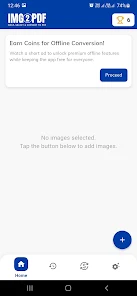
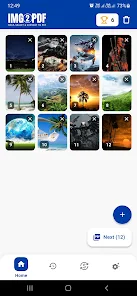
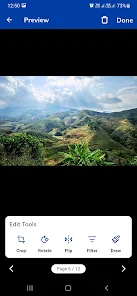
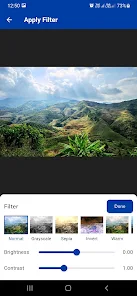
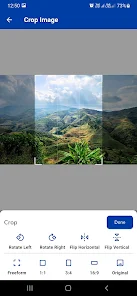
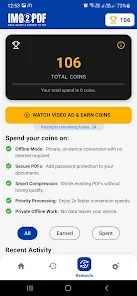
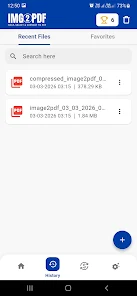
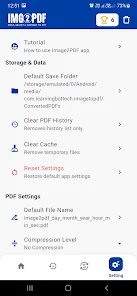
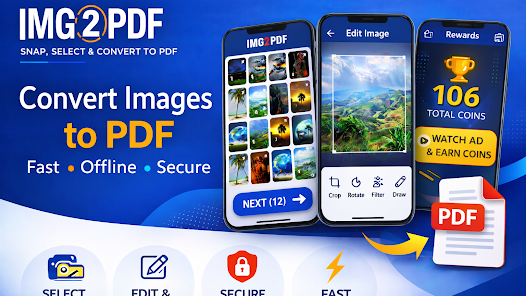
Image to PDF Converter is a compact Android utility that turns photos, scans, and screenshots into organized multi-page PDF documents directly on your device. Image to PDF Converter opens with a simple capture button and gallery import so you can convert receipts, whiteboard photos, contracts, and other documents without fuss, and it is built to work reliably on mid-range phones and tablets.
The app follows a clear, linear workflow: capture or select images, crop and correct framing, arrange page order, choose compression and paper size, then export. This step-by-step progression reduces errors and makes repetitive tasks predictable. Supported input formats include common camera images and screenshots, and output options include compact files for sharing or higher-quality PDFs suitable for printing or archiving.
Controls are optimized for touch interaction: a large shutter button for quick captures, pinch-to-zoom for precise cropping, and drag-and-drop thumbnails for reordering pages. Manual rotation and rectangle crop handles sit alongside an auto-detect edges mode to speed up captures. Preview screens let you inspect each page at export time and change margins or orientation without returning to the editor.
Customization focuses on repeatable settings rather than a steep learning curve. Users can create and save presets for compression, paper templates, naming conventions, and export destinations so common document types require fewer steps. As you build these templates, the app effectively becomes faster and more consistent at producing the documents you rely on, which acts as a practical progression system for frequent workflows.
Exported PDFs can be saved locally, uploaded to connected cloud services, or shared through email and messaging apps that you already use. Metadata fields such as title, author, and subject are available at export time to improve cataloging and searchability. The app preserves original image timestamps and encourages consistent file naming to help with later retrieval and batch processing.
The interface uses a minimal visual style with clear icons, high-contrast controls, and a persistent thumbnail strip that shows page order at a glance. Accessibility considerations include large touch targets, plain-language prompts, and adjustable defaults to shorten repetitive flows for users with limited dexterity or vision sensitivity. Font sizes and interface spacing are chosen to reduce cognitive load and make common tasks faster.
Performance is tuned for a range of devices: conversion and compression rely on progressive algorithms that balance speed and output quality. The app supports full offline operation for capture, editing, and local export so you can create documents without a network connection. Large batch conversions run in the background and include progress indicators so you can continue other work while exports finish.
For poorly lit or skewed captures, auto-edge detection, perspective correction, and contrast enhancement help salvage readable documents. Color, grayscale, and black-and-white modes let you trade fidelity for smaller file sizes when needed. Built-in presets act as mitigations for challenging inputs: apply a legibility preset for dense text or a compact preset for long receipt lists to reduce manual rework.
Traveling professionals can scan receipts and combine them into a single PDF for expense reports; students can compile lecture notes and slides into organized study files; small businesses can digitize invoices and contracts for recordkeeping. Replay value comes from reusing templates and presets: once you refine naming schemes and export settings, routine document creation becomes faster and more consistent. For best results use even lighting, enable auto-edge detection for quick captures, and rename exported PDFs immediately if you plan to archive them.
Installation follows standard Android procedures: grant camera and storage permissions, then follow a short onboarding that highlights capture best practices and export options. Image to PDF Converter collects user feedback through in-app reporting so common workflow pain points can be improved over time. Support resources and brief usage tips are included to help you get productive in minutes, with thoughtful defaults that minimize friction for first-time users.