
Summrize: AI Video Summaries
Version: 1.0.19
77.00MB
4.1
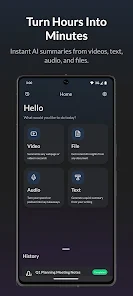
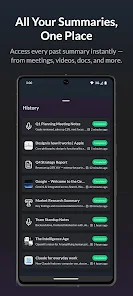
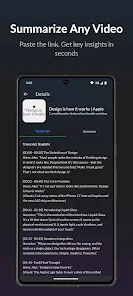
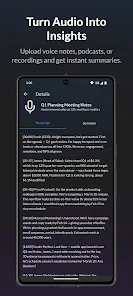
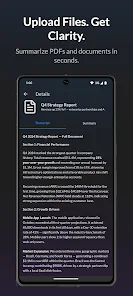
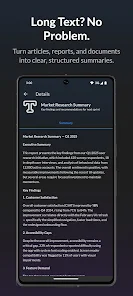
Summrize: AI Video Summaries condenses long videos into clear, timestamped highlights using on-device and cloud AI. It extracts key points, creates shareable clips and readable summaries, and speeds up review of lectures, meetings, and tutorials for professionals and students on mobile devices and desktops with minimal setup.
Summrize: AI Video Summaries is a productivity tool that converts video content into concise, skimmable notes. Instead of watching hours of footage, users get short textual summaries, quick links to important moments, and optional short video snippets that illustrate each point. The goal is to reduce review time and make information retrieval frictionless.
The app analyzes audio and visual cues, then generates a structured output that pairs short paragraphs with timestamps. For speech-heavy content like lectures, the transcription is the backbone of the summary. For demos or screen recordings, the system weights visual changes and captions more heavily. Users can refine the level of detail by selecting short, medium, or full summaries.
Summrize: AI Video Summaries adopts a clean, feed-based interface. Uploaded videos appear with estimated reading times and a confidence score for the generated summary. Clicking a summary line opens the player at the matching timestamp, while an edit mode lets you tweak wording, add notes, or rearrange highlights before exporting.
Performance varies by device and chosen processing mode. Local processing favors privacy but may be slower on older phones. Cloud-assisted summarization tends to be faster and offers higher accuracy for complex content. The app supports common video formats and integrates with popular cloud storage services for seamless imports.
Users can adjust summary length, toggle technical term preservation, and select the vocabulary level for outputs aimed at experts or beginners. Theme options and font adjustments improve readability for long review sessions. Export formats include plain text, PDF, and subtitle files for reusing summaries in other tools.
In practice, the app is useful for students preparing for exams, professionals catching up on recorded meetings, and content creators repurposing long-form videos. The clarity of summaries is generally high for structured talks; accuracy can drop for heavily layered or very noisy audio. Regular updates improve transcription models and widen language coverage.
People choose Summrize: AI Video Summaries because it turns passive watching into active skimming. It saves time, helps prioritize review tasks, and produces neat assets for sharing or archiving. The balance between automation and manual control makes it adaptable for different workflows.
Installation is straightforward. Grant the app required permissions, import a sample video, and let the AI generate the initial summary. Follow the in-app tutorial to learn how to fine-tune output settings and export options. After a few uses, the interface feels intuitive and speeds up routine review tasks.