LostInNotes: Smart AI Notes
Version: 1.0.3
28.00MB
4.3
LostInNotes: Smart AI Notes transforms how you capture ideas, organize information and find insights fast. This intelligent note-taking tool combines AI-assisted summaries, context-aware tagging and robust search so you can manage meetings, research and daily tasks from a clean, responsive interface in seconds.
LostInNotes: Smart AI Notes brings a modern toolset for anyone who needs to store, retrieve and refine information. Key capabilities include automatic summaries, natural-language search, multimodal input (text, voice, images), and flexible organization that adapts to personal workflows. Built-in syncing keeps notes consistent across devices while offline mode preserves access when connectivity is limited.
The app supports multiple ways to capture content. Type freeform notes, record audio and convert it to text, or snap photos of documents and extract text with OCR. A context-aware quick-entry widget lets you save ideas without interrupting other tasks. AI preprocessing tags and prioritizes content so notes are ready for review the moment you save them.
LostInNotes: Smart AI Notes avoids rigid folder trees by letting you combine tags, timelines and custom collections. Create dynamic views that surface recent notes, project-specific content or materials requiring follow-up. Preset templates for meeting minutes, research logs and to-do checklists speed up common workflows; templates are editable so teams can standardize structure where needed.
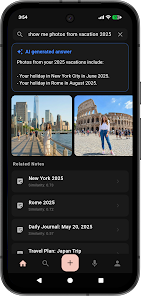
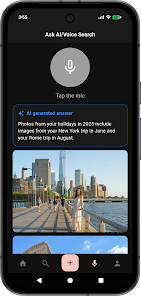
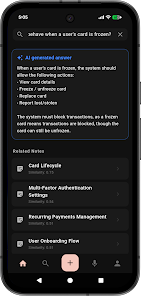
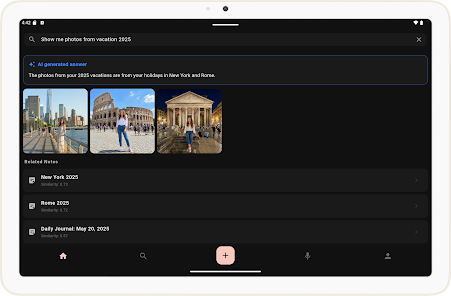
Finding information is fast with full-text search and natural-language queries. Ask the app questions like "show key points from last week" or "find action items assigned to Maria," and receive concise, AI-generated summaries and referenced excerpts. Highlighted passages and source links make it simple to jump back to the original note for verification or editing.
Share individual notes or entire collections with colleagues and set granular permissions for viewing or editing. Real-time presence indicators and inline comments support quick feedback on drafts. Export options include PDF, plain text and Markdown for use in other tools or publishing.
Customize layouts, color accents and default fonts to match personal preference or team branding. Build and save templates for recurring tasks—meeting agendas, research summaries, client intake forms—then apply them automatically when creating a new note type. Custom tags and smart filters allow you to create rules that auto-organize incoming content.
Privacy controls let you choose end-to-end encryption for sensitive notebooks or device-only storage for private drafts. Syncing uses secure protocols and supports selective sync so large media files can remain on a primary device. Two-factor authentication and biometric unlock options provide additional protection for account access.
Designed for responsiveness, LostInNotes: Smart AI Notes runs smoothly on modern Android devices and scales down gracefully for older hardware. Background indexing and incremental syncing reduce battery impact. Integration with calendar and task apps is available for streamlined scheduling and reminders, and the app respects system-level battery and data settings.
Begin by creating a notebook for your top project and importing any existing notes or documents. Use the onboarding templates to set up a capture flow that matches how you work—quick-entry for ideas, templates for meetings and scheduled review reminders to keep your tasks current. Explore AI summaries on longer notes to see immediate time savings.
LostInNotes: Smart AI Notes is designed to reduce friction in everyday knowledge work while keeping control of your data. With flexible organization, powerful search and privacy-minded sync, it suits individual users and collaborative teams looking for a smarter way to manage information.