
Smart Treasurer
Version: 1.2.0
23.00MB
4.1
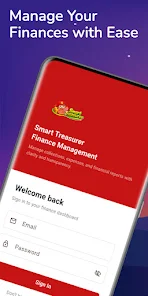

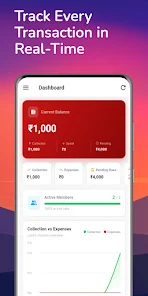
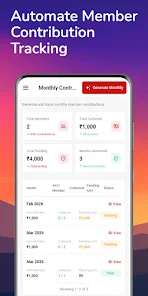
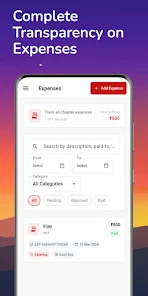
Smart Treasurer is a streamlined finance management app that centralizes budgets, bills, and expense tracking into a single, easy-to-use dashboard. Designed for personal and small business use, it provides automated categorization, real-time balance updates, and simple reporting to help users stay on top of cash flow.
At its core, the app collects transaction data from multiple accounts, classifies spending automatically, and presents that information in clear visual summaries. Smart Treasurer removes the need for manual spreadsheets by offering scheduled imports, rule-based tagging, and alerts for unusual activity. The result is a lightweight financial assistant that reduces time spent on bookkeeping without sacrificing detail.
The interface emphasizes clarity: a top-level dashboard shows current balances and upcoming bills, while secondary screens drill into category trends and transaction details. Navigation follows a consistent left-to-right flow, making it easy to switch between accounts, budgets, and reports. Smart Treasurer balances power and simplicity so both novice users and experienced budgeters can get value quickly.
Security is a central design consideration. The app uses industry-standard encryption for stored data and offers optional two-factor authentication for account access. Connections to financial institutions use secure APIs or tokenized gateways where available, ensuring credentials are never stored directly on the device. Privacy settings allow users to control which data is synced and how long history is retained.
Customization options let you tailor Smart Treasurer to different financial situations. Create custom spending categories, set composite budgets across multiple accounts, and define rule-based categorization for repeated transactions. You can also mark specific entries as tax-deductible or business-related to streamline reporting for self-employed users.
Smart Treasurer is built to be lightweight and responsive on a broad range of Android devices. Background sync is optimized to minimize battery use and data consumption. The app also includes caching mechanisms so previously loaded reports remain viewable offline, which is helpful for travellers or users with intermittent connectivity.
Installation is straightforward: download the APK, grant standard permissions for network and storage, then create an account or sign in with a supported single sign-on provider. After initial setup, the onboarding wizard walks you through linking accounts and creating your first budget. The app’s help section contains step-by-step guides and common troubleshooting advice.
Users appreciate Smart Treasurer for its practical balance of automation and control. It reduces repetitive tasks while preserving the ability to inspect and adjust every entry. Freelancers, small business owners, and households benefit from the app’s affordable feature set and clear reporting tools that make month-end reviews much faster.
Whether you need a personal spending coach or a compact bookkeeping companion, Smart Treasurer provides a focused, secure environment that keeps finances organized and visible without unnecessary complexity.