My Pocket
Version: 1.0.0
42.00MB
4.1
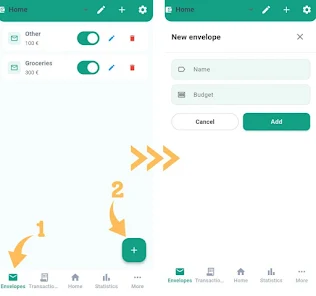
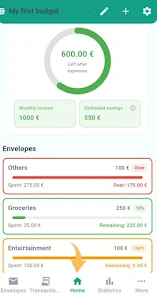
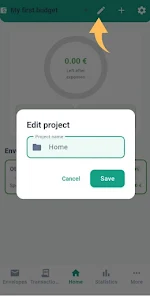
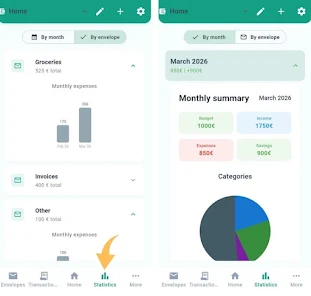
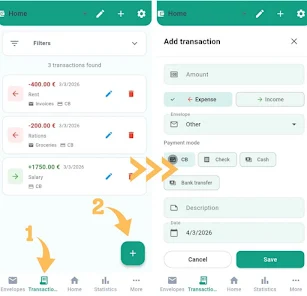
My Pocket is a sleek personal finance app designed to simplify expense tracking, budgeting, and receipt management. It consolidates bank entries, manual expenses, and recurring bills into a single timeline, with quick insights and customizable categories to help you make smarter spending choices every month.
My Pocket gathers essential money-management tools into an intuitive package that fits daily routines. The app balances automation with manual control so you can both import transactions and fine-tune records. Built-in reminders and visual summaries make it simple to spot trends and stay on top of upcoming payments without switching between multiple services.
The app emphasizes clarity: daily spending streams, upcoming obligations, and a snapshot of net cash flow are visible at a glance. Use the timeline view to review recent purchases, tag shared expenses for group tracking, or set recurring transfers and bills so they never slip through the cracks. Alerts notify you about large charges, low balances, or budget thresholds so decisions are based on current information.
The interface focuses on reducing friction. A condensed dashboard surfaces the most relevant numbers while progressive disclosure hides advanced options until you need them. Quick actions let you add expenses, split items across categories, or reconcile transactions in a few taps. Search and filter tools are responsive, making it easy to find a past receipt or compare spending across months.
Security is central to the architecture. Data is protected with optional PIN or biometric locks and encrypted during transfer. My Pocket supports cloud synchronization across multiple devices so entries stay in sync whether you record on a phone or tablet. Automatic backups and manual export options reduce the risk of lost data and give you control over where sensitive information is stored.
Personalize the app to match your habits: choose between weekly or monthly budget cycles, set custom currency preferences, and create shortcuts for frequent transactions. Themes and compact layouts help adapt the experience for one-handed use or larger tablets. Rules can be defined to auto-categorize expenses from specific merchants, saving time as transactions accumulate.
Getting started is straightforward: create an account, connect accounts if desired, and import any historical data. Add a few categories that reflect your real spending, then let the app learn from your edits. A few practical tips:
The app is optimized for lightweight performance on a range of Android devices. Offline mode allows you to enter expenses without a connection and sync later. Battery and data use are tuned to minimize background activity while still ensuring timely notifications. Compatibility extends to current Android versions and common screen sizes, with periodic updates to maintain smooth operation and add requested features.
Whether you want quick visibility into daily spending or a deeper reporting tool for tax season, My Pocket offers a balanced set of functions that scales with your needs. Start with essential tracking, then explore automation and reports as patterns emerge—this approach helps build better financial habits with minimal friction.