Alt Min
Version: 1.0
146.00MB
4.2
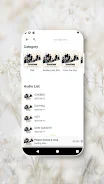
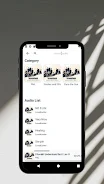
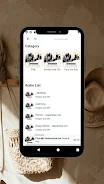
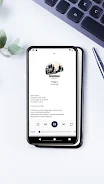
Alt Min is a focused productivity app that helps users structure short work sessions and restorative breaks with minimal fuss. Designed for people who prefer concise timeboxing, Alt Min combines customizable timers, gentle reminders, and session analytics to make concentrated work and rest easier to manage throughout the day.
Alt Min offers a set of tools tailored to short-interval workflows: configurable timers for work and rest, quick preset templates for common routines, and smart notifications that avoid interruptions. The app includes session history and lightweight analytics so you can spot trends, plus local widgets for one-tap control from the home screen.
The core of Alt Min is a cycle-based timing engine. You define a sequence of intervals—work, short break, long break—and the app runs them automatically. Visual and haptic cues mark transitions, and a subtle progress ring provides an at-a-glance view of the current session. Automatic pause and resume behavior adapts to calls or calendar events so sessions remain practical in real life.
One strength of Alt Min is its flexible presets. Users can save named templates for different tasks—study, deep work, exercise reminders—and assign distinct sounds, colors, and vibration patterns to each. A dark theme and compact layout reduce visual clutter while allowing users to show or hide advanced controls. Customizable interval lengths let you experiment with techniques like micro-sprints or extended focus blocks.
Alt Min is built to fit into your existing workflow. It supports Do Not Disturb integration so focus periods stay uninterrupted, and calendar-aware scheduling prevents timers from starting during meetings. The app can export session logs as CSV for manual review or integration with other productivity tools. Quick share options let you send a progress snapshot to colleagues or a study group.
The interface is deliberately minimal. A single main screen displays the next transition, remaining time, and a large start/stop control. Secondary screens host presets, history, and settings. Accessibility considerations include adjustable text size and color-contrast choices. Alt Min's navigation is designed to require as few taps as possible, keeping the focus on completing tasks rather than configuring the app.
Alt Min is optimized for low battery use and runs smoothly on a wide range of Android devices. Background timers are reliable even when the device is locked or when the app is in the background. Memory footprint is small, and periodic updates have focused on stability improvements rather than feature bloat, ensuring consistent performance across older and newer phones.
Notifications in Alt Min are configurable by importance and style. Choose from gentle chimes, louder alerts, or silent haptic taps. The app can issue a short countdown before an interval ends to give you time to wrap up, and notification grouping helps keep your status bar tidy. Snooze options let you defer a break if you're in the middle of an important task.
Alt Min stores session data locally by default, giving you control over what is retained. If cloud backup is enabled, data is encrypted during transfer and stored securely. The privacy settings allow you to clear history or opt out of analytics collection. No unnecessary permissions are requested: the app asks only for what it needs to run reliably.
Begin with one of the included presets and modify durations until you find a rhythm that works. Use a widget to start sessions from your home screen and set a calendar exception for meetings. After a few days, check the session history to identify patterns and refine your presets. Alt Min's straightforward setup keeps the onboarding time short so you can get back to productive work.
If you want a lightweight approach to interval-based productivity without a steep learning curve, Alt Min provides essential tools with thoughtful defaults. It prioritizes reliability, unobtrusive reminders, and simple customization, making it a practical choice for anyone who wants to structure short, focused sessions throughout the day.