46 App
Version: 1.0.3
53.00MB
4.3

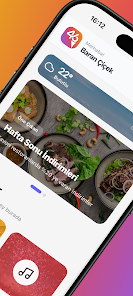

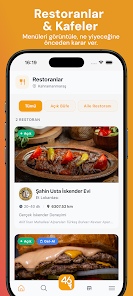
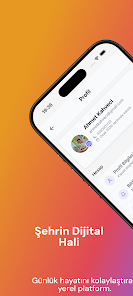
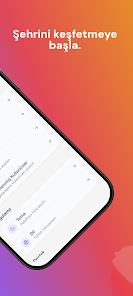
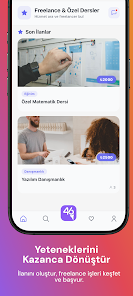
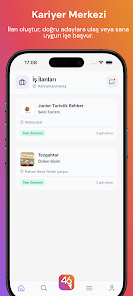
46 App is a compact productivity tool designed to centralize daily tasks, quick notes, and lightweight scheduling in a single, focused interface. It combines fast note capture, customizable reminders, and simple project lists to help users organize daily routines without overwhelming complexity.
At its core, 46 App aims to reduce friction between intention and action. The app concentrates on essential functions: creating tasks, setting time-based or location reminders, and storing short notes. It deliberately avoids feature bloat so users can move from idea to action in a few taps. For people who bounce between meetings, errands, and focused work blocks, the streamlined approach keeps the experience predictable and fast.
Using 46 App starts with adding a quick entry. The input field is front and center, so capturing a thought or task takes less time than unlocking the device. Items can be converted between note and task types, assigned a deadline, or added to a simple project. Notifications are configurable per item and respect Do Not Disturb rules on Android, reducing accidental interruptions.
The design language favors clarity: high-contrast typography, generous spacing, and a restrained color palette. Animations are subtle and purposeful, serving to indicate state changes rather than distract. On most mid-range devices the app launches promptly and keeps memory usage low, which is an advantage for users who need a reliable companion throughout a packed day.
Customization in 46 App focuses on useful choices rather than endless options. You can switch between list and compact modes, choose a default reminder lead time, and rearrange project order. These settings help tailor the experience for fast task processing or deeper project tracking, depending on how much structure you prefer.
While 46 App does not aim to replace full-featured task platforms, it supports basic export and sync features so you can back up lists or migrate content. Local-first data storage is available for privacy-conscious users, and cloud sync keeps entries consistent across multiple devices for people who switch phones or use tablets.
People choose 46 App when they want a focused, reliable tool that removes decision overhead. It works well for students tracking assignments, professionals managing short action lists, and anyone who prefers a pared-back approach to everyday productivity.
Install the app, grant basic notification permissions, and tap the main input to add your first item. Experiment with a reminder and a tag, then try the widget for instant capture. Within minutes you’ll understand the speed and simplicity that define the 46 App experience.