
iPlace
Version: 1.33.0
16.40MB
4



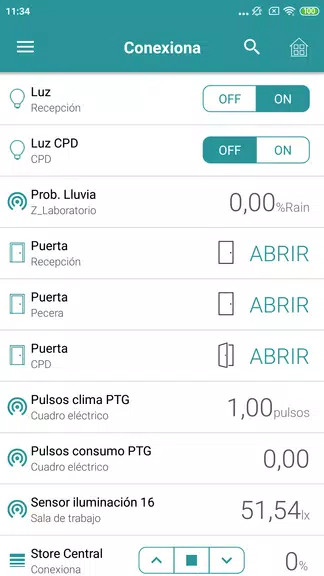
iPlace is a streamlined spatial planning app designed to help users visualize, organize, and annotate real-world spaces quickly. It combines maps, simple drawing tools, and photo-based notes to let homeowners, contractors, and planners create clear layouts and checklists without complicated CAD software or lengthy setup processes.
iPlace brings practical tools for sketching floorplans, tracking measurements, and attaching photo evidence to specific locations. The interface emphasizes speed and clarity: import a photo or aerial map, trace walls and fixtures, then layer annotations and task items that teammates can review. It’s intended for anyone who needs accurate space records without steep learning curves.
Start a project by importing a site image, existing blueprint, or satellite view. Use drawing tools to outline spaces and add standard symbols from the built-in palette. Once the structure is in place, attach notes, checklists, and photos to specific points. The app keeps a history of edits so you can compare versions or restore prior states.
Projects in iPlace are grouped into folders and can contain multiple pages or levels. Assign tasks and deadlines inside each project card, and share read-only or editable links with collaborators. Notifications alert team members to new comments or completed tasks, keeping small crews and remote stakeholders aligned.
Templates streamline repetitive work. iPlace includes templates for kitchens, bathrooms, and office layouts, plus customizable checklists for inspections and move-in/move-out inventories. You can create and save your own templates, change color schemes for different trades, and adjust symbol libraries to match industry standards.
iPlace prioritizes responsiveness on mid-range devices. The UI focuses on large touch targets, a collapsible tool palette, and gesture support for zooming and panning. Offline mode lets you continue working without connectivity, and changes sync automatically once you’re back online. Rendering uses vector elements so exports remain crisp at different scales.
Homeowners can plan renovations by marking demolition and installation areas. Contractors use it to collect progress photos and produce status reports. Facility managers track maintenance tasks and store as-built photos against locations. Real estate agents create quick floorplans to supplement listings. The lightweight nature of iPlace makes it adaptable across these contexts.
Project data in iPlace can be exported as PDF packages including embedded photos and annotation legends. User accounts support PIN protection and optional cloud encryption to protect sensitive site information. Team administrators control access levels and can revoke sharing links if needed.
Download, sign up with an email, and try the included demo project to explore tools without risking real data. Create a test floorplan, attach a few photos, and practice exporting a PDF to familiarize yourself with the workflow. Most users feel comfortable after a single short session.
With its balance of practical features and approachable design, iPlace helps teams capture and communicate spatial information faster than paper notes or complex CAD. Whether you’re preparing a renovation, documenting a site condition, or compiling handover reports, it’s designed to make spatial tasks more efficient and easier to share.