
Soonly: Ideas & Notes
Version: 1.0.0
43.00MB
4.2

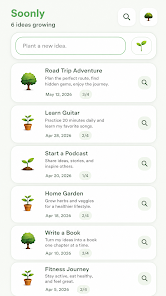
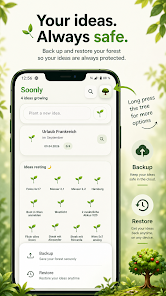
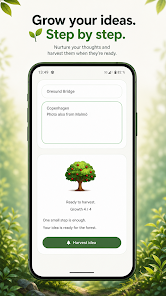
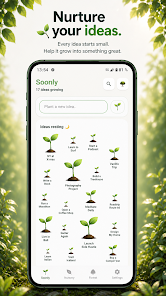
Soonly: Ideas & Notes is a lightweight, fast note-taking app designed to capture thoughts, tasks, and inspirations quickly. It blends a minimal interface with flexible organization tools so you can store short ideas or extended notes, then retrieve and refine them with speed and clarity in daily workflows.
Soonly: Ideas & Notes focuses on practical functions that matter during creative or professional work sessions. The app provides a clean editor, instant creation shortcuts, and straightforward tagging so notes never get lost. It avoids clutter while still giving access to the tools you need for planning and ideation.
The user interface is intentionally simple: a focused editor fills most of the screen while a compact toolbar contains high-use actions. Navigation relies on a clear hierarchy of folders and tags, and a persistent search bar stays available so you can jump to the right note without digging through menus. Visual cues—like color-coded tags and styled previews—help differentiate content at a glance.
Soonly: Ideas & Notes adapts to varied workflows, whether you prefer chronological lists, topic-based folders, or tag-driven systems. Create templates for recurring note types, convert checklist items into tasks, and link related notes together to form idea clusters. The app supports manual reordering and batch actions (move, tag, delete) for efficient cleanup and restructuring.
Reliable data handling is central to day-to-day use. Soonly: Ideas & Notes offers optional cloud synchronization to keep notes current across devices, plus local backup and restore for offline-first users. Privacy controls let you lock specific notes with a passcode or biometric authentication. Export functions let you keep independent copies outside the app for archiving or migration.
Personalization is available without overwhelming complexity. Choose from compact or spacious list views, switch between light and dark themes, and tweak font size for readability. Widgets place important notes or quick-capture buttons on your home screen, and a share extension allows saving content from other apps directly into Soonly: Ideas & Notes.
Designed to run smoothly on a broad range of Android devices, the app prioritizes low memory use and rapid start-up times. Large note collections remain searchable and responsive thanks to optimized indexing. Compatibility spans modern Android versions as well as older devices where performance matters most for users carrying legacy hardware.
Soonly: Ideas & Notes balances minimalism with practical power, making it well-suited for writers, students, and professionals who need an unobtrusive place to capture and develop ideas. The app’s focus on fast capture, clear organization, and straightforward customization helps keep creative momentum without friction.
Begin by creating a few test notes and adding tags to see how discovery behaves. Set up a widget for instant capture and create one template for frequent note types to save time. Explore export and backup settings early to establish a workflow that fits your privacy and synchronization preferences.