Turnozo
Version: 0.4.0
77.00MB
4.1
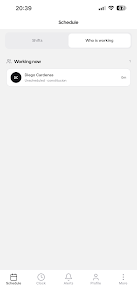
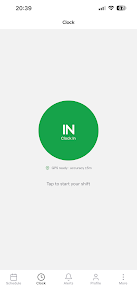
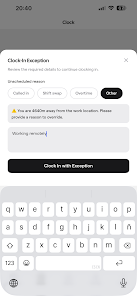
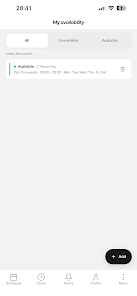
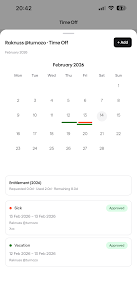
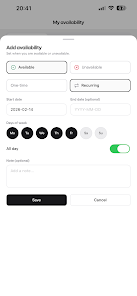
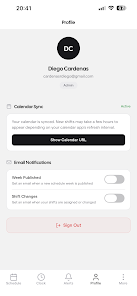
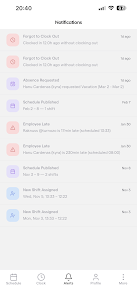
Turnozo is a streamlined shift planning and time-management app designed for shift workers, managers, and teams who need fast roster creation and schedule visibility. It combines clear calendar views, quick swap requests, and automated reminders into a compact interface that helps reduce scheduling conflicts and save administrative time.
Turnozo focuses on practical roster management rather than bloated feature sets. The app offers day, week, and month views, supports multiple roles and locations, and makes it easy to assign and publish shifts. Its design favors speed: managers can build a week’s roster in minutes while employees get instant access to their upcoming shifts.
The Turnozo interface is intentionally uncluttered. A color-coded calendar gives immediate visual cues about coverage and overtime risks. Managers drag and drop shifts between days or staff members, and edit multiple shifts at once. Employees use a simplified view to check their upcoming roster, request time off, or accept swap offers.
Turnozo shines when managing irregular hours. For rotating patterns, the app supports templates that can be applied across weeks. When someone calls in sick, the cover workflow prompts eligible replacement candidates and records approvals. Shift conflicts or double bookings trigger alerts so adjustments are made before the roster is published.
Permissions are granular: administrators define who can edit schedules, approve swaps, or manage payroll exports. Shift templates include customizable tags for qualifications or certifications, allowing managers to filter candidates by role requirements. Notifications settings are adjustable, so users only receive the alerts they consider important.
Turnozo is optimized for speed on Android devices, with smooth scrolling through long rosters and fast syncs that minimize wait times after changes. Offline access lets users view schedules without a network connection; edits queue locally and sync when connectivity returns. Data consistency and simple conflict detection reduce the need for manual reconciliations.
The overall user experience favors clarity. Labels and icons are readable at small sizes, and contrast meets accessibility expectations for most users. Built-in onboarding walks new users through core tasks, and contextual help appears when complex options are selected. For multi-lingual teams, language support and localized date formats are available.
Teams pick Turnozo because it balances functionality with simplicity. It removes friction from everyday scheduling tasks: managers appreciate the time savings, and staff benefit from transparent availability and a straightforward swap process. The app’s modular permissions and export options make it suitable for small businesses and larger operations alike.
Installation is straightforward from the Android package. After account creation, administrators set up teams and location groups, import staff lists, and apply initial shift templates. New users should verify time zone and payroll week settings to avoid misalignment. Regular backups or scheduled exports provide an extra safety net for critical rosters.
For organizations looking to streamline shift planning without overcomplication, Turnozo delivers the core capabilities needed to manage schedules reliably, reduce errors, and keep teams informed.