
AX Photo/Image Gallery & Album
Version: 1.0
1.40MB
4


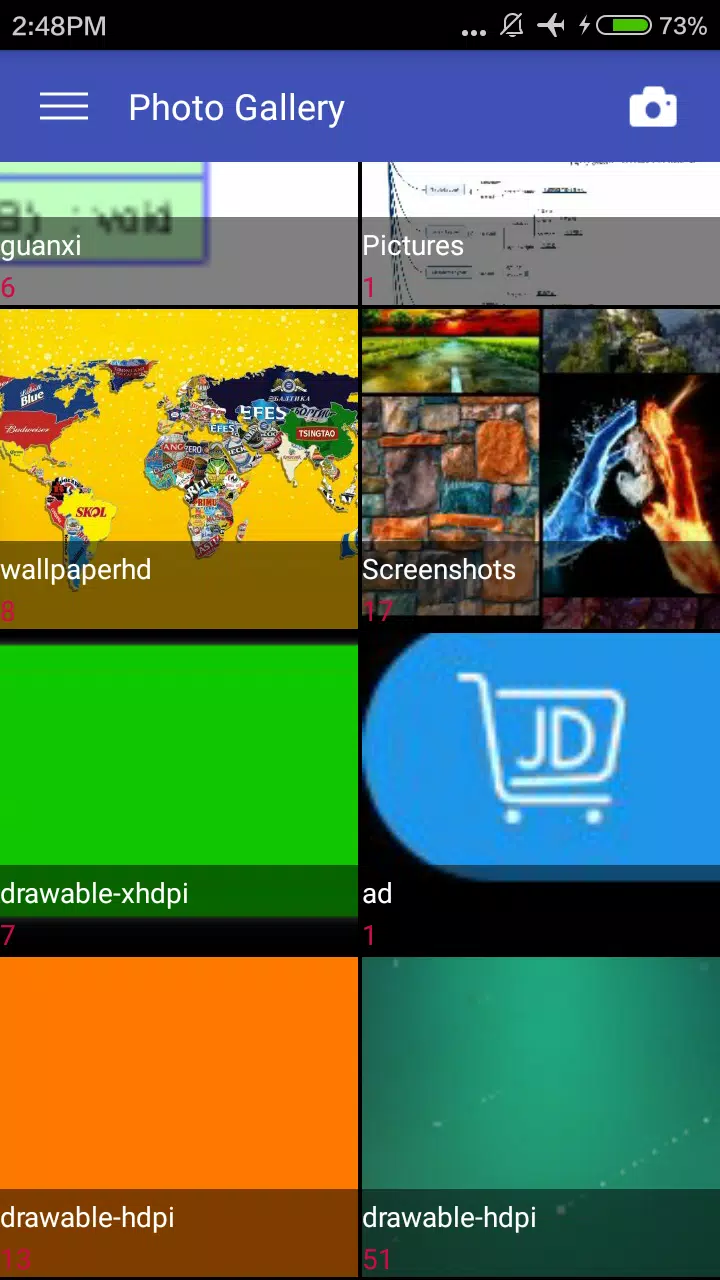

AX Photo/Image Gallery & Album is a compact, locally focused photo manager built to keep your collection organized and easy to browse. AX Photo/Image Gallery & Album opens quickly on phones and scales cleanly to HD tablets, offering familiar touch controls and a workflow that emphasizes fast access to photos without forcing cloud accounts or complex menus. The app's intent is simple: let you find, tidy, present and share images with minimal friction while preserving responsive performance on a wide range of devices.
The app supports a broad set of common image formats so you can view JPEG, GIF, PNG, BMP, TGA, WMF, ICO and TIFF files directly. Thumbnails are generated efficiently and previews render in high quality for larger screens; this makes it straightforward to inspect detail before you edit or export. A compact editor provides practical tools—rotate, crop, resize and quick brightness or contrast adjustments—sufficient for everyday fixes and for preparing images to be set as wallpaper. AX Photo/Image Gallery & Album keeps those editing tools intentionally concise so the interface stays focused and reduces the number of steps required to complete routine tasks.
Navigation is designed around standard touch gestures for intuitive use: tap to open, pinch to zoom, swipe between images and long-press to reveal selection options. Multi-select is implemented using clear checkboxes so grouping, deleting, moving or attaching photos can be done in batches without surprises. Thumbnail grid density is adjustable on the fly so you can switch between compact overviews and larger single-frame previews; readable labels and consistent icons make contextual actions like starting a slideshow or setting wallpaper accessible within two or three taps. These controls emphasize a tactile, speed-focused experience rather than deep menus.
Rather than a gamified progression, the app provides practical systems that help your collection move from clutter to a curated library. Automatic grouping by time and by location (when metadata is present) creates a timeline-style view that surfaces recent captures and past events. You can create, rename and reorganize albums, move photos between folders and mark favorites for fast retrieval. Scanning and indexing run locally and prioritize new or changed images so the gallery reflects additions quickly. Sort order, grid versus list view and thumbnail size let you build a repeatable workflow for handling new photos as they arrive.
The built-in editor is aimed at practical adjustments rather than heavy retouching: rotate, crop, basic resize and quick exposure or contrast tweaks are available to correct common issues. Visual presentation focuses on clarity—accurate thumbnails and full-screen previews help you judge composition and color before exporting. Slideshow mode transforms the gallery into a full-screen presentation with adjustable intervals and simple transitions, useful for casual viewing or for showing a set of images during meetings or small group gatherings without leaving the app.
AX Photo/Image Gallery & Album is local-first: indexing and image processing happen on-device so you can browse and edit without an internet connection. Thumbnail caching improves repeat browsing speed while keeping memory use moderate on mid-range hardware, and HD optimizations ensure larger displays render crisply. The app avoids background cloud syncing by design, which keeps photos under your control; sharing always requires an explicit action such as attaching files to an SMS or email. These choices favor predictable privacy behavior and lower network usage.
The interface includes options that support accessibility needs: adjustable thumbnail sizes, a clear contrast mode and compatibility with Android screen readers and standard accessibility tools. Support for common file formats and tablet-optimized layouts makes the app suitable for a range of devices, whether you need a compact phone gallery for daily shots or a larger display for reviewing and presenting images. Controls are sized to reduce accidental taps and the app uses readable labels to help users who rely on spoken feedback.
AX Photo/Image Gallery & Album offers a predictable, dependable way to manage local photos with broad format support and a compact set of editing tools that cover everyday needs. It favors performance, offline reliability and a simple sharing model over automatic backups or advanced retouching; if you require layered editing or continuous cloud synchronization, pair this app with specialized editing or backup services. For most users, though, the app provides enough customization, organizational structure and presentation options to make ongoing photo management faster and more reliable.