
NoteLearner
Version: 1.0.15
53.00MB
4.5
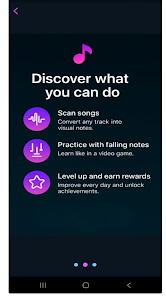
NoteLearner is a smart study companion that combines note-taking, flashcards and spaced-repetition to help users retain information more efficiently. It organizes study material into customizable decks, supports multimedia notes, and adapts review schedules automatically to keep learning focused and efficient across subjects.
NoteLearner targets students, professionals, and lifelong learners who want a structured way to capture ideas and drill knowledge. The app blends linear notes with active recall tools so you can move from passive reading to deliberate practice without juggling multiple apps. It aims to reduce clutter while improving memory retention with unobtrusive reminders and analytics.
At its heart, NoteLearner converts notes into manageable learning units. You can annotate a lecture recording, highlight a paragraph, and then flag key points to become flashcards. The app tracks correct and incorrect responses, adjusting future review intervals using well-established spacing algorithms. A calendar view shows upcoming study sessions so you can balance workloads across topics.
The interface keeps common actions within thumb reach. Primary tools such as quick-capture, card review and search are anchored on a bottom navigation bar. Visual cues help you spot overdue items or weak cards at a glance. Performance is optimized for mid-range devices; note loading is fast and media playback is smooth, with options to limit background syncing for battery savings.
NoteLearner provides granular settings for learners who prefer control. Customize card layouts, choose between multiple review algorithms, and set daily goals that influence the scheduler. Power users can import/export CSV or plain-text formats, and there is basic support for markdown formatting inside notes to structure long-form content.
The learning flow encourages short, frequent sessions. Capture material immediately, mark salient facts, then slot those facts into brief review blocks. The app nudges you toward spaced practice rather than marathon cramming by showing progress streaks and micro-rewards for consistency. Built-in search and filters make retrieval quick when exam day arrives.
Many users choose NoteLearner because it consolidates note capture and active recall into one app. The adaptive scheduler saves time by concentrating effort where it matters most, while customizable features let learners shape the system to fit their study style. Regular updates add quality-of-life improvements without overwhelming the interface.
Installation is straightforward: download, sign in or use a local profile, and start a quick tutorial that demonstrates capture and review flows. Import tools simplify migration from other note apps, and an onboarding checklist helps you build an initial deck in minutes. For those preparing for high-stakes exams, the app’s export options and printable study lists are useful for offline review.
Whether you need a daily revision engine or an organized place to collect ideas, NoteLearner is designed to streamline study routines and help information stick. Regular updates and sensible defaults make it suitable for users who want a focused study tool without a steep learning curve.