
LiveChat Demo
Version: 1.0
6.40MB
4.5
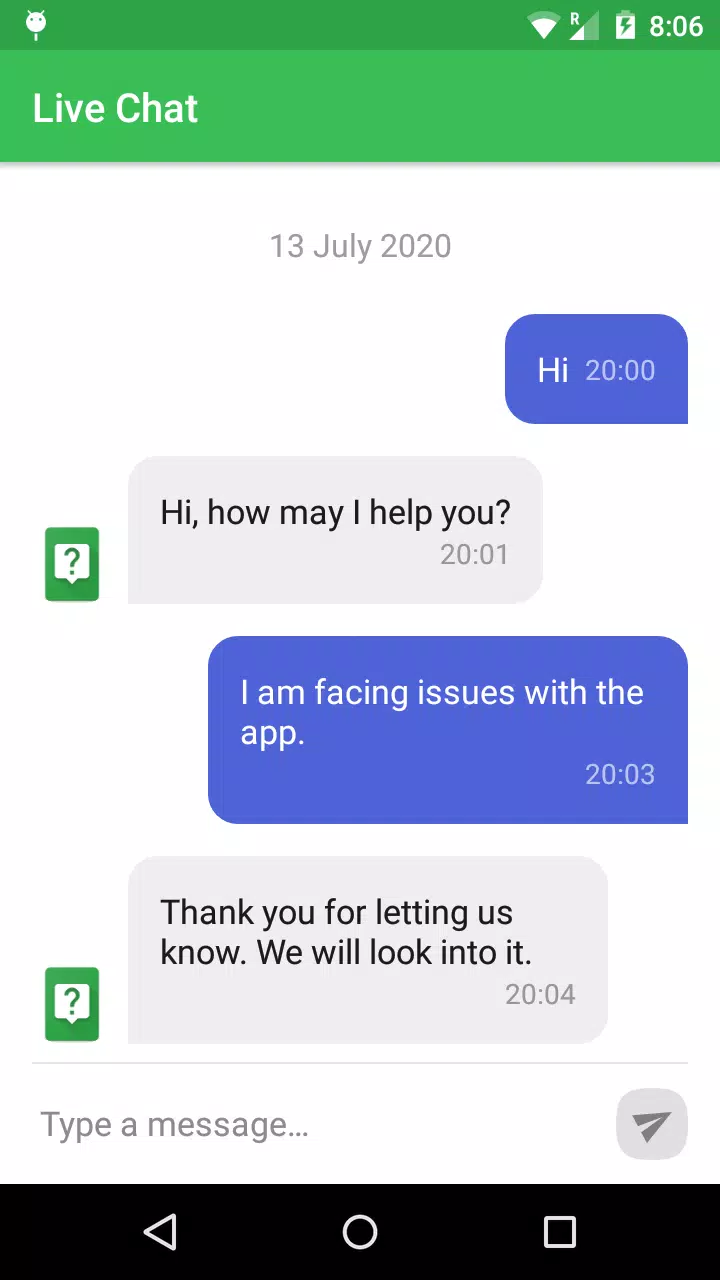
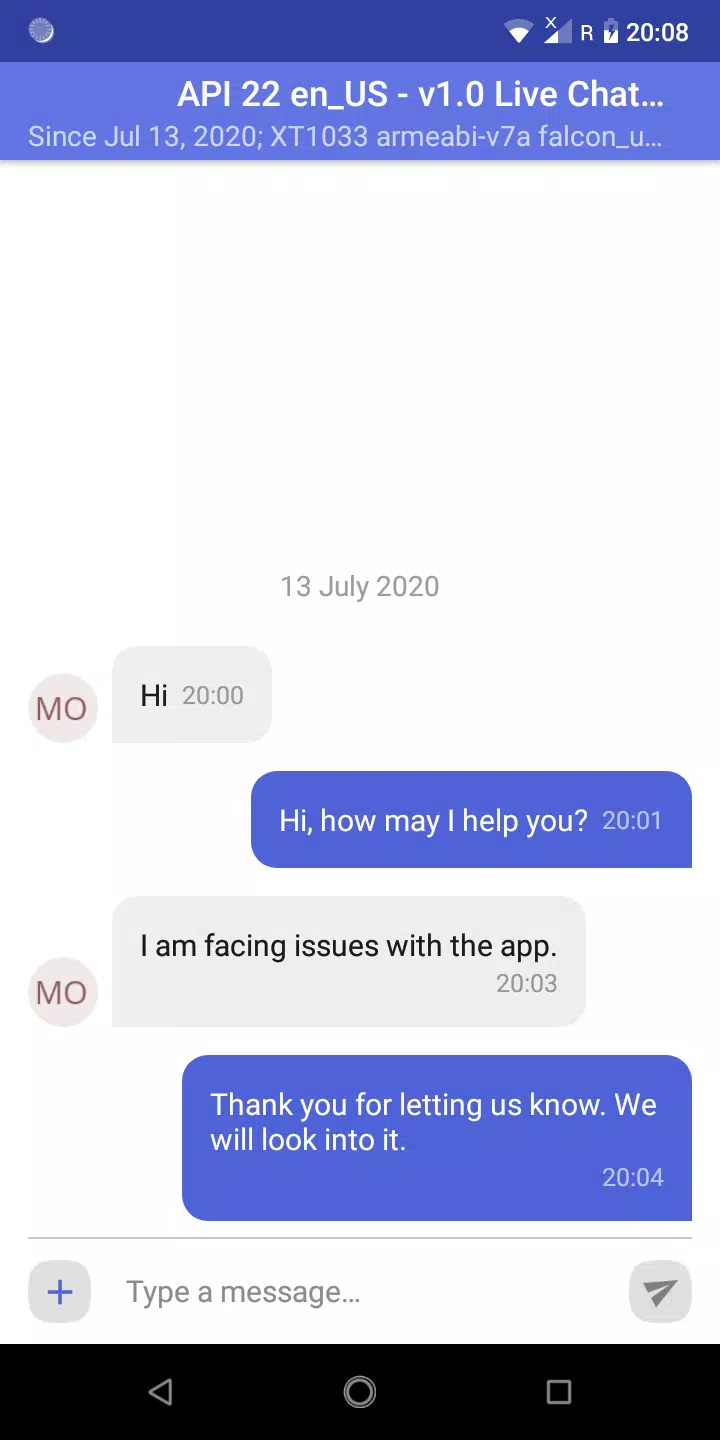

LiveChat Demo is a compact, developer-focused Android sample that demonstrates how to add real-time chat support to an app using an open-source library. LiveChat Demo places a conversation view, message delivery flow, and a small admin console into a single project so developers can walk through the full lifecycle of a support session from both the user and the admin perspective. The demo is intentionally focused on integration patterns, showing where to place UI hooks, how to route messages, and how to manage session state while remaining easy to read and adapt.
The app illustrates practical mechanics rather than presenting a polished production service. Core screens include a conversation list, an active chat view, and a web-style admin console that an agent can use to monitor and respond. In the chat view you’ll see standard input controls—text entry, a send action, timestamps and delivery indicators—implemented in a way that highlights where to intercept messages for custom behavior. The project includes examples of message routing logic so you can follow how messages move from the local client to the agent interface and back, how sessions are initiated and closed, and how to reproduce issues during testing on two devices.
Controls in LiveChat Demo are minimal by design to keep the code paths clear: tap to open a conversation, type in the input field, and tap send to forward a message. The interface demonstrates common interaction patterns such as auto-scrolling to the latest message, placeholder text while typing, and basic input validation. Developers will find annotated UI hooks that make it straightforward to add typing indicators, read receipts, or contextual attachments in a production version. The demo also highlights how to surface helpful state to end users, such as connected/disconnected indicators and simple error messages when delivery fails.
Instead of a game-like progression system, LiveChat Demo models a session-based progression: a conversation starts, agents and users exchange messages, and the session is resolved or transferred. This flow is ideal for validating session handling, message ordering, and persistence. The included admin console provides a hands-on way to reproduce issues by switching roles between two devices. For developer testing, the demo explains how to emulate long sessions, intermittent connectivity, and reconnection logic so you can verify retry behavior and message ordering without building full backend infrastructure.
The UI follows simple, modern Android design cues so it’s easy to adapt to your brand. LiveChat Demo keeps styling modular: colors, fonts, and element spacing are defined separately so you can quickly replace them or wire in a theme system. Because the source is open, you can swap components—message bubbles, input controls, or list adapters—without reworking the whole app. The project includes comments and pointers to the places where custom rendering or additional accessibility attributes should be added.
Accessibility-friendly patterns are illustrated throughout the demo to make it easier to deliver an inclusive chat experience. Examples include labeling interactive elements for screen readers and using scalable text sizes. The codebase also demonstrates basic offline handling patterns such as local message queuing and simple state persistence so messages are not lost during brief network interruptions; these examples are intentionally straightforward so you can extend them to your own offline strategies or backend behavior.
For developers and product owners, LiveChat Demo provides high replay value as a learning tool: use it repeatedly to test different integration scenarios, to validate UI changes, or to prototype new routing strategies. The clear separation between UI, session management, and network handling reduces the learning curve and makes it practical to iterate quickly. Because the demo expects two-device testing, teams can rehearse real-world support workflows and capture logs to diagnose edge cases.
LiveChat Demo is designed as a reference implementation, not a complete customer support platform. It intentionally omits production-grade features such as advanced security hardening, multi-tenant backends, or built-in analytics. The project focuses on teaching integration points, message flow, and admin interactions so you can adapt the patterns to your own infrastructure. If you need a turnkey hosted solution, this demo is best used as a starting point rather than a final deployment artifact.
Overall, LiveChat Demo is a concise, well-documented sample that helps teams understand real-time chat architecture on Android and provides actionable code patterns for UI hooks, message routing, session handling, and basic offline resilience. Whether you’re validating a support workflow or building your own agent tooling, the demo offers a clear, adaptable foundation to accelerate development and testing.