Nitro Pdf Editor
Version: 1.0
40.00MB
4.3
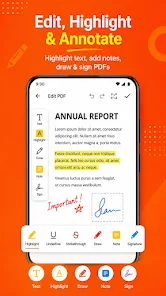
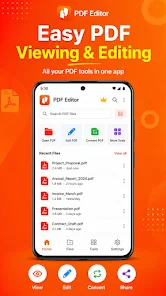
Nitro Pdf Editor is an Android toolbox designed for everyday PDF tasks and keeps all processing local on your phone or tablet. Nitro Pdf Editor opens documents through the system picker so you work directly with files you choose, preview pages, make targeted edits and save full copies to any location you control; this local-first approach helps avoid unintentional uploads while keeping the workflow simple and transparent.
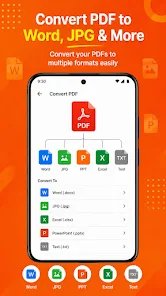
The core editing flow is lightweight: open a PDF, preview pages, rotate or remove pages and export a new document. The app recreates pages from rendered visuals, which makes the output reliable for sharing and printing but means original editable text layers are not preserved. In addition to direct PDF edits, Nitro Pdf Editor can convert selected photos into a single multi-page A4-style PDF where images are scaled and centered for consistent layout, useful for scans, receipts and multi-photo reports.
For combining material, the merge feature lets you select several PDFs and choose the order in which they appear before exporting a single file. The split function supports dividing a document at chosen points and saving each part separately in sequence. Crop tools trim margins using independent percentage sliders for each edge so you can remove scanner borders or tighten page content without altering the entire document layout.
The user interface emphasizes a straightforward, step-by-step workflow rather than a large set of nested menus. Controls are centered on touch-friendly previews: tap to select pages, rotate the preview to correct orientation, and confirm a save when the preview looks right. When merging or reordering items, the app respects the order you select through the system file picker so your exported sequence matches the one you assembled. The app prompts you to back up originals before heavy edits, and it makes explicit what changes are applied at the moment of export.
Instead of leveling or progression typical of games, Nitro Pdf Editor offers predictable workflow progression that guides the user from import through preview to final export. Each task behaves like a short workflow: import, adjust, review and save. That structure makes repetitive tasks fast to repeat, and it supports mild customization through export choices and crop percentages. While the app does not add embedded metadata editing or OCR layers, its predictable sequence of steps helps users build efficient routines for invoices, reports, scanned notes and classroom handouts.
The visual style favors clarity: large thumbnails for page previews, legible action labels and conservatively contrasted icons to reduce visual clutter. The app respects Android accessibility settings, including system font scaling and TalkBack, so basic navigation and content previews remain accessible to users relying on enlarged text or screen readers. Touch targets are sized for common thumb use on phones, and the preview-first layout minimizes the number of taps to complete a task.
Nitro Pdf Editor is built to work offline with files you select, which is useful when you need privacy or when connectivity is limited. Performance is tuned for phone and tablet hardware, but very large documents may consume significant memory during processing and could be constrained by device resources. Exports are generated from rendered visuals similar to printing, so complex PDFs with layered text or interactive form fields will be flattened into standard pages in the exported file.
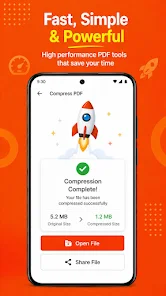
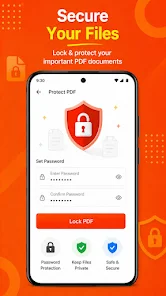
The app uses the Android Storage Access Framework so you grant access only to the files you pick; it supports Android 7.0 (API 24) and higher. Because the export process recreates pages visually, keep important originals backed up if you may need editable text layers in the future. You may also notice additional home-screen tiles or suggested workflows—features such as compression, protection or watermarks are referenced for possible workflows but their behavior can vary depending on device and current implementation status.
Overall, Nitro Pdf Editor provides a compact set of on-device PDF tools that suit quick edits, document assembly and image conversion without relying on cloud services. If your routine relies on lightweight, repeatable workflows for invoices, scans or merged reports, Nitro Pdf Editor offers direct controls, predictable progression and an offline-friendly design to streamline those tasks.