PaperFlow PDF Tools
Version: 1.5
15.00MB
4.2
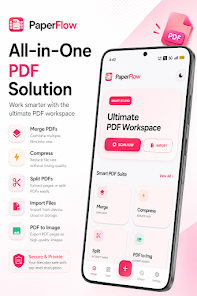
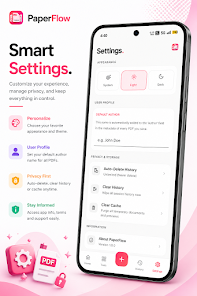
PaperFlow PDF Tools brings a compact, full-featured PDF workspace to Android that emphasizes on-device scanning, editing, conversion and security. PaperFlow PDF Tools opens to a clean camera-first interface with accurate auto-crop, perspective correction and batch capture so you can move from paper to organized files quickly without forced uploads or external services. The app is aimed at everyday document tasks—scanning receipts, assembling forms, compressing reports and protecting sensitive files—while keeping processing local to your device for privacy and speed.
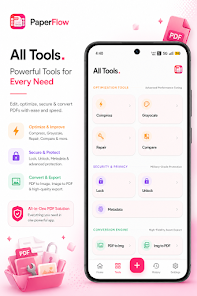
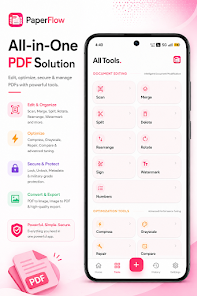
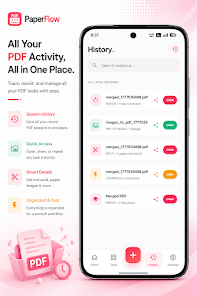
The core toolkit covers page-level editing (merge, split, delete, rotate and reorder), fast and predictable compression, repair tools for damaged PDFs, high-quality image-to-PDF and PDF-to-image conversion, watermarking and digital signing. Scanning includes automatic edge detection and basic exposure/contrast adjustments so captures are usable immediately; batch processing lets you scan many pages in one session and apply a single preset for compression or watermarking. A recent-history view and session snapshots make it easy to pause a long job and resume later, which is helpful when assembling multi-page documents or processing receipts after an event.
PaperFlow PDF Tools is built around simple touch gestures that feel familiar on phones and tablets. Tap to select documents, long-press or drag to reorder pages, pinch-to-zoom for detailed cropping and annotation, and swipe to move between pages. Contextual controls appear when editing a page so you can rotate, crop or annotate without navigating multiple menus. Progress bars, file size estimates and an explicit pause/cancel option reduce uncertainty during long conversions or large batch jobs so you can manage battery and storage impact while a task runs.
Instead of gamified leveling, progression in PaperFlow PDF Tools is practical: you build efficiencies through reusable presets and templates. Save compression profiles, watermark designs and signing identities to accelerate recurring tasks. The app’s recently used section, favorites and saved session snapshots let you re-run multi-step processes with minimal taps, so routine jobs—monthly expense scans, class notes compilation or standardized report assembly—become faster over time as your presets accumulate.
The design favors clarity and low visual clutter: clear typography, simple icons and a grid of thumbnails let you scan document structure at a glance. Files are organized into projects and sessions so related documents stay grouped while individual pages remain visible as thumbnails for quick navigation. Light and dark themes support different lighting conditions and help conserve battery, and a responsive layout adapts to both narrow phones and larger tablets so the same app workflow works on different devices.
Customization focuses on preferences that affect both look and processing behavior: choose light or dark mode, set default compression quality, configure auto-delete for history or tune cache-cleaner schedules. Replay value comes from repeatable workflows—once you create a watermark, compression preset or signing profile, many future jobs are completed in seconds. Built-in batch operations and the ability to apply presets across multiple files increase throughput for users with recurring document needs.
Accessibility has been considered with adjustable font sizes, high-contrast options and clear labels to improve compatibility with screen readers. All core processing happens on-device so the app can be used offline and sensitive files aren’t sent to remote servers. On-device operations preserve privacy but can use storage and battery when working with very large documents; PaperFlow PDF Tools provides visible progress indicators, file size estimators and an option to pause or cancel tasks so you can manage long operations without surprises.
PaperFlow PDF Tools is intended as a pragmatic mobile PDF toolkit rather than a full replacement for advanced desktop suites. It focuses on offline editing, conversion and secure handling for individuals and small teams; it does not include real-time collaborative editing or cloud-first synchronization as primary features. Users requiring enterprise-grade workflow integrations or specialized desktop-only tools may still need supplementary software for those edge cases.
PaperFlow PDF Tools is well suited to students compiling lecture notes, professionals preparing meeting packets, small-business owners managing receipts and anyone who needs to scan, protect or convert files quickly on the go. With straightforward controls, reusable presets and a focus on on-device privacy and reliability, the app helps reduce friction for regular document tasks while keeping data under your control.