
X-V Proxy
Version: 1.0
35.00MB
4.2


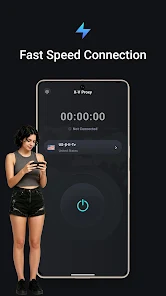
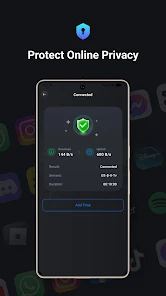
X-V Proxy is a lightweight Android app that provides secure, configurable proxy connections for browsing, streaming, and app-level traffic routing. It simplifies network tunneling with a clean interface and supports multiple proxy protocols, connection profiles, and on-demand routing so users can manage privacy and access from a single mobile tool.
X-V Proxy offers a set of tools designed for mobile users who need flexible network routing. The app supports common proxy protocols, profile management, and selective routing so you can choose which apps use the tunnel. Advanced options include custom DNS, header modification, and DNS-over-HTTPS support to reduce tracking and improve resolution speed.
The core of X-V Proxy is a modular connection engine that establishes a proxy link between your device and a remote gateway. Once a profile is activated, the app intercepts traffic at the network layer and forwards it according to the rules you set. Connection logs and real-time statistics let you monitor throughput and latency so troubleshooting is straightforward.
The interface focuses on rapid setup and clear status feedback. A central dashboard displays active connections, data usage, and current profile. Creating a new profile involves entering server details, selecting the protocol, and defining app routing. For power users, the app exposes advanced parameters for timeouts, retries, and encryption options without cluttering the main view.
X-V Proxy is useful for everyday privacy tasks and situational access needs. Use it to bypass network restrictions when traveling, to access region-locked content for streaming apps, or to isolate sensitive services through a dedicated connection. The per-app routing model makes it easy to protect a banking app while leaving other apps on the local network.
Performance is tuned for mobile constraints: efficient packet handling and optional compression reduce data transfer overhead. The app minimizes background CPU usage and offers a low-power mode to conserve battery during long sessions. Compatibility extends across recent Android versions and works alongside common firewall and tethering setups, although some advanced system configurations may require additional permissions.
Privacy features are front and center. X-V Proxy gives you control over DNS and headers, and the app keeps a minimal local log to help diagnose connection issues. It does not collect unnecessary personal data and provides clear options for clearing stored profiles and logs. For sensitive operations, enable encrypted protocols and verify endpoints before use.
Begin by installing the app and granting the required VPN-like permissions for traffic routing. Create a profile with your preferred server details or import configuration files if provided by your service. Test the connection using the built-in diagnostics, then assign per-app routing rules to match your workflow. Frequent backups of profiles make it easy to restore settings after updates or reinstallations.
Whether you need occasional access to a remote network or a reliable solution for consistent proxying on mobile, X-V Proxy balances control and simplicity. Its combination of per-app routing, protocol flexibility, and lightweight performance makes it a practical choice for users who want more control over how their Android device connects to the internet.