Custom Tees Please
Version: 1.0.0
18.42MB
4
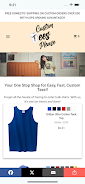
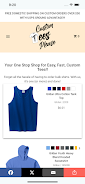
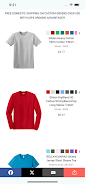
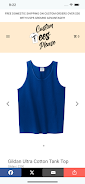
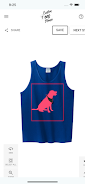
Custom Tees Please puts a full t-shirt design studio on your phone, helping you create personalized shirts for events, gifts, teams, or everyday wear without a steep learning curve. Custom Tees Please combines editable templates, a blank canvas, and direct manipulation controls so newcomers and small businesses can assemble a clean, professional layout quickly. The app emphasizes a straightforward step-by-step workflow from concept to saved project to printed order, letting you focus on creativity instead of wrestling with complicated software.
The core workflow follows familiar design stages: choose a shirt style and size, pick or start from a template, add artwork and text, fine-tune the layout, save a project, and place an order when you’re ready. Templates are organized by occasion and layout, and the blank canvas option gives you unrestricted control. Drag-and-drop positioning, pinch-to-zoom resizing, snap-to-alignment guides, and a simple layer order control make it easy to place images and text exactly where you want them. Projects you save are stored locally so you can return to edits later and iterate on versions until the design is ready for print.
The interface favors touch-friendly controls: large icons, clear labels, and direct manipulation gestures reduce friction on phones and tablets. Text editing opens a compact typography panel with font selection, size, letter spacing, and color swatches; color pickers include HEX input for precise matching. Image uploads support common formats and include basic crop, rotate, and transparency controls so you can trim and blend artwork without external tools. Undo and redo let you experiment freely, while preview modes show how a printed shirt will look at actual proportions.
Customization is at the heart of the app. Choose between classic crew necks, v-necks, and long sleeves in a range of base colors, then layer your graphics and text. The app’s template library demonstrates balanced visual hierarchies and practical typography choices to help non-designers create readable, attractive shirts. Color and fabric previews show contrast and placement across different styles, and mockups render designs on front and back views so you can check alignment and spacing before ordering.
Progression in the app comes from mastering tools and building a personal library of templates and assets. Each saved project can serve as a starting point for future variations, and the ability to store multiple versions encourages remixing for different audiences or events. The creative challenge is practical rather than gamified: working within print-safe margins, choosing limited color palettes for economical screen printing, and refining typography for legibility provide real constraints that guide better outcomes and reward experimentation.
The design emphasizes readability and simplicity to serve a wide range of users. Large touch targets and clear contrast help with usability on small devices, and the app minimizes clutter so newcomers can find core functions quickly. Because projects are saved locally, you can work on designs offline and sync or place orders when you have a connection. This makes it possible to draft ideas on a plane or in transit and finalize them later when ready to print.
When you’re satisfied with a design you can submit an order for high-quality printing and choose shipping options. The ordering workflow shows production previews, estimated delivery windows, and simple size selection for groups or families. Shipping promotions, such as free shipping over a minimum order within specified regions, are displayed at checkout. Print-ready export options let small businesses save artwork for external vendors if they prefer alternative production methods.
While the app focuses on t-shirt–style apparel and provides a broad set of tools for that purpose, it does not replace specialized graphic design suites for complex vector work. Free shipping or promotional delivery may be limited by geography and order size, and options outside basic shirt styles are fewer than a full merchandise platform. If you need advanced prepress features, you may still want to finalize artwork in a dedicated desktop program before ordering.
Custom Tees Please is designed for people who need quick, reliable custom apparel—organizers, families, small business owners, and hobbyists who want a straightforward mobile tool. The app helps users move from initial idea to a printed shirt with minimal steps while keeping control over typography, imagery, and color. Whether you’re creating a single gift or coordinating a group order, Custom Tees Please makes the design and ordering process approachable and repeatable.