Elysian Wallpaper
Version: 1.0.1
49.00MB
4.5
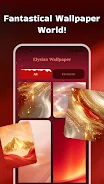
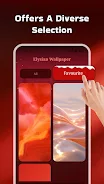

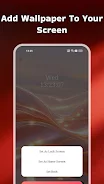
Elysian Wallpaper is a dreamy wallpaper and photo frame app that helps you refresh your device with vibrant, artistic backgrounds and elegant frames. Elysian Wallpaper puts curated color palettes and tasteful borders at your fingertips so you can quickly personalize both home and lock screens. The app focuses on simple, touch-friendly controls and a cohesive visual approach, pairing dramatic red-and-gold contrasts, flowing greens, and subtle textures with frames that complement rather than overwhelm your images. For users who want a polished look without complicated photo editing, Elysian Wallpaper offers a small, well-chosen toolkit that gets results in moments.
The app provides a curated selection of wallpapers organized by color, mood, and composition so you can browse by themes like bold contrasts, organic greens, or muted textures. Each wallpaper preview includes a frame preview so you can see how borders interact with color and composition before applying. Frame options range from narrow, minimalist lines to wider, decorative borders that enhance portrait or landscape photos. There are simple crop and scale adjustments to match common device aspect ratios, plus presets for applying images directly to home screen, lock screen, or both. Emphasis is placed on high visual impact and quick results rather than complex retouching tools.
Navigation is designed to be direct and intuitive: tap to preview, pinch to zoom, drag to reposition your image within the frame, and use a single confirm action to apply your selection. The preview mode shows how wallpapers and frames appear on typical home screens so you can judge visibility of icons and widgets before setting the image. Saving is handled locally, letting you keep copies of your framed photos in a personal gallery for offline use. The straightforward controls make it easy to experiment with combinations and revert to previous choices without restarting the app.
Customization centers on pairing wallpapers and frames for a cohesive aesthetic. You can save favorites to build a personal collection, tag images for quick retrieval, and create simple themed boards to rotate through at will. While the selection is curated, the design encourages variation by mixing palettes and border styles, and users can import their own photos to frame with the same elegant options. Downloaded images remain available offline, so once a wallpaper or frame is saved it can be applied without an internet connection.
The visual identity favors painterly and cinematic color schemes that make a bold home screen without competing with app icons. Replaying the experience comes from mixing frames, shifting crop and alignment, and rotating through curated collections to match mood or season. Because the app focuses on presentation rather than heavy editing, it is well suited to users who like to refresh their device appearance frequently; small changes in border width or color balance can produce noticeably different results from the same base image.
Attention to accessibility includes clear, readable labels, large touch targets for framing controls, and high-contrast UI options for improved legibility. The app is optimized for a range of screen resolutions, handling common phone and tablet aspect ratios while keeping memory use modest. Applying wallpapers and frames is performed locally so actions are fast and do not depend on continuous connectivity. These choices support consistent behavior on lower-end devices and help maintain battery efficiency during routine use.
For best results, try starting from a single favorite photo and experiment with three different frames to see which style enhances texture and composition. Use the crop presets when switching between portrait and landscape orientation to keep the subject properly centered. Elysian Wallpaper is ideal for users who want a refined, artful home screen quickly, whether updating a daily look or preparing a themed set of backgrounds for a special occasion.