El Pose 3D
Version: 1.2.1
87.31MB
4
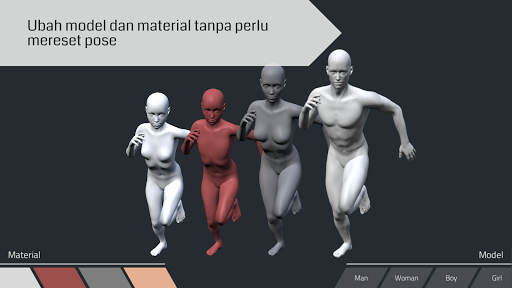
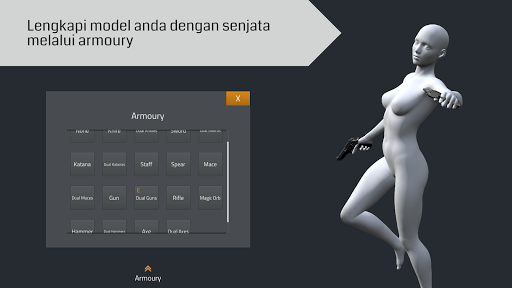
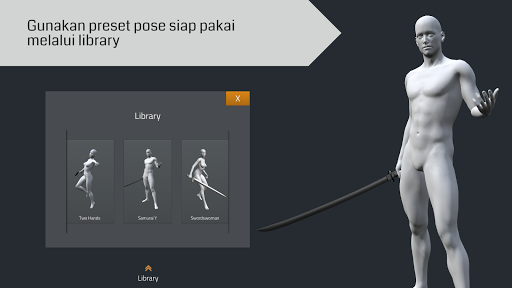
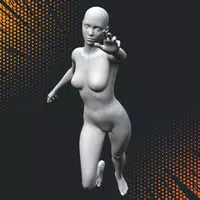
El Pose 3D is a versatile mobile tool that provides realistic, adjustable 3D models for pose reference, lighting studies, and character composition. It streamlines figure posing with intuitive controls, versatile presets, and export options, tailored for illustrators, animators, and designers who need accurate visual references on the go.
The app presents a clean, touch-friendly interface that keeps core controls accessible while working on complex scenes. A floating toolbar provides quick access to model selection, camera views, and lighting presets. Pinch-to-zoom, two-finger rotate, and single-finger drag make repositioning the model and camera straightforward, while contextual sliders appear for finer adjustments.
El Pose 3D includes a full set of pose-authoring tools: joint-by-joint rotation, IK/FK toggles, and limb constraints to maintain realistic articulation. Morph targets let you adjust body proportions and muscle definition, and separate controls exist for hands, feet, and facial expressions. You can lock symmetry when editing or switch off mirroring to craft asymmetrical poses.
Lighting controls are robust enough for quick value studies and detailed lighting tests. Multiple light types—directional, point, and rim—can be repositioned and colored, while intensity and falloff sliders refine the mood. The camera module offers focal length adjustments, depth-of-field previews, and rules-of-thirds overlays to help compose shots for thumbnails or reference sheets.
An extensive library of base models, clothing items, and props accelerates scene setup. Choose from varied body types, ages, and outfits, then combine props such as chairs, swords, or furniture to test interaction and weight. The preset panel stores frequently used poses and lighting setups so you can recall complex scenes instantly.
Start by selecting a base model, refine proportions using morph sliders, then pose with either direct joint manipulation or by applying preset poses as a starting point. Adjust camera framing, tweak lighting, and finalize a scene. El Pose 3D supports saving layered scenes and exporting high-resolution reference images for tracing or study.
Export features include PNG and JPEG image outputs at selectable resolutions suitable for print or digital boards. For advanced users, El Pose 3D can export OBJ files of the posed model, enabling additional editing in external 3D software. Shared scene links and in-app galleries allow collaboration and easy feedback from peers or instructors.
The app is optimized for a wide range of Android hardware, balancing visual fidelity with responsive controls on mid-range devices. Settings let users reduce model detail and disable shadow casting to improve frame rates during complex scenes. Offline functionality ensures you can work in studios or classrooms without network access.
El Pose 3D is designed for concept artists, character designers, comic creators, and animators who need reliable, portable reference tools. Its combination of precise controls, thoughtful presets, and export flexibility makes it a practical companion for both study and production use.
Regular updates expand the asset library and improve stability, and users can expect a steady stream of enhancements aimed at streamlining the pose-to-art pipeline across devices.