Yapay Zeka Eğitim Rehberim
Version: 1.0.0
43.20MB
4




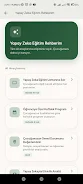


Yapay Zeka Eğitim Rehberim is a compact, practical Android app designed to guide learners and professionals through applied AI concepts, tools, and workflows. It combines step-by-step lessons, hands-on exercises, and curated resources to help users build skills in machine learning, model deployment, and ethical AI practices within one mobile-friendly interface.
Yapay Zeka Eğitim Rehberim targets beginners and intermediate users who prefer bite-sized learning on the go. The app organizes material into modules that progress from fundamentals to applied projects. Each module blends conceptual summaries, quick quizzes, and recommended code snippets so users can understand ideas before trying them in practice.
Lessons emphasize active learning. Short explanations are followed by guided exercises that ask the user to think through preprocessing, model selection, and evaluation steps. Regular checkpoints let learners test retention and revisit weak topics. The structure is ideal for daily micro-learning sessions that build momentum without overwhelming the user.
The feature set is focused and useful for hands-on practice and reference. Yapay Zeka Eğitim Rehberim integrates several utilities that make learning and experimenting easier on a mobile device.
Users pick a learning path or build a custom sequence from available modules. Each lesson includes theory, a practical exercise, and a brief assessment. Exercises are designed to be completed with minimal setup, and the app suggests lightweight cloud or local environments for running code. Progress tracking and badges reward completion and encourage consistency.
The design favors clarity and responsiveness. Menus are streamlined to reduce friction between reading and doing. Text and diagrams resize well for different screen sizes. Offline access to saved modules ensures uninterrupted study, while lightweight caching keeps startup fast and data use modest.
Navigation is intuitive: a bottom bar provides quick access to lessons, projects, and the resource library. Search and bookmarking help users return to specific algorithms or examples. Settings allow switching between dark and light themes and adjusting font sizes for comfortable reading sessions.
Yapay Zeka Eğitim Rehberim is built to support real projects. Project templates include suggested datasets and evaluation metrics. The app walks users through data cleaning, feature engineering, model training, and validation. Sample checklists help learners follow industry-standard practices and avoid common pitfalls.
Start with the fundamentals module and complete the linked exercises. Use the built-in quizzes to gauge understanding before moving to project templates. When attempting a project, follow the checklist for data preprocessing and validation. Take notes within the app to capture decisions and results for later review.
While aimed at learners, Yapay Zeka Eğitim Rehberim can function as a quick reference for practitioners who need a portable refresher. Its concise explanations and code snippets make it handy for sketching solutions during meetings or while prototyping. The resource library points to advanced readings and implementation guides for deeper work.
Installation is straightforward: download from the Android store, grant basic permissions for storage if you want to save modules offline, and choose a learning path. The onboarding tour helps configure preferences and recommends a first module based on prior experience. Regular updates add new lessons and refresh examples to reflect current libraries and methods.