Planet Info
Version: 1.0.0
17.00MB
4.2
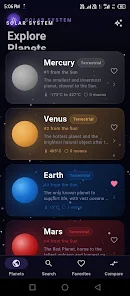
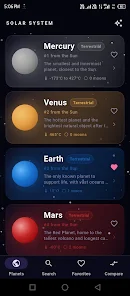
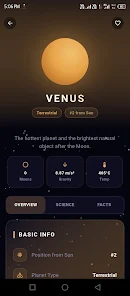
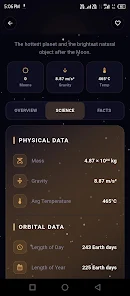
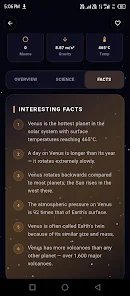
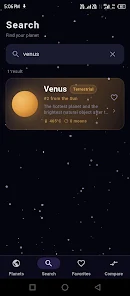
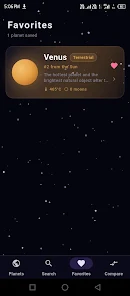
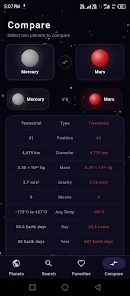
Planet Info is a compact educational app that packs detailed facts, high-resolution images, and interactive timelines about the solar system into a clean, navigable interface. Designed for curious learners and casual stargazers, Planet Info delivers concise planetary profiles, orbit visualizations, and data-driven comparisons to explore space quickly and confidently.
Planet Info organizes astronomical content into clear modules so you can move from general overviews to technical data without feeling lost. It focuses on readable text, accurate metrics, and visual aids such as maps, scale diagrams, and comparative charts. Whether you want a fast fact or a deeper reference, the app keeps everything within a few taps.
The app groups resources into searchable sections. Each planet entry includes composition, atmospheric data, key missions, and a timeline of discoveries. Interactive orbit diagrams let users adjust viewing angles and simulate planetary positions for any date. A dedicated image gallery curates satellite and telescope photos, while a metrics view presents mass, radius, gravity, and orbital period in both metric and imperial units.
Design choices prioritize legibility and progression. Tabs separate core facts, visuals, and mission history; long entries collapse into expandable sections to avoid information overload. Color-coded charts and clearly labeled units help users scan technical values quickly. The app also includes a built-in glossary that defines terms like albedo, perihelion, and heliocentric coordinates.
Planet Info is optimized for stable performance across a range of devices. Image assets are loaded progressively to reduce memory spikes, and the orbit simulations use lightweight animations that run smoothly even on mid-range phones. Background data synchronization updates reference values and new imagery when a network connection is available, without interrupting browsing.
Students and educators will find the app handy for classroom assignments and quick references. Amateur astronomers can plan observing sessions using the simulation tools to identify when planets reach favorable viewing angles. Writers and content creators benefit from the clear numerical tables for fact-checking articles or scripts.
Installation is straightforward. After downloading, grant optional permissions for storage if you want to save images for offline use. The onboarding walkthrough highlights navigation, search, and the comparison tool. Users can choose between light and dark themes, and toggle unit preferences. A short tutorial demonstrates how to set a custom date in the orbit simulator.
Planet Info strikes a balance between accessible writing and precise data. Users appreciate the minimal learning curve, reliable numeric tables, and the way images and diagrams clarify complex concepts. Regular updates keep the catalog current as new missions return data, and the modest resource footprint makes it a practical companion for both casual curiosity and structured study.
The app receives periodic content patches to refine values and add new mission summaries. Feedback channels within the app let users suggest corrections or request additional topics. With its combination of curated imagery, up-to-date metrics, and thoughtful navigation, Planet Info becomes a steady go-to for anyone wanting a compact, trustworthy guide to the planets and their place in the solar system.