
Python Mouse
Version: 1.0.0
33.78MB
4
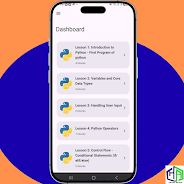
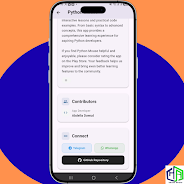
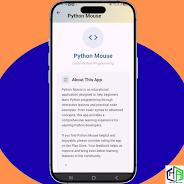
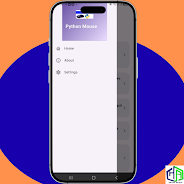
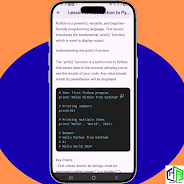
Python Mouse is a lightweight Android utility that lets you map and automate pointer actions from your device, turning touch gestures, Bluetooth controllers, or scripts into precise mouse movements. It streamlines remote control and custom input routines for productivity, testing, and accessibility on phones and paired computers.
Designed for power users and developers, Python Mouse converts mobile input into accurate cursor control and simulated clicks. The app supports a range of input sources and output targets, allowing you to operate desktop applications remotely, run UI tests, or provide alternative interaction methods for users with limited mobility. It balances simplicity for quick tasks with advanced options for scripting and automation.
Python Mouse presents a clean interface split into three main sections: connection management, control surface, and scripting panel. The connection area guides you through pairing with a target machine or toggling local control. The control surface provides intuitive gesture mapping and visual feedback for pointer movements. The scripting panel supports editing and running small Python routines directly from your device.
The app communicates with desktop systems through a lightweight companion service or standard networking protocols, depending on your configuration. When used with the companion tool, Python Mouse can emulate native mouse events with high fidelity. For quick setups or single-use sessions, it also offers direct Bluetooth HID mode to present itself as a mouse to compatible hosts without additional software.
Customization is one of Python Mouse’s strengths. Create multi-step macros that combine movement, clicks, delays, and keyboard inputs. Use conditional logic and loops in scripts to handle dynamic interfaces. The mapping interface lets you tailor sensitivity, acceleration, and dead zones for each profile so the cursor behaves exactly as you expect in different tasks.
Engineered to work smoothly on a wide range of Android devices, Python Mouse minimizes battery drain while maintaining responsiveness. Background operation allows continuous control without having to keep the app in the foreground. Compatibility covers common desktop operating systems through the companion service, while Bluetooth HID mode supports any host that accepts standard input devices.
Security is handled through local pairing tokens and optional encryption for network sessions. Python Mouse keeps control channels isolated and does not upload your scripts or usage data to remote servers by default. Permissions are requested only for features that require them, such as Bluetooth access or network communication.
Setting up Python Mouse is straightforward: install the app, choose a connection method, and select or create a profile. Beginners can rely on default presets, while advanced users can open the scripting panel to write Python snippets for automated sequences. Onboarding tips and a help section inside the app explain pairing procedures and best practices for smooth cursor control.
For optimal responsiveness, use a stable Wi-Fi connection or Bluetooth pairing with minimal interference. Adjust sensitivity settings per profile to match the target machine’s pointer behavior. If you plan to run long automation routines, test scripts on short sequences first and enable logging to troubleshoot timing or event-order issues.
Python Mouse combines practical features with flexible scripting to make mobile-to-desktop pointer control accessible and reliable. Whether you need simple remote pointing, advanced automation, or accessibility enhancements, the app offers a versatile toolkit that adapts to different workflows and devices.




Free Use App ~Stories of Hinomori~
4.5330.70MB

Summertime Saga: Realistic Remake
4.4173.24MB

Another Teen Titans Porn Game!
4.2140.40MB

Free Use App Stories of Hinomori
4.1330.70MB

Survivor Romania
4.217.90MB

Car Coloring Game offline
4.138.90MB

Garten Of Banban Escape Game
4.528.00MB

حروفي المرحة
4.034.70MB