DanceXR
Version: 1.4.9.1088
12.00MB
4.2
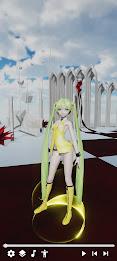
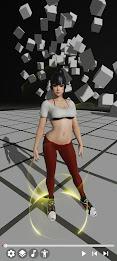
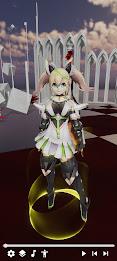
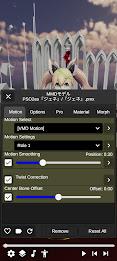
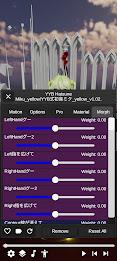
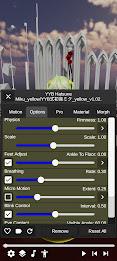
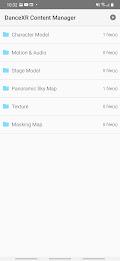
DanceXR is a focused character model viewer and motion player built to make reviewing, iterating and presenting 3D character animations fast and straightforward. DanceXR supports widely used formats such as PMX, XNALara/XPS, VMD and BVH, and it was designed so creators and animators spend less time on setup and more time on assessing motion, rig compatibility and visual presentation. The app’s simple import-and-play flow helps hobbyists and professionals quickly check clips, test retargeting results and prepare assets for further editing or showcase.
The core feature set emphasizes reliable playback and predictable retargeting: automatic pose and bone adaptation smooths out T-pose/A-pose mismatches, while bone mapping and scale adjustments reduce manual fixes when switching between rigs. Playback tools include timeline scrubbing, variable playback speed, looping sections and single-frame stepping so you can inspect timing and overlap precisely. Visual feedback highlights problematic bones or extreme scale changes, helping you identify issues before moving an asset into a full production pipeline.
Controls are tailored to the device you choose: touch-friendly gestures and an intuitive timeline on mobile, and detailed mouse/keyboard controls on desktop for fine adjustments. In VR, common controller inputs let you position the camera and start or pause playback for immersive inspection. The workflow is intentionally short: import a model, load a motion file, apply automatic retargeting, tweak a few parameters and replay. This loop supports rapid iteration so you can test alternative motions, compare poses or produce short preview clips in minutes.
Presentation options let you refine how a model reads during review without leaving the viewer. Adjust diffuse and specular responses, transparency and simple shader profiles to evaluate silhouette and surface response under different lighting. Camera presets, framing guides and environment presets assist with composition when capturing screenshots or short preview videos for a portfolio. These visual controls are practical rather than decorative—they’re intended to help you evaluate motion clarity and rig performance across lighting conditions and camera angles.
Rather than a single-use viewer, DanceXR offers a local library and scene management system so you can build a working catalogue of models, motions and camera setups. Save scene presets, playback profiles and ordered playback sequences to compare different retargeting approaches or to maintain consistent review conditions across sessions. This lightweight progression model helps track iterative progress: as you refine rigs and animations you can restore a saved state to reproduce earlier results and measure improvement over time.
Replay value comes from quick comparison and inspection rather than gamified levels. Create ordered sequences to run multiple motions against a model, use frame-by-frame comparison to evaluate timing changes, and apply side-by-side scene presets to check for visual regressions. Diagnostic tools include mismatch warnings, suggested retargeting parameters and on-screen bone overlays so you can resolve issues methodically; these checks act like quality-control challenges that guide you toward a clean retarget rather than introducing gameplay elements.
Automatic retargeting, bone mapping and scale compensation are tuned for the supported formats to minimize surprises at import; unsupported file types may require external conversion. The app scales visuals and performance with available hardware: mobile devices provide convenient on-the-go review while a powerful desktop or PC VR setup delivers higher fidelity and lower latency for detailed inspection. Offline playback is supported for locally stored assets so you can review projects without an internet connection.
DanceXR prioritizes a clear, approachable UI: adjustable interface scaling, descriptive labels and presets let new users achieve useful results quickly, while advanced settings remain available for experienced animators. Inline help and short tutorials define terms like retargeting and bone scaling and walk through common tasks, reducing friction for beginners. Input mapping adapts to platform conventions so touch, mouse or VR controllers feel natural and consistent during review sessions.
The viewer concentrates on a defined set of formats (PMX, XNALara/XPS, VMD, BVH) to ensure dependable playback and retargeting behavior; files outside these formats may require conversion. The app does not include networked collaboration, cloud syncing or online multiplayer features — its design is centered on local review, iteration and asset preparation. For best VR fidelity and lowest latency, a capable desktop GPU and CPU are recommended. Getting started is simple: import a model, load a motion file, use the retargeting options and playback tools to evaluate and refine your animations with DanceXR.