MV Master
Version: 5.4.0.10329
47.29MB
4.2

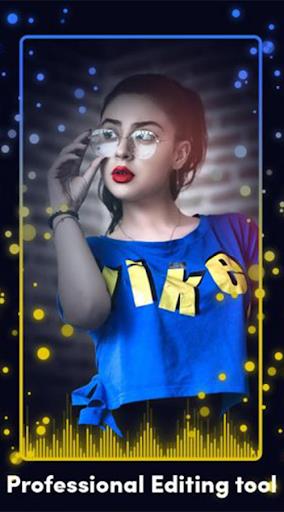
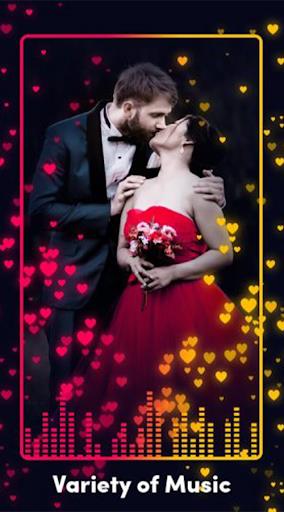
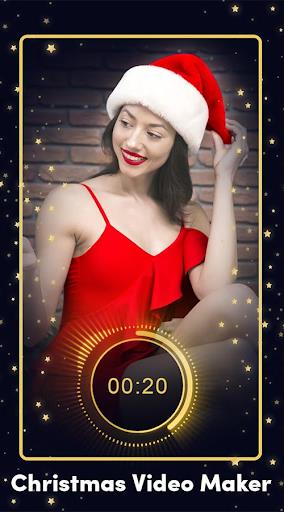
MV Master puts a straightforward photo-to-video workflow into your hands: start with a handful of pictures, arrange them in sequence, choose music, and export a share-ready clip in minutes. MV Master is designed for users who want a fast, friendly editor without hunting through complicated menus, yet it still provides enough control to shape pacing, style, and output quality for social posts, event recaps, and personal memory reels.
Type: Android video and slideshow editor optimized for quick photo-to-video creation. Use cases: Ideal for short status updates, birthday montages, travel recaps, classroom projects, and family albums. Compatibility: Built to run across a wide range of Android phones and tablets; the app adapts to different screen sizes and hardware capabilities to keep editing responsive.
Photo sequencing and trimming: Import dozens of photos, drag to reorder them, and trim how long each image appears. Preview playback at any time so you can test timing and make small adjustments before export. MV Master saves intermediate edits so returning to a project is immediate.
Transitions and visual effects: Choose from a collection of smooth transitions and tasteful filters to move between shots. Effects are designed to be light on processing, keeping previews fluid on mid-range devices while still delivering a polished look when rendered.
Music and audio controls: Add background music stored on your device, trim songs, and position the audio to start where you want. Simple beat-alignment tools let you nudge slide durations to match musical accents, helping clips feel synchronized without complex audio editing skills.
Text, captions, and styling: Add titles, one-line captions, or scene-by-scene notes with basic font size and color options. Text overlays are positioned with simple touch controls and include default styles that work well on small screens to ensure readability.
Atmospheric overlays and presets: Subtle overlays such as soft grain, light leaks, particle effects, and gentle rain are available to add cinematic atmosphere. Preset combinations let you apply a consistent look across a project in a single tap, which speeds up workflow when creating multiple videos with the same aesthetic.
Editing uses familiar touch gestures: drag-and-drop to reorder images, pinch-to-zoom for crop and framing, and a timeline scrubber to jump to specific frames. Undo and redo let you experiment confidently, and inline previews render changes quickly so you can iterate without waiting for long exports.
Customize slide durations, transition lengths, and export resolutions to match how you plan to use the finished file. Light and neutral color filters suit family photos, while more dramatic presets amplify action shots. The interface balances simple defaults with adjustable parameters so both beginners and more experienced editors can get the result they want.
Projects are saved locally so you can build a sequence over multiple sessions. Templates and preset styles make it easy to reproduce a format—useful if you create weekly updates or a series of social posts. Instead of levels or competitive progression, the app’s workflow encourages steady improvement of editing skills through repeated use: start with a basic sequence, then add transitions, refine timing, and explore overlays as you become more comfortable.
MV Master works fully offline; all editing, previewing, and exporting happens on your device without requiring an account or internet connection. Export options include common resolutions and file-size estimates so you can choose a balance of quality and upload convenience. Performance scales with device capability; the app includes lower-resolution preview options for older phones to keep the editor responsive.
The interface places primary controls within easy reach and uses clear labels to reduce confusion for new users. Text sizes are adjustable for better readability, and frequent actions like importing and exporting are streamlined to minimize taps. Tooltips and inline help guide common tasks, lowering the learning curve for first-time editors.
Start with a tight selection of 8–12 images to maintain lively pacing; longer slideshows work but benefit from varied transition styles and more aggressive trimming. When choosing music, pick a section with a steady tempo and use the beat-alignment tools to refine cut points. Keep captions short and place titles on contrasting areas of the photo for better legibility on small screens.
Can I use my own songs? Yes. MV Master lets you browse music stored on your device, trim tracks, and place the audio start point within the project timeline. Are exported videos easy to share? Exported clips are saved to your gallery and are compatible with messaging apps and social platforms. How well does the app run on older phones? The app includes scaled-down preview settings and conservative effect processing to maintain usable performance on older hardware; full-quality rendering may take longer depending on device specs.
MV Master is a practical choice for anyone who wants to turn photos into short, memorable videos without a steep learning curve. With straightforward controls, useful presets, and offline editing, it supports a variety of personal and social use cases while keeping the editing experience fast and accessible.