Launcher iOS 26 Theme
Version: 1.2.5
78.61MB
4.5
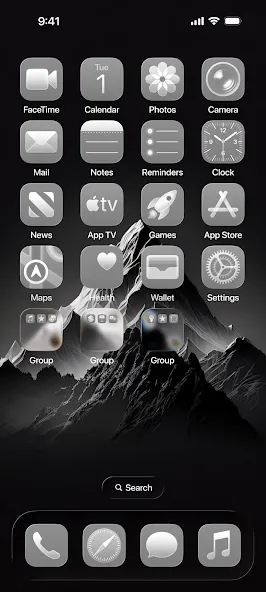
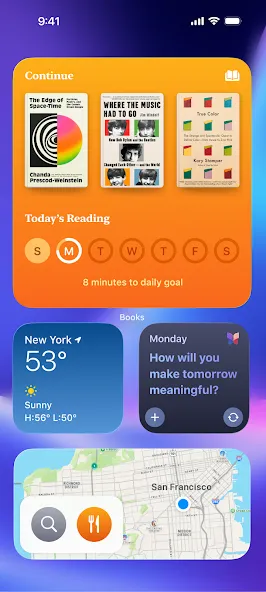
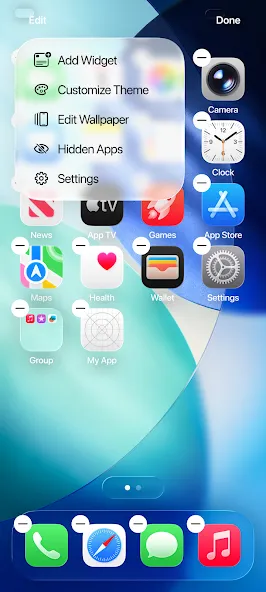
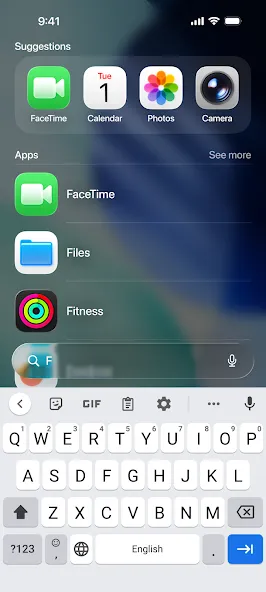
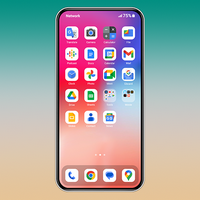
Launcher iOS 26 Theme brings an iPhone-inspired interface to Android devices, offering a crisp home screen, modern icons, and control center features that mimic iOS 16/17 aesthetics while keeping Android functionality intact. It focuses on visual polish and straightforward customization for users who prefer Apple-style design on Android.
The Launcher iOS 26 Theme transforms your Android device with a minimalist, flat-design look, redesigned icons, and a refined dock. Navigation gestures and an iOS-like control panel are implemented to feel familiar to iPhone users, while maintaining compatibility with Android apps and widgets. Expect a clean app grid, adaptive icons, and subtle animations that enhance perceived performance without draining resources.
This launcher includes a selection of tools meant for daily use: quick toggles in a pull-down control center, a searchable app drawer, customizable icon packs, and lock screen shortcuts. The theme supports dynamic wallpapers, adjustable grid sizes, and badge notifications that blend with the overall aesthetic. Small utility features such as app hiding and secure folders are present for privacy-conscious users.
Personalization is central to the Launcher iOS 26 Theme. Users can change icon shapes, apply different wallpaper galleries, and tweak the dock appearance. The settings menu allows for granular adjustments: gesture mappings, app label visibility, and home screen layout. For users who enjoy mixing styles, the launcher supports third-party icon packs and wallpapers, giving freedom without breaking the core iOS look.
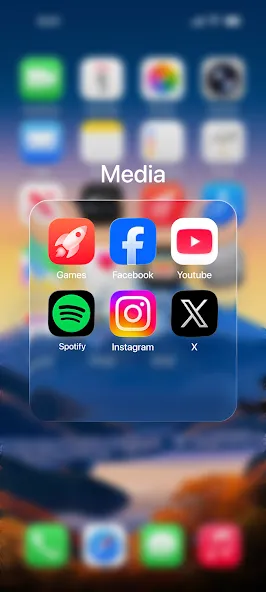
The interface is designed to reduce clutter and speed routine tasks. A swipe-up gesture opens the app drawer, double-tap actions can lock the screen or launch the camera, and folders open with smooth transitions. The control center replicates common iOS functions such as brightness and volume sliders, media controls, and quick access to connectivity toggles. These elements are arranged to keep essential controls within easy reach.
Despite its polished visuals, the Launcher iOS 26 Theme is optimized for efficiency. Animations are lightweight, memory usage is kept modest, and the launcher defers intensive tasks when the device is idle to reduce battery impact. Compatibility testing covers a wide range of Android versions and hardware profiles to ensure acceptable performance on mid-range phones as well as flagship devices.
The launcher supports Android versions commonly in use and adapts to different screen sizes and resolutions. Some advanced features, such as live widgets and adaptive icons, may require more recent Android releases. The app provides fallbacks for older systems so core functionality—home screen, app drawer, and basic customization—remains accessible on most devices.
Installing the Launcher iOS 26 Theme is straightforward: download the APK, grant the necessary permissions, and set it as your default home application. During initial setup you will be guided through layout selection and basic gesture configuration. If desired, you can revert to your previous launcher at any time through Android’s app settings.
Users who appreciate a tidy, consistent visual language will find the Launcher iOS 26 Theme appealing. The iconography and typography are chosen for legibility, while animations add subtle feedback without being distracting. Regular updates refine animations, add icon sets, and expand wallpaper collections to keep the experience fresh.
Launcher iOS 26 Theme is suitable for anyone wanting an iPhone-like look on Android without losing platform-specific features. It balances aesthetics with utility, offering enough configuration options to personalize the device while remaining approachable for users migrating from other launchers. Regular updates and sensible defaults help maintain responsiveness across a wide variety of Android hardware.