WWMT News 3
Version: 10.34.0
122.25MB
4.5
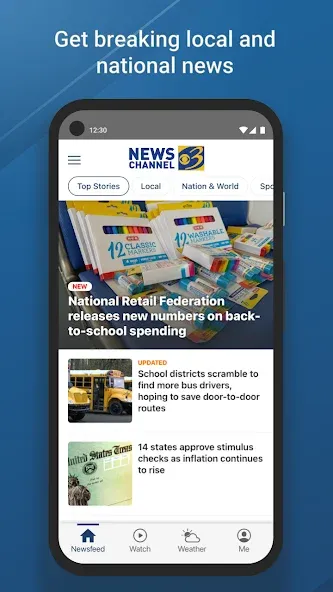
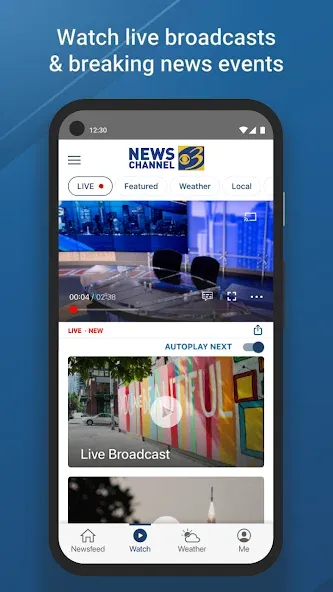
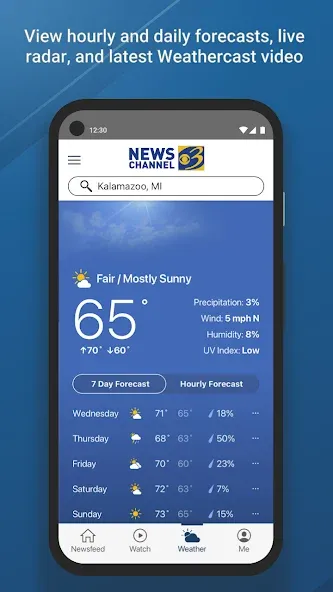

WWMT News 3 brings local journalism, live video, and weather forecasts into a compact mobile experience, helping users stay informed about breaking stories and community updates. The app emphasizes fast notifications, clear navigation, and customizable alerts so you get the headlines that matter most to your area—all on your Android device.
WWMT News 3 is designed for users who prioritize local coverage and reliable updates. It aggregates articles, video reports, and live streams from the station, presenting them through an interface tailored for mobile use. Content is organized by categories such as latest news, weather, sports, and community events, which makes it easy to scan and dive deeper where needed.
The app focuses on practical tools that improve daily information consumption. Key capabilities include fast push alerts for breaking news, integrated live video for on-the-ground reporting, and a detailed radar map for weather tracking. Video clips and full reports are available for on-demand viewing, while article pages include photo galleries and embedded maps to provide context.
When installed, WWMT News 3 lets you select topics and locations to tailor content. The home feed surfaces the most recent and relevant stories, and a dedicated weather tab provides hourly and 10-day forecasts along with interactive radar overlays. Notifications can be customized by category and intensity, so only the most important updates reach your lock screen.
The app presents information with clear typography and a conservative color palette to keep focus on headlines and visuals. Navigation uses a bottom bar with direct access to top sections, while in-article controls let you switch between text and video quickly. Performance is tuned for speed: articles load with minimal delay, videos use adaptive streaming to match network conditions, and caching reduces repeated data pulls.
Personalization is a strong suit for WWMT News 3. Users can save favorite topics, pin frequently viewed sections to the home screen, and adjust notification preferences by category. The app also supports a basic widget for quick glanceable information without fully opening the app. These options let each user shape the experience to match commute patterns, work schedules, and interests.
The app provides straightforward settings for notification frequency and data usage. Users concerned about bandwidth can enable a low-data mode that reduces image quality and restricts video autoplay to Wi-Fi only. Privacy settings clarify which permissions the app uses, and preferences can be adjusted to limit location access or background refresh.
To get the most out of WWMT News 3, start by setting up your notification preferences so you receive only the alerts you care about. Add the weather radar widget to your home screen for instant forecasts, and use the save-for-later feature for articles you want to read during downtime. Turning on adaptive streaming helps conserve data while maintaining video quality.
People rely on WWMT News 3 for rapid local reporting and dependable weather updates. The combination of live video, concise articles, and granular alert controls makes it a useful companion for commuters, parents, and anyone who needs timely local information. The app’s focus on speed and clarity helps it stand out among general news aggregators.
Downloading WWMT News 3 is straightforward from the app store. After installation, grant optional permissions for location and notifications if you want hyper-local alerts and personalized weather details. Spend a few minutes configuring categories and alert levels to prevent notification fatigue and tailor the feed to your needs.
Overall, WWMT News 3 aims to deliver fast, local, and practical news coverage with tools that adapt to daily routines. Whether you’re checking forecasts, tracking a developing story, or watching a live report, the app places regionally relevant information within quick reach.