Yupmanga
Version: 1.0.0
91.27MB
4.3


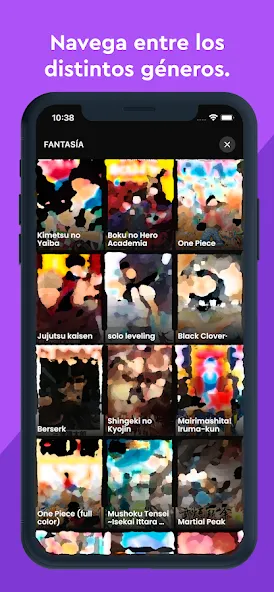

Yupmanga is a lightweight manga reader app designed for casual and dedicated readers, offering fast browsing, customizable reading modes, and offline downloads. It organizes series, tracks reading progress, and connects to multiple sources so users can build a personal library and enjoy smooth chapter navigation on Android devices.
Yupmanga streamlines the process of finding, organizing, and reading manga. The core idea is convenience: aggregate different catalogs, present clean listings, and let you control how content is downloaded and consumed. It aims to remove clutter while keeping advanced options available for power users.
The interface prioritizes legibility and speed. Images load progressively to reduce wait time, and caching keeps your current chapter available even on flaky networks. Controls are placed within reach: swipe gestures for page turns, long press for quick options, and a persistent bottom bar for chapter lists and downloads. The app balances performance and visual quality with options to reduce image size or enable high-resolution fetches.
Different reading styles accommodate both Western and Japanese formats. Vertical mode lets you scroll continuously through pages, which is great for mobile screens. Page-by-page modes include automatic cropping and contrast adjustments to make panels easier to view. You can also set a default mode per title so each series opens the way you prefer.
Yupmanga’s library acts like a digital bookshelf. Add titles to collections, sort by unread chapters, and hide completed series. The app supports batch downloads and deletes, making it simple to manage storage. Tagging and custom lists help you organize reading priorities, seasonal picks, or recommendations for friends.
Optional account integration lets the app synchronize your reading progress and bookmarks across devices. If you prefer no cloud link, local backups are available so your metadata remains recoverable. Account tools also enable notifications for new chapter releases from your followed series.
Customization is broad but not overwhelming. Theme choices include light and dark modes, and font scaling helps readability for longer sessions. The app includes accessibility options such as high-contrast mode and simplified navigation for screen readers. Notification frequency and behavior are configurable to avoid unwanted interruptions.
Many users appreciate Yupmanga for its balance of simplicity and control. It removes friction around discovering new series while offering detailed options for people who like to fine-tune their reading experience. Faster load times and efficient caching are often highlighted in user feedback.
Installation follows a standard Android flow: download, install, and open to create an optional account. On first launch, you can import lists or start fresh. The onboarding screens guide you through adding sources and setting a preferred reading mode so you’re ready to read within minutes.
For anyone who reads a lot of serialized comics, Yupmanga provides a compact, configurable environment focused on delivering chapters quickly and keeping your library organized without distracting extras.