
WPS Office
Version: 18.12.1
179.10MB
4
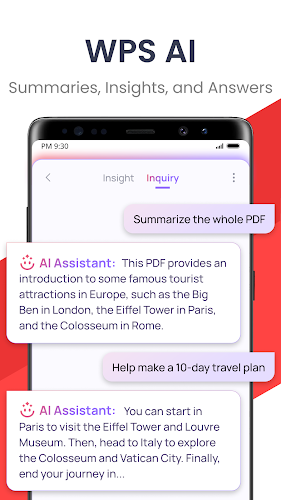
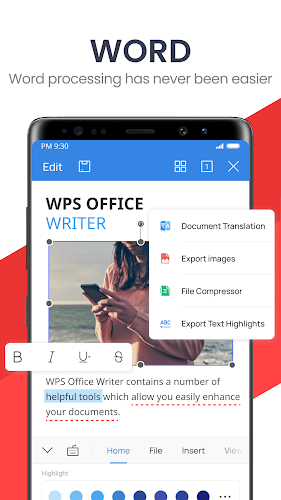
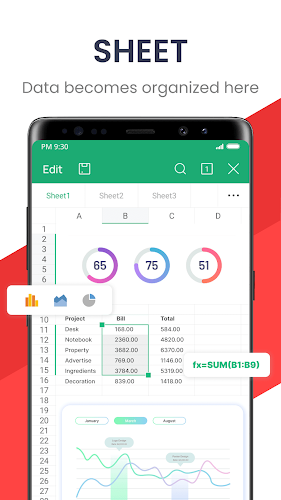
During a long train delay, being able to polish a report or convert a receipt into a shareable file can feel like a relief rather than a scramble. WPS Office bundles word processing, spreadsheets, presentations and PDF utilities into a single Android app so you can handle those tasks from your phone. The app has both free and premium tiers, supports familiar Microsoft formats, and includes tools that speed up common workflows like scanning paper, converting PDFs and applying ready-made templates.
Install and sign in: Download the app, sign in with an email or create a local profile; signing in unlocks cloud sync and cross-device continuity.
Create or open files: Start from a blank document or open Word, Excel and PowerPoint files; the editor preserves layout and basic formatting for quick edits.
Scan and convert: Use your device camera to capture paper forms or receipts and turn them into PDFs you can annotate or convert to editable text.
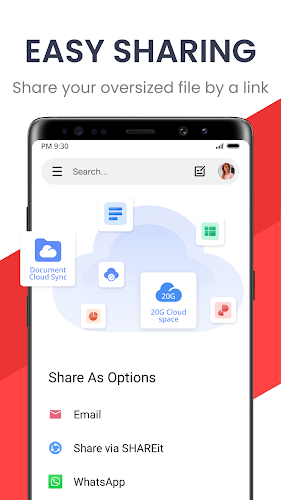
Share and export: Export to common formats or share a link; cloud and local export options let you send a finished file by email or upload it to storage.
Multiformat support: Work with DOCX, XLSX, PPTX and PDF without separate apps, keeping one interface for most office needs.
PDF toolkit: View, split, convert and annotate PDFs; conversion to editable Word is handy for reworking scanned contracts or reports.
Template library: Access sample documents and presentation templates to speed up layouts for memos, invoices and slides.
Presentation tools: Mirror slides to compatible displays or use wireless casting options for quick, on-the-go presentations.
Interface and display modes: Clean layout, adjustable reading modes and a night theme help when you edit in low light or on smaller screens.
Use templates as a starting point: Pick a template for reports or budgets and replace placeholder text to save setup time on recurring documents.
Scan smartly: Capture documents with even background and good lighting; crop and straighten before saving to improve OCR and conversion results.
Manage interruptions: If ads interrupt your workflow, consider trying the premium option for an ad-free interface and added cloud features.
WPS Office is a flexible, compact productivity suite that puts many desktop-style tools on your Android device and helps you keep working during short waits or long stretches away from a laptop. It handles document formats, PDF tasks and basic presentation needs well, though some advanced features and an ad-free experience require a paid plan. If you want a single app to cover most everyday office jobs on mobile, WPS Office is worth trying.



Vyapar Mod
4.447.20MB

Anatomy Learning - 3D Anatomy MOD Full version Unlocked
4.4130.90MB

aProfiles MOD Premium Unlocked
4.47.28MB

CleverType AI Keyboard
4.133.83MB

Quick Cursor MOD Pro Unlocked
4.14.58MB

Block Scroll MOD Premium Unloked
4.224.37MB

Timesheet -inApp MOD Premium Unlocked
4.327.80MB

Habit Tracker - HabitGenius MOD Premium Unlocked
4.565.80MB