
Luminous - Poweramp Skin
Version: 10.6.5
9.04MB
4.5
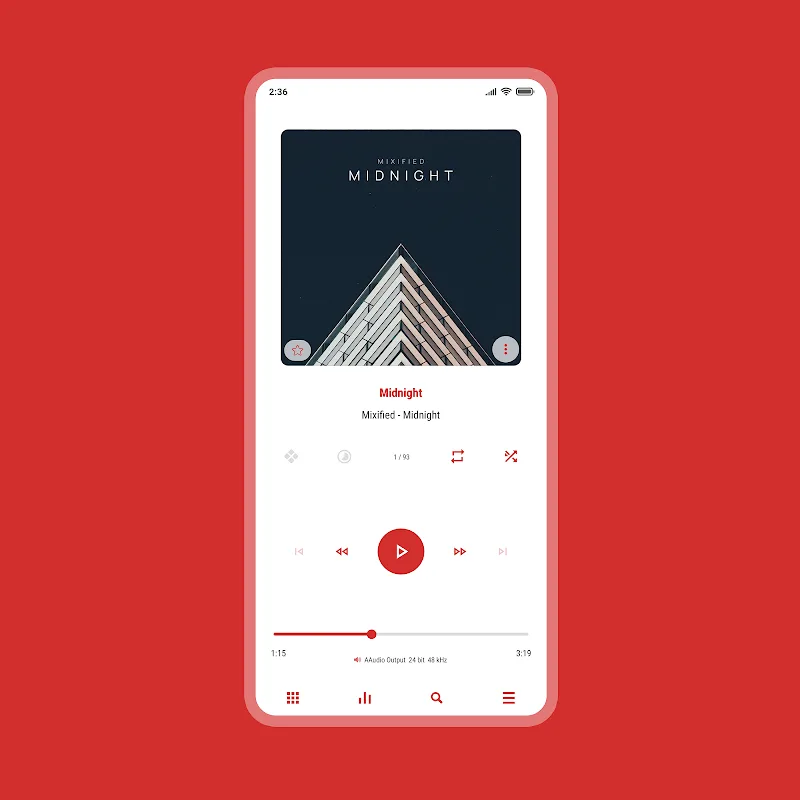
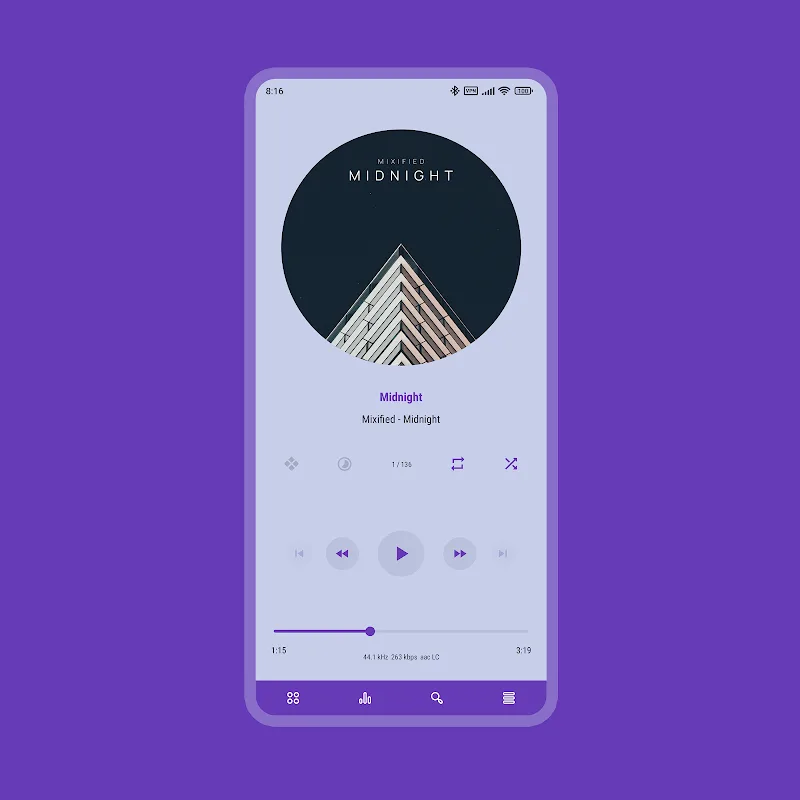
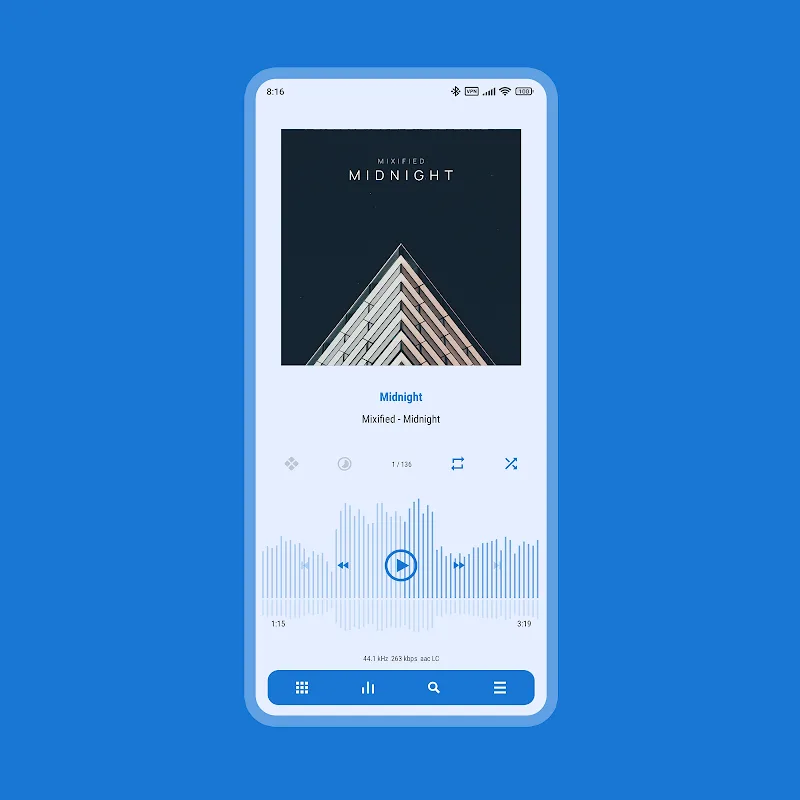
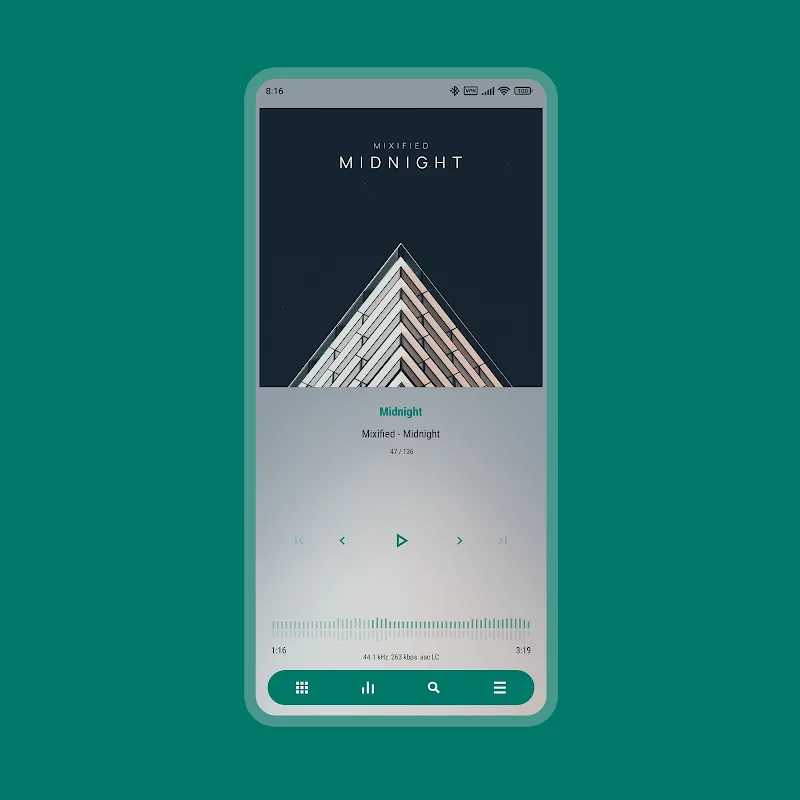
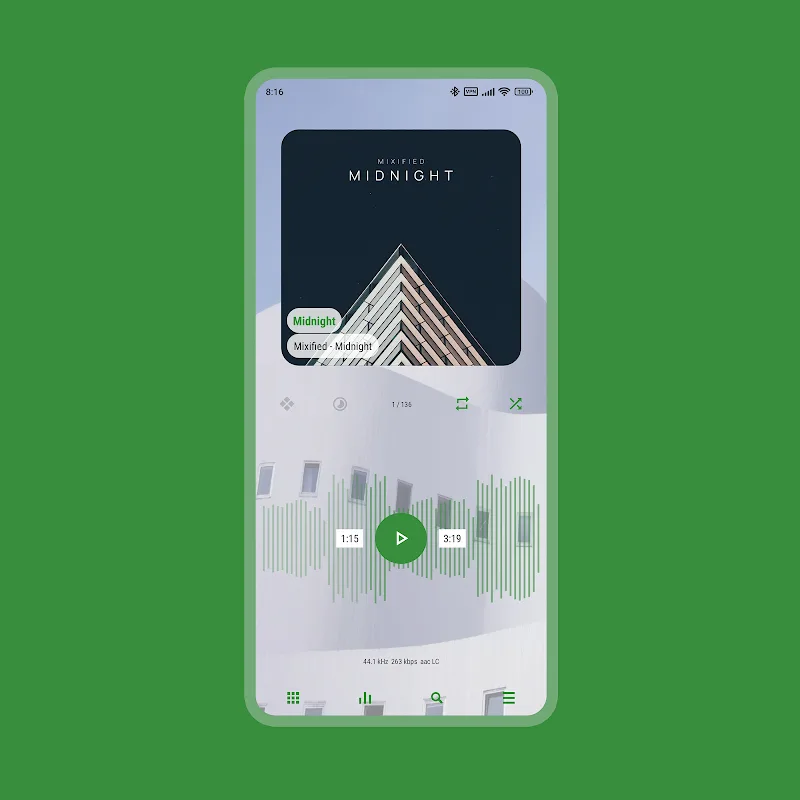
Luminous - Poweramp Skin, Luminous - Poweramp Skin, Luminous - Poweramp Skin updates Poweramp with a brighter, modern interface and deep customization tools that let you tailor colors, layouts and visual details without touching code. The skin brings Material You–style personalization, packaged palettes and granular element controls so you can create a consistent visual language across lists, player screens and notifications while keeping the original audio engine unchanged.
The visual approach emphasizes clear hierarchy and readable contrast so track titles, album art and playback metadata remain easy to scan. Luminous offers a broad palette system with dozens of accent and background options designed to work together; coordinated tints are applied to progress bars, button highlights and selection states so the player feels cohesive. Small visual cues such as separators, subtle shadows and adaptive icon tints are tuned to preserve legibility on both light and dark backgrounds.
The skin includes three flexible layout presets that act like UI 'levels' you can move between: compact reduces chrome and foregrounds transport controls for quick access, balanced mixes album art with metadata for everyday listening, and immersive emphasizes artwork and larger interactive surfaces for a more visual experience. Each layout changes where elements appear, how controls are grouped and the amount of screen real estate devoted to visuals versus controls, making it simple to match the interface to device size and use context.
Luminous focuses on interaction clarity: touch targets for common actions are enlarged, long-press behaviors and swipe regions are preserved, and visual tap feedback is consistent across elements. The skin surfaces skip, seek, repeat and shuffle with clearer icons and bigger targets, and maintains the underlying Poweramp control bindings so hardware buttons, headset controls and notification commands behave as expected. The result is predictable, low-friction operation whether you use one hand, a larger tablet or quick glances while commuting.
Instead of a single static theme, Luminous supports a stepwise customization workflow so you can progress from presets to finer edits. Start with a packaged layout and palette, then iterate—adjust accent strength, background tones and element spacing, preview changes, and refine. This progression helps users learn what each control influences and reduces the initial learning curve: small, deliberate edits lead to a personalized configuration without overwhelming new users.
The included editor exposes granular options for individual Poweramp elements: buttons, progress indicators, list dividers, text emphasis and contextual badges can be tuned independently. Contextual previews show how changes look on typical screens and in both light and dark modes before you apply them globally, so you can test contrast, spacing and color relationships in realistic scenarios and avoid surprises.
Accessibility is a central consideration: font sizes and spacing are respected, contrast settings can be increased within the skin, and interactive elements avoid tiny touch targets that frustrate users with motor or visual challenges. Luminous is built to complement Poweramp’s existing accessibility options and aims to make playback information easier to read at a glance for users who rely on larger UI elements.
Luminous is a visual skin that operates entirely on-device and does not require an internet connection once installed. It is intended to be layered over Poweramp, so it does not change audio playback, library handling or local file access. The skin requires Poweramp to be installed; it does not function as a standalone audio player and will not interfere with the player’s offline playback capabilities.
Deep customization invites ongoing exploration: users can experiment with palettes and layouts to create different looks for moods, listening contexts or device profiles. That creative process becomes a kind of low-stakes design challenge—mixing palettes, testing contrast for different album art styles, and refining control placement—so the skin maintains replay value through creative iteration rather than game-like progression.
Applying Luminous typically involves opening Poweramp’s theme or skin settings and following on-screen prompts to apply the UI elements. For a quick change, use one of the packaged presets and then refine individual controls as you use the player. Because the skin separates visual configuration from playback settings, you can experiment freely and revert to presets if you want to return to a previous look.



Luminous Black - Poweramp Skin
4.19.18MB

Button Master Premium MOD Premium Unlocked
4.214.76MB

ArmorPaint
4.413.41MB
Pika! Charging show
4.157.13MB

Azulox Icon Pack - Dark mode
4.3115.38MB
Square Home MOD Premium Unlocked
4.15.90MB
Launcher OS 2026 MOD Premium Unlocked
4.152.70MB

Bikerz - Icon Pack
4.2102.73MB