Delta Icon Pack
Version: 1.9.22
42.80MB
4.1
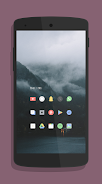
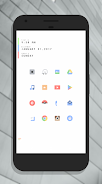
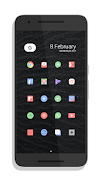
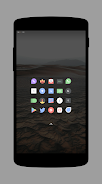
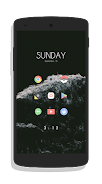
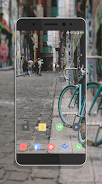
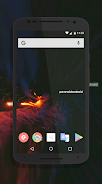
During a dull meeting you might sneak a glance at your phone and decide to refresh how your apps look, and that's exactly the moment Delta Icon Pack comes into play as a quick visual upgrade for Android home screens. This icon pack offers a carefully crafted set of icons that aim for a clean, modern look while keeping familiar shapes so you won't struggle to find what you need. The package includes a large library of icons and works with many popular launchers, making it simple to give your device a consistent style in minutes.
Installation: Download the package and open it from your app drawer to access the setup dashboard.
Applying Icons: Use your launcher’s theme or icon settings to apply the pack; the dashboard can also trigger the process for supported launchers.
Search and Apply Individual Icons: Look up a specific app icon inside the pack and apply replacements one at a time if you prefer a mixed look.
Backup and Restore: Keep a record of any custom icon assignments so you can restore them after a reset or when switching devices.
Hand-styled Artwork: Each icon follows a minimal aesthetic with consistent line weight and corner radii for a unified appearance across apps.
Extensive Library: Thousands of icons are included to cover most mainstream and niche apps, reducing the need for manual icon editing.
Adaptive Shapes: Icons are designed to sit neatly on diverse wallpapers and grid arrangements without overwhelming the layout.
Icon Masking: When an exact match isn't available, Delta Icon Pack provides masking to harmonize unknown icons with the set’s style.
Dashboard Support: A control panel simplifies applying the pack, browsing icons, and checking for updates to new app icons.
Create a Theme: Pair Delta Icon Pack with a carefully chosen wallpaper and a matching widget set to produce a cohesive home screen.
Mix and Match: Replace icons selectively for folders or frequently used apps to gradually transition your look without committing to every change.
Keep Icons Updated: Check the pack’s dashboard periodically for new icons so recently installed apps get proper artwork.
Delta Icon Pack is a solid choice if you want to tidy up your device with a minimal, cohesive icon set that respects the look of familiar apps while offering a fresh aesthetic. It’s particularly handy when you want a quick visual refresh before a weekend event or to give a work phone a more personal touch. Keep in mind that applying custom icons requires a compatible launcher and some users may prefer packs with more experimental or colorful themes; if you value restraint over flair, Delta Icon Pack will serve you well though it may not satisfy those seeking loud, decorative options.