Vidmy Video Downloader
Version: 1.0.14
50.60MB
4.1
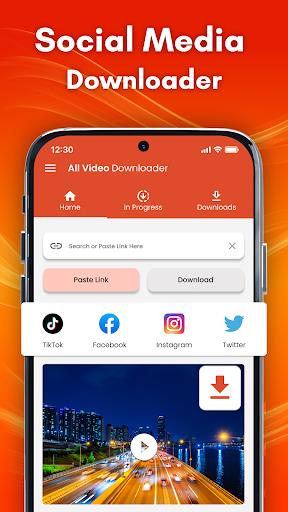
Vidmy Video Downloader is a lightweight Android app that makes saving online videos fast and simple. It supports multiple sites, offers batch downloads, and converts files for offline playback. The app emphasizes speed, a clean interface, and options for resolution and format selection.
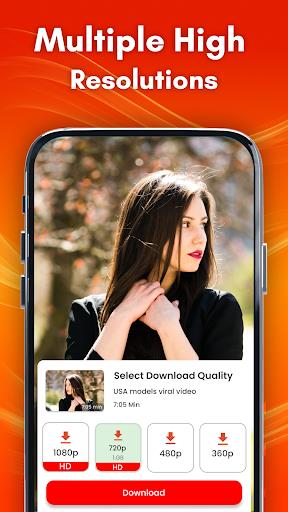
Vidmy Video Downloader collects core tools expected from a modern mobile downloader while keeping the workflow straightforward. You can queue multiple videos, choose download quality, extract audio tracks, and convert formats after download. The app also supports background processing so downloads continue while you use other apps.
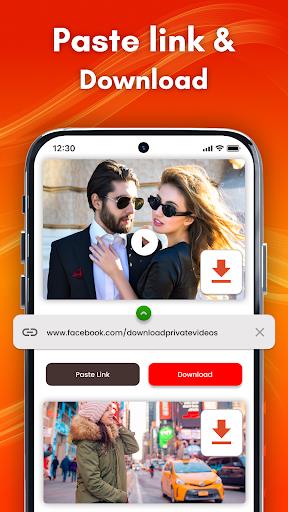
Using Vidmy Video Downloader involves three basic steps: find the video, paste or share the link into the app, and choose download options. The built-in browser detects media on a page to simplify capture. For power users, the share menu integration lets you send a video link directly from popular apps into Vidmy for immediate processing.
The interface focuses on clarity: a simple home screen with recent downloads and a clear progress view. Download controls are accessible from each item, allowing you to pause, retry, rename, or change target folders. Notifications keep you informed without requiring you to open the app. A compact settings panel centralizes preferences like default quality, download directory, and network rules.
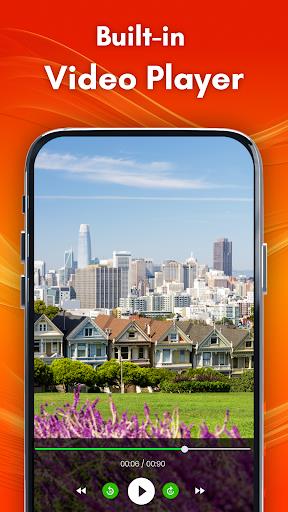
Vidmy Video Downloader includes an internal media manager to preview and organize saved files. Rename files, sort by date or size, and create playlists for offline viewing. The integrated conversion tool supports common codecs so you can convert a clip to an audio file for podcasts or to a smaller video file for limited-storage devices.
Designed for Android devices, Vidmy Video Downloader emphasizes efficient resource use to avoid draining battery or hogging memory. Download accelerators and multi-threading help achieve faster transfers on robust networks. The app is compatible with a wide range of Android versions and hardware configurations; however, performance scales with network speed and device capability.
Vidmy Video Downloader requests only the permissions necessary to access storage and network functions. It provides user guidance about respecting copyrights and suggests using the app for personal content or material that you have rights to download. A clear privacy section explains how local files are handled and gives users control over logs and temporary caches.
To get the most from Vidmy Video Downloader, enable Wi‑Fi-only downloads when you have limited mobile data, use scheduled downloads overnight for large files, and select lower resolutions for slower connections. The app is useful for saving tutorial videos, personal media backups, lecture recordings, and any content where offline access improves convenience.
Install the app, grant storage access, and try capturing a short video to become familiar with the flow. Use the share menu from your browser to send links into Vidmy Video Downloader. Explore settings to set preferred formats and default folders before running large batches.
Vidmy Video Downloader balances power and simplicity for everyday users who need reliable offline access to media. With background downloading, format conversion, and an organized file manager, it aims to streamline the process of saving and managing video content on Android devices.