
Phoenix Browser
Version: 16.5.1.5225
28.30MB
4.1
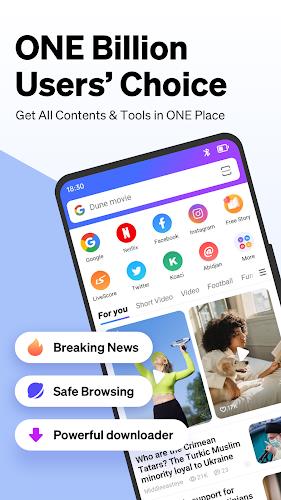


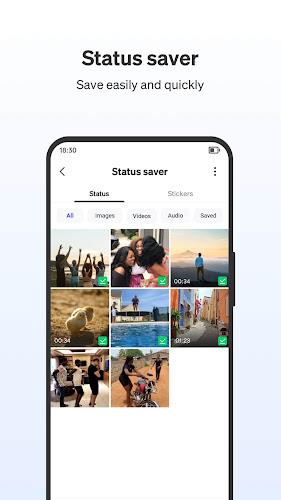
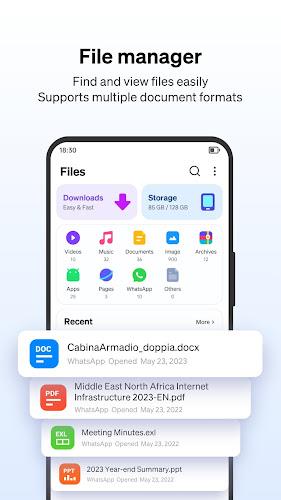

Phoenix Browser is a lightweight Android browser that balances speed, privacy, and content discovery. It delivers fast page loading, built-in ad blocking, offline video download options, and a compact interface designed for one-handed use. Ideal for users who want quick browsing without clutter or heavy battery drain.
Phoenix Browser targets users who want a fast, no-frills mobile web experience. Rather than focusing on a suite of cloud features, it prioritizes local performance, media handling, and straightforward controls. The app fits people who browse frequently on cellular networks, watch short videos, and value power-efficient browsing on midrange devices.
The core strengths of Phoenix Browser are practical tools that improve everyday use. Design decisions emphasize utility: a compact UI, a download manager, and smart data-saving settings. Key elements include:
The interface is intentionally minimal. Tabs are easy to switch and the address/search bar adapts to one-handed use on large phones. Pages render quickly on modern Android devices and the browser keeps memory usage moderate compared to heavier alternatives. Startup is usually fast, and the lightweight engine helps preserve battery life during extended sessions.
Phoenix Browser includes standard privacy controls: private browsing, cookie clearing, and an optional blocklist for third-party trackers. It also offers permissions management so users can restrict camera, microphone, and location access on a per-site basis. While it doesn’t replace a dedicated VPN or advanced privacy suite, it packs enough controls for most casual users concerned with online tracking.
Downloading is one of Phoenix Browser’s standout uses. The built-in download manager organizes files, pauses and resumes downloads, and shows progress in the notifications area. For content creators or commuters, the ability to save web videos and documents for offline playback makes the browser a practical tool for preparing content without external apps.
Customization options are modest but useful. Users can toggle ad blocking, change the homepage layout, and configure default search engines. While it doesn’t support a broad extension catalog like desktop browsers, the available settings let users tailor the experience without complexity.
To get the most from Phoenix Browser, enable the ad block and data saver features when you first install it. Use the download manager for media you want to keep, and set up private tabs for sensitive searches. Explore gesture shortcuts to accelerate browsing—these small changes improve speed and reduce taps.
Phoenix Browser runs on most Android devices running recent system versions. It’s optimized for low and mid-tier hardware, making it a strong choice for older phones that struggle with memory-hungry browsers. Installation is straightforward and updates deliver performance tweaks and security patches.
Users who prefer Phoenix Browser typically want a lightweight alternative that still handles multimedia and downloads well. Commuters, students, and anyone who frequently switches between video playback and web articles will find the browser convenient. The simplified toolbar and clear download controls reduce friction during common tasks.
Choose Phoenix Browser if you value speed, efficient downloads, and sensible privacy options without a steep learning curve. If you require deep extension support or advanced synchronization across devices, that may be better served by a different browser. For everyday browsing, quick media saving, and lower data usage, Phoenix Browser is a capable, user-friendly option.