Battery MAX
Version: 1.0.6
16.83MB
4.5
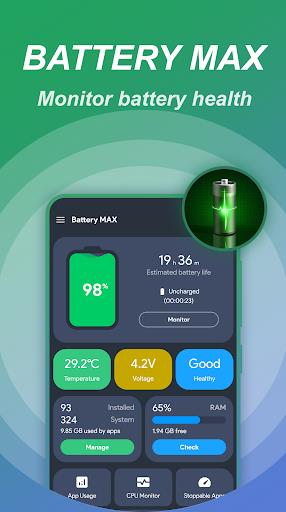
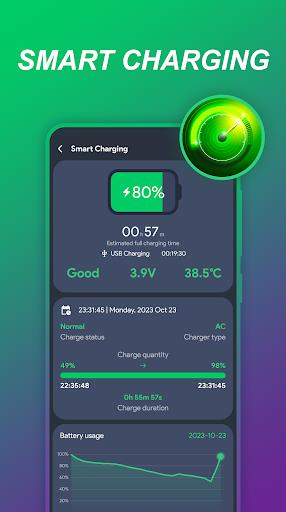
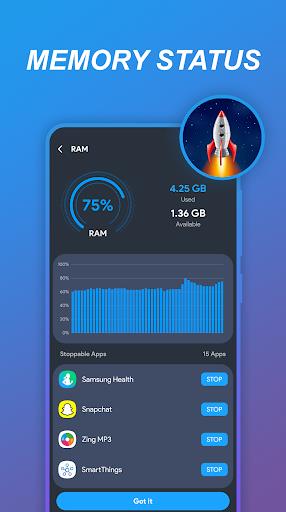
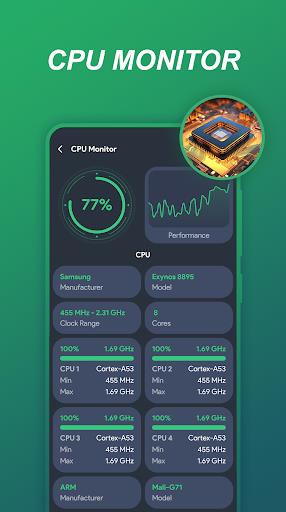
Battery MAX helps Android users extend battery life with intelligent power-saving tools, usage insights, and one-tap optimization. Designed for clear controls and minimal setup, Battery MAX balances background app management, scheduled modes, and device-specific profiles to keep your phone running longer between charges.
At its core, Battery MAX provides a set of tools to reduce unnecessary power drain and present actionable recommendations. The app delivers real-time battery monitoring, automated saving profiles, and a straightforward dashboard that highlights which services and apps consume the most energy. You can tailor settings to match daily routines and preserve battery health over time.
Battery MAX presents a clean, uncluttered interface focused on the most important metrics: remaining charge, projected time, and dominant power drains. Visual graphs let you inspect usage trends for the last 24 hours or week. Buttons and toggles are grouped logically so creating a schedule, excluding an app, or initiating optimization takes just a few taps.
To get the most benefit, start with a baseline report to understand current battery patterns. Use one-tap optimization for daily maintenance and reserve custom schedules for predictable situations—overnight charging, long commutes, or extended meetings. Combine app-level restrictions with connectivity controls like Wi-Fi and Bluetooth toggles to extend endurance without sacrificing essential notifications.
Battery MAX is designed to run efficiently on a wide range of Android devices with minimal overhead. The app emphasizes low CPU usage and modest memory footprint while performing background analyses. Compatibility covers both modern Android versions and many mid-range devices; however, specific power-control features may vary due to manufacturer restrictions or Android permission differences.
For users who want finer control, Battery MAX includes adjustable thresholds for actions like darkening the display, disabling mobile data, or lowering refresh rates where supported. Safety measures prevent aggressive shutdowns of critical system services and allow a whitelist of apps that must remain active. Notifications guide you through permission requests to ensure changes remain reversible and transparent.
Users commonly report longer screen-on time and fewer mid-day charge cycles after applying recommended settings. The combination of scheduled modes and targeted app management is especially useful for professionals who need their device to last during long meetings or travel. Battery MAX aims to reduce anxiety about battery levels by providing clear predictions and automated responses.
Install the app, grant the necessary battery and app usage permissions, and run an initial scan. The onboarding flow walks through creating a primary power profile and suggests immediate optimizations. If you prefer manual control, skip suggestions and build a profile from scratch using the settings menu.
If Battery MAX cannot control a specific app or hardware feature, check device-level battery optimization settings and manufacturer power management tools. The app provides contextual help and links to permission dialogs to simplify adjustments. Regular updates improve compatibility and expand supported features for newer Android releases.
Battery MAX combines clear analytics, automated routines, and selective app control to deliver practical battery savings without complicating your daily workflow. Whether you need a simple one-tap boost or a set of customized profiles for different parts of the day, Battery MAX offers a solid toolkit to keep your Android device running longer between charges.