BestifyMe
Version: 4.2.40
13.80MB
4.1
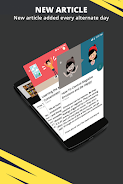
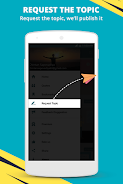
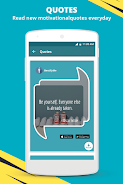
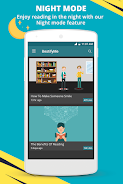
BestifyMe is a smart productivity and personalization tool that combines task management, habit tracking, and lightweight automation into one intuitive interface. Designed for busy users, it streamlines daily routines, sets context-aware reminders, and adapts to your workflow with minimal setup.
BestifyMe puts practical utilities together in a single app so you can reduce context switching. Rather than juggling separate calendar, habit, and automation tools, it organizes recurring actions, quick notes, and conditional triggers inside a customizable hub. The app emphasizes speed and clarity while keeping features accessible for both beginners and power users.
Setting up BestifyMe starts with defining the routines you want to simplify. Create a morning checklist, link it to a time window, and attach optional automations like turning on Do Not Disturb or opening a playlist. For each item you can set reminders, snooze behavior, and success criteria so the app can mark progress automatically.
The scheduling engine supports fixed times, relative offsets (for example, 30 minutes before a meeting), and event-based triggers tied to device conditions. Location triggers use geofencing with adjustable radius to avoid false positives. Triggers can combine with simple logic: only when connected to a specified Wi‑Fi network, or only on weekdays.
BestifyMe gives you visual and behavioral control. Choose compact or expanded layouts for widgets, pick color accents, and reorder dashboard modules by drag-and-drop. Automation rules are presented as readable building blocks rather than code, while advanced users can chain multiple actions and set delays or conditional branches.
To accelerate setup, the app includes curated templates for common workflows: study timers, workout checklists, focused work sessions, and packing lists. Users can adapt these templates and save their own recipes for reuse, reducing repetitive configuration.
The interface focuses on clarity: clean typography, a concise color palette, and tactile interactions. Navigation stays lightweight to keep the app responsive on a wide range of devices. Background tasks that monitor triggers are optimized to minimize battery impact and respect system power settings.
Notifications are grouped and configurable so alerts remain helpful rather than intrusive. The app supports large text and high-contrast themes, and offers voice-over hints for key actions that help users who rely on screen readers.
Users appreciate BestifyMe for its balance between simplicity and depth. The app reduces friction for daily tasks while offering enough customization for complex routines. Whether refining a morning ritual or automating repetitive phone actions, BestifyMe scales to fit varying needs without overwhelming the user.
Install the app, grant optional permissions for notifications and location, then explore the onboarding templates. Spend a few minutes creating a single routine and adding its widget to the home screen — that quick setup often demonstrates the app’s value immediately.
For users who value control and efficiency, BestifyMe acts as a compact productivity center that brings disparate tools together in a coherent, easy-to-manage package.