Wattpad
Version: 10.78.0
77.00MB
4.4
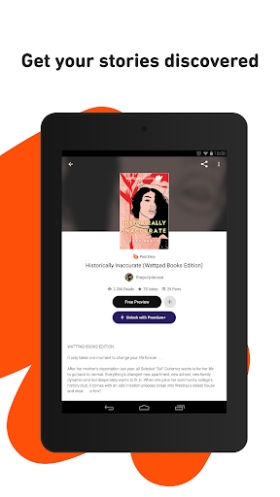
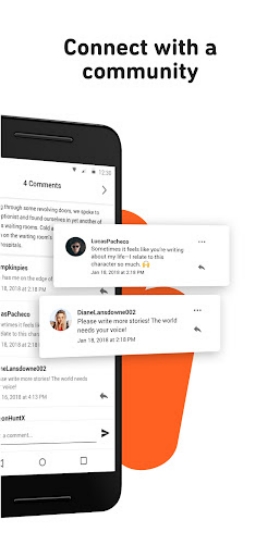
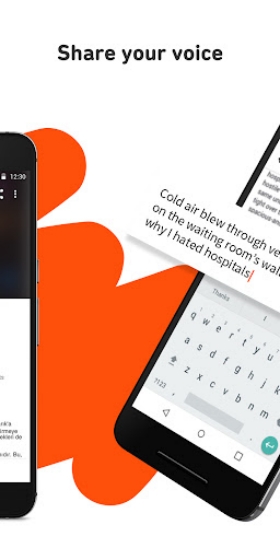
Wattpad connects readers and writers worldwide through a mobile reading and storytelling platform. The app hosts millions of user-created stories across genres, offering a personalized library, social features, and tools for writers to publish and receive feedback. Wattpad's social reading model emphasizes discovery and community engagement on the go.
This app functions as both a reading library and a creative workshop. Users can browse serialized fiction, poetry, fanfiction, and non-fiction pieces. Stories are often updated chapter by chapter, encouraging return visits and active participation. For readers, a recommendation engine surfaces new titles; for authors, the platform provides visibility and reader responses.
The reading interface is tailored for comfortable long-form consumption. Adjustable font sizes, dark and light themes, and auto-scroll options help match the experience to personal preferences. Offline saving lets you download individual stories or chapters for later reading without a network connection, and in-app bookmarks keep track of your place across multiple books.
Beyond reading, Wattpad equips writers with practical publishing tools. Draft management, chapter reordering, and basic formatting controls make it simple to develop a story directly on a phone or tablet. Authors can publish incrementally to test pacing and build anticipation. Each published work includes metadata fields for tags, short descriptions, and genre classification to improve discoverability.
Social features are central to the app’s design. Readers can vote, leave comments on chapters, and follow favorite authors to receive updates. Writers benefit from immediate feedback and can engage with readers through replies or pinned notes. This interaction fosters ongoing relationships between creators and their audience and often influences story direction in serialized formats.
Discoverability is driven by a combination of editorial lists, algorithmic recommendations, and user-driven trends. Home feeds adapt over time, prioritizing genres and tags you frequently open. Curated collections and community lists introduce hidden gems, while search filters let you narrow results by length, tag, or language. Personalized reading lists help organize works you plan to revisit.
The library system keeps everything accessible. You can create custom lists for projects, favorites, or works in progress. Notifications alert you when an author you follow publishes a new chapter. For writers, an intuitive dashboard displays story stats like read counts and engagement metrics to track momentum and audience response.
Designed for mobile performance, the app runs smoothly on a broad range of Android devices. Lightweight caching reduces data usage and improves load times, while background synchronization updates new chapters and comments without interrupting reading. Compatibility with older OS versions ensures many users can access features without needing the latest hardware.
Community guidelines and report tools are available to maintain a safer environment. Users can control visibility of their profiles and manage comment settings to reduce unwanted interactions. Authors who want more privacy can publish under pseudonyms and moderate feedback as needed.
Setting up an account is straightforward: download, sign up with email or social login, and tailor your initial interests. Follow a few authors and explore curated lists to prime the recommendation engine. If you plan to write, draft a short introduction and publish a first chapter to begin collecting reader responses right away.
Wattpad blends a large, user-driven library with social features and practical author tools to create a dynamic space for storytelling and discovery. Whether you read on the train or publish a new chapter from your phone, the platform supports a cycle of creation, feedback, and discovery that keeps stories moving.