Discord
Version: 244.13 - Stable
74.50MB
4.2
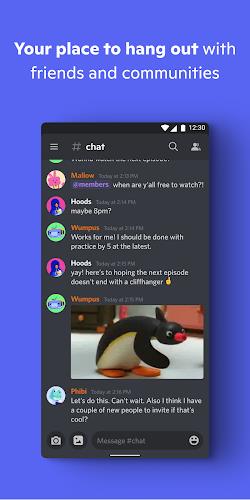

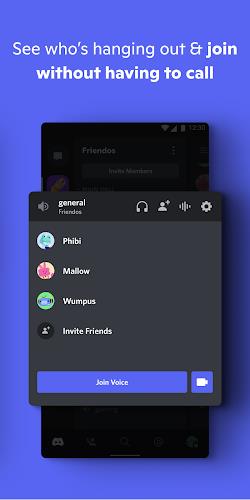

Discord is a free communication platform designed for communities, gamers, and teams to chat via voice, video, and text. It combines persistent channels, direct messaging, and server-based organization into a single app that works on mobile and desktop, helping groups coordinate, socialize, and share media in real time.
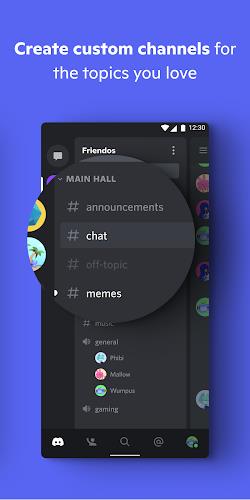
At its core, Discord organizes conversations into servers made of channels. Each server can host multiple text and voice channels, where members join specific topics without interrupting other chats. The platform balances lightweight social features with powerful moderation tools, making it suitable for hobby groups, study teams, and small businesses.
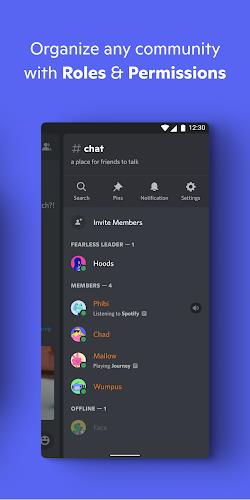
Discord’s layout is divided into server list, channel list, message pane, and member panel. The design prioritizes quick access: servers appear as icons on the left, channels in the middle, and conversations fill the central space. The mobile app uses a condensed version of this layout to make navigation comfortable on small screens.
Servers can be tailored with roles, permissions, and custom emojis. Moderators assign roles to manage access, while built-in settings control notifications and privacy. The platform supports third-party bots for music playback, moderation, polls, and analytics—these bots extend functionality without changing the core experience.
Discord handles real-time voice and messaging with minimal latency for most users. Audio quality adjusts to network conditions to preserve continuity, and the app caches media to speed up load times. For larger communities, Nitro and server boosting unlock higher audio bitrates and larger file uploads, improving media fidelity.
Users can configure two-factor authentication, block unwanted contacts, and set server-specific privacy levels. Admins have access to moderation logs and audit trails to track changes. While public servers increase discoverability, private invite links and role-based permissions keep sensitive conversations restricted.
Discord strikes a practical balance between social features and productivity tools. For many groups, it replaces a patchwork of email, group chats, and file-sharing apps with a single space that supports synchronous and asynchronous work. Developers, streamers, and hobbyists appreciate the low-friction setup and the ability to add custom tools via bots and webhooks.
Discord keeps evolving with frequent updates, new integrations, and improved moderation features. Whether you need a casual hangout space or a structured collaboration hub, it provides flexible building blocks to match different workflows and community sizes.