ViusalGPT:Ai App Workflow
Version: 6.1.2
41.00MB
4.2
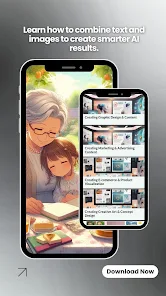
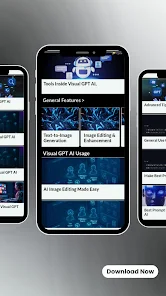
ViusalGPT:Ai App Workflow is a compact educational guide that explains how visual AI tools convert text prompts into images and structured design outputs. This app overview introduces the logic behind prompt engineering, step-by-step generation flows, and the common decisions visual AI systems make about style, color, and composition so that learners gain practical insight rather than only theory. The first paragraphs summarize the scope: what generation stages typically look like, how a single prompt can produce varied results depending on pipeline choices, and how ViusalGPT:Ai App Workflow frames these concepts for hands-on study.
The app breaks down core image-generation concepts into approachable modules, showing how prompts map to intermediate representations and final visuals. ViusalGPT:Ai App Workflow provides guided walkthroughs of common workflow stages such as prompt expansion, constraint setting, iteration loops, and selection criteria used when refining outputs. Each module includes annotated examples that show composition choices, palette decisions, and layout adjustments so readers can see the concrete effects of small prompt or parameter changes. The explanations emphasize observable, reproducible steps rather than opaque claims about models.
Learning in this app is arranged as a progression of short lessons that build from simple idea-to-image mappings to more detailed workflow planning. Early sections cover foundational controls like descriptive language choices, stylistic tags, and basic composition hints. Intermediate lessons introduce multi-step generation thinking: where to apply noise, when to rephrase prompts, and how to combine separate renders into a structured layout. Advanced entries explore how to design a creative pipeline that balances iteration speed and visual fidelity. Each lesson includes clear objectives, example prompts with outcomes, and suggested experiments so users can practice incrementally.
The interface focuses on reading, experimenting, and note-taking rather than running models inside the app. Navigation is simple: modules are arranged sequentially, with quick jump controls to revisit topics and a built-in note area for tracking prompt variants and observations. Interaction patterns are designed for low friction—tap to expand an example, swipe to move to the next concept, and use inline comparisons to see before-and-after prompt changes. The UX favors readability: contrast, legible type, and diagrammatic images illustrate workflow stages without overwhelming new learners.
The app uses a neutral, tutorial-first visual style that highlights diagrams and annotated screenshots over flashy design elements. Content is divided into levels or tiers: Basics, Workflow Patterns, Composition Techniques, and Project Mapping. Each tier functions like a level, with short checkpoints that test comprehension through short exercises and reflective prompts. These checkpoints let users measure progress and decide when to move on or revisit earlier material for reinforcement.
While the app does not generate images directly, it supports personalized study plans and repeatable practice routines. Users can create custom modules by grouping lessons into a study track, bookmark examples for repeated review, and export notes to continue experiments in external tools. The structured summaries encourage iterative practice: repeat an exercise with modified parameters to observe how outcomes vary, which adds replay value for users refining their prompt design skills over time.
Challenge systems are framed as self-assessment tasks rather than competitive tests. Short, scenario-based exercises ask users to plan a workflow, select likely parameters, and predict visual results before checking annotated outcomes. These exercises are accessible offline once lessons are downloaded, making the app useful in environments without constant connectivity. Progress tracking is local, keeping user data private and enabling intermittent study sessions without requiring online synchronization.
The app is aimed at beginners and designers who want to understand how visual AI decisions are made; content is written plainly and includes alternative text for diagrams and adjustable text size for readability. ViusalGPT:Ai App Workflow is an independent educational resource and does not include model integration or direct image-generation features; it is not affiliated with original VisualGPT developers. The documentation intentionally focuses on explanation and reproducible reasoning rather than acting as a front-end for image services. Readers should treat the app as a learning companion to use alongside practical tools.