Yancey Fuel Camera
Version: 3.0
60.00MB
4.2
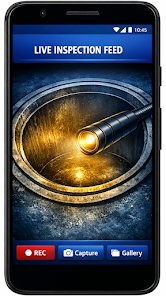
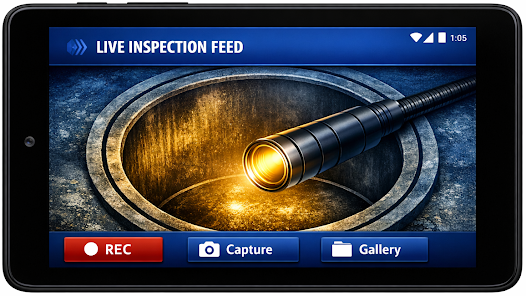
Yancey Fuel Camera is a compact companion app that connects Android devices to Yancey Bros. inspection cameras, providing a clear live feed and simple recording tools for field technicians. The app is built to make video inspection fast and reliable: view real-time footage, capture clips directly to your device, and document tight or hard-to-reach spaces such as fuel tanks, ducts, and confined mechanical compartments. Yancey Fuel Camera emphasizes practical controls and local storage so technicians can focus on inspection tasks instead of complex setup or cloud services.
The core functionality of Yancey Fuel Camera centers on reliable live viewing and straightforward recording. The app displays a real-time video feed from compatible Yancey Bros. cameras and saves footage locally on the Android device for immediate review. Users can start and stop recording from the main screen, capture still frames during live inspection, and store session metadata such as timestamps and camera identifiers to help organize reports. The design intentionally avoids advanced remote services, focusing instead on dependable on-device capture and playback while in the field.
Controls are laid out for one-handed use and quick access: on-screen buttons let technicians toggle recording, take still photos, and control common camera adjustments where supported by the hardware, such as LED illumination and preview brightness. The app supports session-based workflows so each inspection can be started, paused, and completed as a distinct record. Checkpoint markers can be added during a session to note points of interest, and a simple session list helps technicians locate the right recording after returning from the field.
Recorded video files are stored locally in standard formats on the device to ensure compatibility with common review tools. The built-in player allows immediate playback of captured footage, frame-by-frame review for close inspection, and basic trimming to remove unwanted lead-in or lead-out footage before exporting. Files and sessions are labeled with descriptive names and timestamps, and users can transfer files using the device's normal sharing and transfer methods, such as USB connection, SD card access, or Android share intents for sending to a computer or approved reporting app.
Yancey Fuel Camera includes settings that adapt the app to different inspection requirements and camera capabilities. When supported by the connected hardware, users can select recording quality presets, adjust preview frame rates, and configure LED intensity to balance image clarity against battery life. Preference options allow choosing default file naming conventions, auto-save behavior, and how session checkpoints are handled. These customization choices help technicians standardize documentation across jobs without adding friction to setup.
The app is designed for a range of professional inspection scenarios: fuel tanks, piping and duct inspections, confined spaces in heavy equipment, and other narrow or obscured areas where a handheld inspection camera is required. Level structure in practical use consists of approach, live inspection with targeted recording, checkpointing for notable findings, and post-inspection review. Replay value comes from well-organized archived sessions that can be revisited for verification, training, or follow-up maintenance planning.
Accessibility features focus on clear visual elements and touch targets to improve usability with gloves or in low-light conditions; large icons, high-contrast UI options, and readable labels aim to reduce input errors in the field. The app works offline without an internet connection, connecting directly to inspection hardware over local interfaces so technicians can operate in remote locations or restricted areas without relying on cellular or Wi-Fi service. Connection diagnostics and status indicators are provided to help resolve hardware links quickly.
Yancey Fuel Camera requires compatible Yancey Bros. inspection camera hardware to access live video and recording features. Supported devices typically include custom inspection probes and camera heads supplied by Yancey Bros.; compatibility details and recommended device firmware versions are listed on the developer's support resources. The app is optimized for Android devices commonly used in the field and is designed to minimize battery and storage impact while maintaining dependable video quality during inspections.
Last updated on Mar 20, 2026, this release focused on stability improvements and ongoing compatibility with supported cameras to ensure consistent inspection performance. Yancey Fuel Camera is developed and maintained by Yancey Bros., a team experienced in producing specialized inspection equipment for field technicians. The developer provides support documentation and firmware compatibility notes to help users match the right hardware and maintain a smooth inspection workflow.