PocketCoder
Version: 0.1.4
5.00MB
4.2
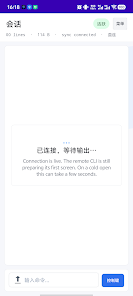
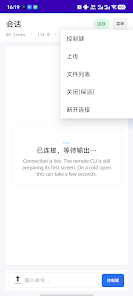
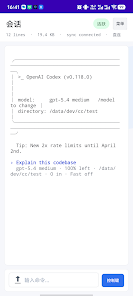
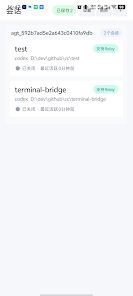
PocketCoder puts a full-featured development environment on your Android device, combining a lightweight code editor, terminal access, and on-device compilation for multiple languages. Designed for quick edits, learning, and small projects, PocketCoder streamlines coding workflows while keeping tools accessible on phones and tablets.
PocketCoder is a mobile IDE built to help developers write, test, and run code without needing a laptop. It blends a clean text editor with syntax highlighting, file management, and an integrated command line. The app supports common scripting and compiled languages and is aimed at learners, hobbyists, and professionals who need a portable, capable workspace.
The interface emphasizes clarity and minimal friction. A side drawer stores projects and recent files while the main pane focuses on editing. Tabs let you switch between files quickly, and a command palette provides instant access to common actions. PocketCoder balances touch-friendly controls with precise keyboard shortcuts for external keyboards.
PocketCoder includes a built-in compiler and interpreter layer for supported languages, enabling compile-and-run cycles without leaving the app. Error outputs and runtime logs are shown inline or in a console pane, making it easier to trace issues. Basic breakpoints and line-by-line inspection are available for interpreted languages, and the terminal supports common debugging tools for more advanced workflows.
Projects are organized into folders with an intuitive file explorer. PocketCoder can sync with cloud storage or a Git repository to keep code backed up and shareable. The app offers quick diffs and commit messages, enabling lightweight version control from a mobile device. Collaboration is simplified through export options and patch generation for teammates.
Users can tailor the editor theme, font size, and key bindings to match their preferences. PocketCoder supports plugin-style extensions that add linters, formatters, and language servers. This modular approach allows the environment to grow with a developer’s needs while keeping the base app lean.
PocketCoder is optimized for mobile hardware, prioritizing responsiveness and battery efficiency. The app scales across phones and tablets and supports external keyboards and mice. On higher-end devices, background compilation and caching speed up iterative development; lower-end devices fall back to simplified tooling to preserve usability.
Local execution keeps sensitive code on your device; cloud sync is optional and uses standard encryption when enabled. Permissions are scoped so the app requests access only to files and services required for development tasks. Developers can configure backup and remote access options to match their privacy needs.
Begin by creating a new project or importing an existing repository. Choose a template, select your language runtime, and open the editor. PocketCoder provides inline tips and sample code to accelerate onboarding. For recurring tasks, users can save custom build commands and run them from the command palette.
PocketCoder is a practical choice for anyone who needs an efficient coding environment on the go. With an emphasis on speed, modularity, and seamless workflow integration, the app turns Android devices into a credible development platform for quick fixes, learning exercises, and lightweight projects.