Docuvio
Version: 1.0.4
0.00MB
4.1


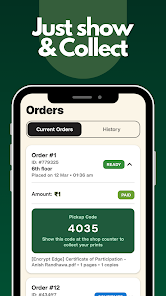
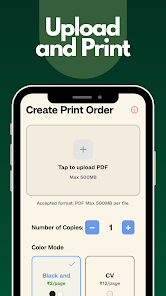

Docuvio is a versatile document manager for Android that simplifies viewing, editing, and organizing PDFs and office files with a clean interface and fast performance. Designed for productivity on mobile devices, Docuvio combines annotation tools, cloud integration, and secure sharing to streamline document workflows for individuals and teams.
Docuvio groups essential document capabilities into a compact toolkit so you can open, modify, and distribute files without switching apps. It supports common formats such as PDF, DOCX, PPTX, XLSX, and images, while offering lightweight converters and export options. Core tools include full-text search, bookmarks, page thumbnails, and a robust annotation suite for markups and notes.
The interface centers on clarity and speed. A customizable home screen displays recent and pinned files, while a streamlined file browser lets you navigate local storage and connected cloud drives. Docuvio emphasizes quick access: swipe gestures for page navigation, a single-tap toolbar for annotations, and an intuitive multi-tab system for working with several documents at once.
Annotating documents is a highlight. Docuvio provides pens with adjustable thickness, highlighters in multiple colors, sticky notes, and shape tools for drawing attention to specific content. Text editing and form filling are optimized for touch, so you can correct typos, complete contracts, or add comments directly on the page. Optical character recognition (OCR) helps convert scans into searchable text for easier editing and copying.
Sharing is straightforward with built-in export and collaboration features. Docuvio integrates with major cloud providers to upload revised documents and generate shareable links. Users can add password protection, set expiration dates for links, and apply permissions to control editing or viewing. Inline comments and version history help teams review changes and maintain a clear audit trail.
Performance was designed for modern and budget devices alike. Docuvio optimizes memory usage when rendering large PDFs and handles multimedia-rich presentations with minimal lag. It supports Android versions commonly in use and adjusts rendering resolution to balance clarity and battery consumption. Background syncing runs efficiently, minimizing data usage while keeping files up to date.
Security features are built into the core of Docuvio. Local encryption protects stored documents, while optional cloud encryption safeguards synchronized files. The app enables biometric unlocking where supported and provides an activity log so users can review recent access. Privacy settings let you disable telemetry and limit network access for sensitive documents.
Docuvio offers a range of personalization options. Choose a light or dark theme, adjust font sizes for reading comfort, and configure gesture shortcuts to speed common tasks. Accessibility features include text-to-speech for reading documents aloud, magnifier support, and high-contrast rendering for clearer visuals when needed.
To fit into existing workflows, Docuvio connects with cloud storage providers as well as email and productivity suites. Integration with cloud services enables seamless syncing, while third-party keyboards and input methods are supported for efficient data entry. Export plugins let you convert documents to compressed PDF or image formats for sharing and archiving.
Begin by importing a document from device storage or a cloud account. Familiarize yourself with the annotation toolbar and try the search and OCR functions on a sample file. Create a folder structure that reflects your projects, pin frequently used documents to the home screen, and enable automatic backups to keep files safe. Docuvio’s onboarding tips guide you through permissions and initial setup.
Docuvio is aimed at professionals who need reliable mobile document tools, students managing study materials, and anyone who handles contracts or forms on the go. It balances advanced functionality with approachable controls, making it practical for both focused editing sessions and quick on-the-spot reviews.
With its blend of annotation power, secure sharing, and smooth performance, Docuvio provides a compact yet capable environment for managing documents on Android devices. Try the core features to see how the app adapts to your daily document tasks and streamlines the way you work with files.