UnitConverte
Version: 1.0
2.00MB
4.1
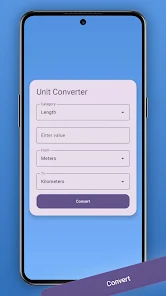
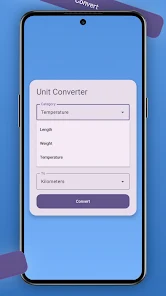
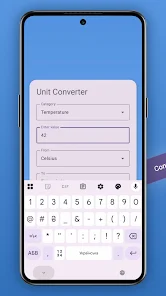
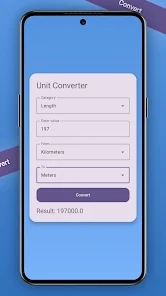
UnitConverte is a compact, fast unit conversion tool that puts dozens of measurement categories at your fingertips, designed for daily use by students, engineers, travelers, and shoppers. It provides accurate conversions, a clean interface, and handy utilities that streamline converting units on the go in a single, intuitive app.
UnitConverte covers common and specialized units across length, area, volume, mass, temperature, speed, time, data, pressure, energy, and more. The app supports both simple one-off conversions and chained operations when you need to convert between multiple units quickly. Precision settings let you choose decimal places, and the history log makes it easy to revisit recent calculations.
The layout is built for speed: a prominent input field, clear unit pickers, and immediate results. UnitConverte uses sensible defaults so you can type a number and see the most likely conversion instantly. Drop-down menus are grouped by category to minimize scrolling, and a favorites area keeps the units you use most accessible. Touch targets are sized for comfortable use on phones and tablets.
For users who need more control, UnitConverte offers custom unit creation and grouping. You can define a unit with a multiplier and offset, assign it to a category, and then use it alongside built-in measures. Custom groups help when working with industry-specific units or regional standards that aren’t included by default.
UnitConverte is optimized for low memory usage and fast response times, so conversions appear instantly even on older devices. The app has light and dark themes to match system settings and preserve battery life on OLED screens. It supports a wide range of Android versions and adapts layout for both phones and tablets.
While most unit categories are available offline, UnitConverte can optionally fetch live currency exchange rates when an internet connection is present. Rates are updated on demand or according to a schedule you set. You can choose to work entirely offline if privacy or data usage is a concern.
UnitConverte focuses on clarity and predictability. Labels are clear and units are displayed with their common abbreviations. The interface supports large text and high-contrast themes, and tactile feedback helps confirm selections. For faster input, numeric keyboards appear automatically and the app accepts decimal separators based on regional settings.
Students rely on UnitConverte for laboratory homework and quick checks, while professionals use it for on-site measurements and design calculations. Travelers find the distance and weight conversions useful for packing and navigating unfamiliar systems. Home cooks use volume and temperature conversions to adapt recipes between metric and imperial units.
The app minimizes permissions and stores conversion history locally unless you explicitly choose to export it. Optional features that require network access, like currency updates, are clearly labeled and can be toggled off to preserve privacy and reduce data usage.
Open UnitConverte, pick a category, enter a number, and choose the desired units—results appear immediately. Add commonly used conversions to favorites, adjust precision in settings, and explore custom unit creation if you have specialized needs. Regular updates expand unit libraries and refine usability based on user feedback.
UnitConverte aims to be the practical, reliable conversion companion on your device: quick to launch, easy to navigate, and flexible enough to handle both everyday tasks and technical work. Its combination of speed, clarity, and configurable options makes it a useful addition to any toolkit where accurate conversions matter.