AI Chat Offline - AI 聊天
Version: 1.0.0
17.00MB
4.3
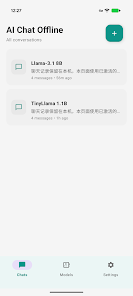
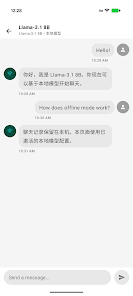
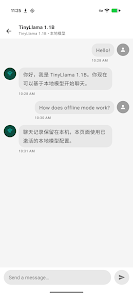
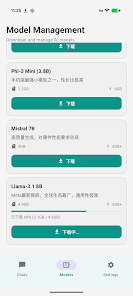
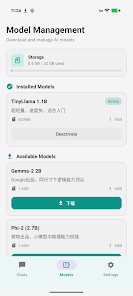
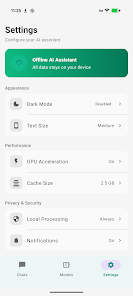
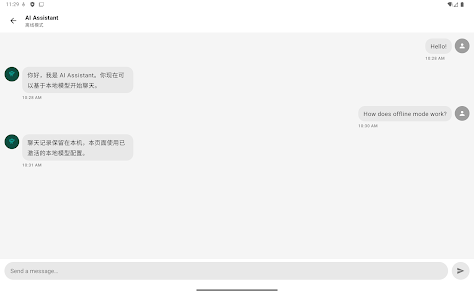
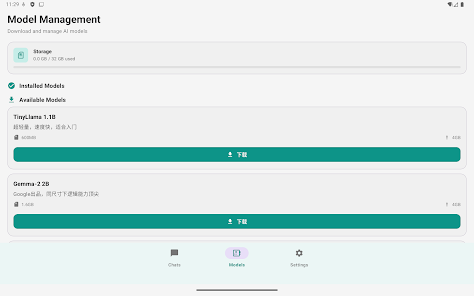
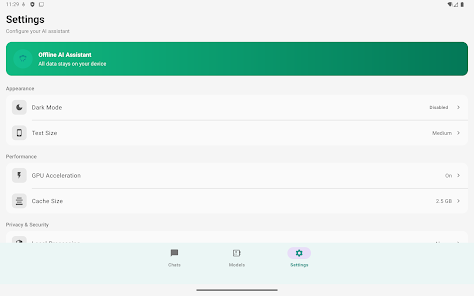
AI Chat Offline - AI 聊天 is a compact, privacy-focused conversational assistant that runs locally on Android devices. It provides quick responses, offline access to natural-language tools, and a simple interface for drafting messages, brainstorming ideas, or practicing conversations without sending data to the cloud.
AI Chat Offline - AI 聊天 brings neural conversation features to your phone without a constant internet connection. The app is designed for users who want a responsive chat assistant for everyday tasks like note drafting, casual Q&A, or language practice while keeping data on-device. It balances capability with low resource demands.
The interface aims for clarity: a single-column chat layout, a persistent input bar, and contextual action buttons. Messages are color-coded for easy scanning, and the app keeps recently used prompts for quick access. Performance varies with device hardware, but typical mid-range Android phones deliver snappy text generation for short to medium-length replies.
AI Chat Offline - AI 聊天 is optimized to conserve battery and memory. Background model processing suspends automatically when the screen goes off, and an activity monitor shows CPU and storage usage. For longer, complex outputs the app provides progress indicators so you know when a generation is still running.
Customization focuses on usability rather than extensive model tweaking. You can adjust response length, toggle creativity or conciseness settings, and set a default tone for replies. Theme options include light, dark, and high-contrast modes for comfortable reading in different lighting conditions.
Start a session by opening a new chat or selecting a saved template. Type a question or paste a prompt, tap send, and the on-device engine generates a reply. For multi-step tasks, the app maintains context so follow-up questions remain relevant. The simplicity of the workflow makes it suitable for quick brainstorming, drafting short documents, and running on-device translations.
Because processing happens locally, personal text stays on your device unless you explicitly share it. The app also allows you to clear stored conversations and disable history collection. For users who need stronger protection, there are options to lock the app with a PIN or biometric authentication.
If responses become slow, check storage and close other memory-heavy apps. Rebooting the device can free resources for larger replies. The app includes a diagnostics tool to test model performance and report issues without sending personal data.
Installation is straightforward from an app repository. After the initial model download, expect an onboarding tour that highlights templates, export features, and privacy controls. Spend a few minutes creating a couple of templates and adjusting response settings to match your preferred writing style.
AI Chat Offline - AI 聊天 suits users who prioritize privacy and quick, offline text generation on mobile devices. With practical templates, an efficient interface, and conservative resource use, it’s a useful tool for writers, students, and anyone who wants a local conversational assistant without cloud dependence.